內容簡介
總結:PriceWise Calculator Pro FREE 讓您可以為 WooCommerce 產品創建基本的價格計算器。使用數字輸入字段、自定公式和自動分配到所有產品來建立計算器。
問題與答案:
1. PriceWise Calculator Pro FREE 主要允許您做什麼?
- PriceWise Calculator Pro FREE 允許您為 WooCommerce 產品創建基本的價格計算器。
2. 誰可以使用該插件中的數字輸入字段?
- 管理員可以使用該插件中的數字輸入字段。
3. 如何將自訂的公式應用到所有 WooCommerce 產品上?
- 您可以配置您的定價公式使用字段變數,然後計算器將自動套用到所有 WooCommerce 產品上。
4. 如何提高使用者體驗?
- 使用者可以在產品頁面上看到直觀的計算器介面,輸入他們的需求,看到價格的即時更新,然後將定制的產品加入購物車。
5. 透過什麼方式可以支援?
- 您可以透過我們的網站聯繫我們以獲得支援。
6. Premium 版本提供了什麼功能?
- Premium 版本提供了所有欄位類型、產品特定分配、類別分配、多步驟計算器、高級公式生成器、15+ 色彩自定控制等功能。
7. 開發者如何使用 hooks 和 filters?
- 開發者可以使用該插件提供的 hooks 和 filters,例如 pwcp_before_calculator_render 和 pwcp_after_calculator_render。
外掛標籤
開發者團隊
② 後台搜尋「PriceWise Calculator Pro – Extra Product Options for WooCommerce」→ 直接安裝(推薦)
原文外掛簡介
PriceWise Calculator Pro lets you add a price calculator directly on your WooCommerce product pages.
Your customers type in things like length, width, or quantity — and the price updates right away without any page reload. You write the formula once, and the plugin does the math automatically every time someone fills in the fields.
This is really useful if you sell products where the price changes based on size or amount. Think flooring sold by the square meter, fabric sold by the yard, printing priced by dimensions, glass cut to order, or fencing quoted by the meter. Instead of asking customers to email you for a quote, they can see the price instantly on the product page and just add to cart.
Why people use PriceWise instead of other plugins
Most WooCommerce product options plugins let you add extra fields to a product page. That is useful, but those fields do not change the price.
PriceWise is different because you write a formula. So if a customer enters a length of 5 and a width of 3, and your formula is length * width * rate, the price updates to show the correct total right away. The customer sees exactly what they will pay before adding to cart. No back and forth, no custom quotes needed.
Free Version Features
Number input fields — customers can type in any number, like a length, width, quantity, or any measurement you need
Custom pricing formulas — write simple math using your field names, like length * width * 12 or quantity * rate
Live price updates — the price recalculates instantly as the customer types, no button click needed
Works on all products — the calculator automatically shows up on every WooCommerce product page
WooCommerce integration — the calculated price goes into the cart, checkout, and order details correctly
15+ color options — change the colors to match your store using a simple visual color picker
Works on mobile — looks good and works properly on phones and tablets
Translation ready — includes a .pot file so you can translate it into any language
Premium Version Features
The free version covers the basics well. If you need more, the Premium version adds:
More field types — dropdowns, radio buttons, checkboxes, sliders, file uploads, and text fields
Per-product assignment — show different calculators on different products
Category assignment — apply a calculator to a whole product category at once
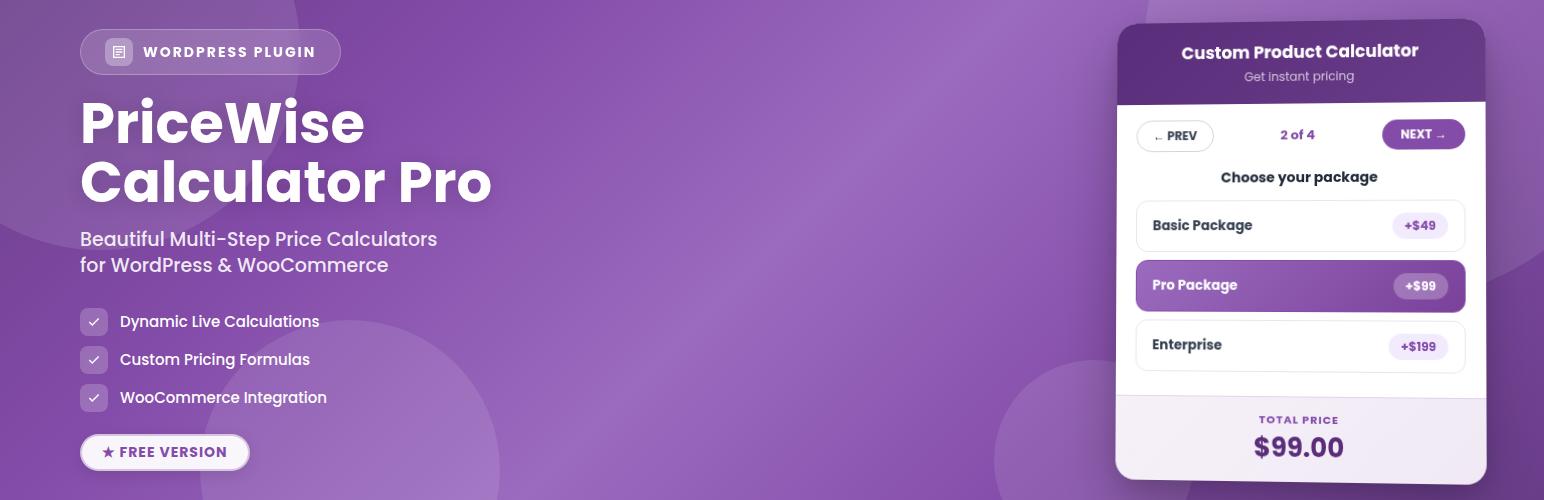
Multi-step calculators — split a long form into steps so it feels easier for customers
Advanced formulas — add conditions and more complex logic to your pricing
Email support — get help directly from our team
Regular updates — new features added over time
Upgrade to Premium | View Documentation
See it working
Note: The video shows the Premium version. The free version works the same way for number fields and global assignment.
What kind of stores use this?
Here are some common examples of stores that find this plugin useful:
Stores selling by measurement:
Flooring and carpet stores, fabric and textile shops, artificial grass suppliers, vinyl wrap sellers, foam cutting businesses, wire and cable by length, wallpaper, fencing, blinds and curtains, glass cutting, timber and lumber, rubber sheeting, leather by the meter
Print and signage businesses:
Banner printing priced by size, custom sticker shops, canvas prints, t-shirt printing by quantity, label printing, large format printing, custom packaging, corrugated boxes
Made-to-order products:
Custom furniture, woodworking, metalwork and fabrication, laser cutting, engraving, bespoke clothing, made-to-measure curtains and blinds
Service businesses:
Landscaping quotes by area, cleaning services priced by room size, painting and decorating estimates, delivery pricing by weight or distance, waste removal, installation services
How to set it up
As a store owner:
1. Go to Calculators > Add New
2. Give your calculator a name
3. Add number fields in the Fields tab — things like Length, Width, Quantity
4. Go to the Formula tab and write your pricing formula using those field names
5. Set the status to Active and save
That is it. Your calculator shows up on all your product pages straight away.
What your customers see:
A clean input area on the product page where they fill in their values. As they type, the price updates live. When they are happy with it, they just add to cart.
Documentation and support
Documentation: https://devtonicstudios.com/pricewise-calculator-documentation/
Email: [email protected]
About us: https://devtonicstudios.com/about-us/
Premium Upgrade
Here is what you get with PriceWise Calculator Pro Premium:
More field types
* Text inputs
* Dropdowns
* Radio buttons
* Checkboxes
* Range sliders
* File upload fields
* Textarea
Smarter assignment
* Show different calculators on different products
* Assign calculators to whole product categories
* Priority control when multiple assignments apply to the same product
Better experience for customers
* Multi-step calculators with a progress bar
* Next and Previous navigation between steps
* Smooth interactions on mobile
Tools for store owners
* Export and import calculators between sites
* Calculation history log
* Auto-save while you edit
* Duplicate a calculator in one click
* Search, filter, and bulk actions in the calculator list
See all Premium features | Upgrade now
Privacy Policy
PriceWise Calculator Pro does not collect or store any personal data from your visitors. All calculations run on your own server. Nothing is sent to any external service.
Credits
Built by Devtonic Studios
Website: https://devtonicstudios.com/about-us/
Documentation: https://devtonicstudios.com/pricewise-calculator-documentation/
Support
Documentation: https://devtonicstudios.com/pricewise-calculator-documentation/
Email: [email protected]
Website: https://devtonicstudios.com/about-us/
We help both free and premium users. Have a look at the documentation first — it covers most setup questions with step-by-step instructions.