內容簡介
Lorelle 的 Lorelle on WordPress 請求製作一個簡單的提醒外掛,可以透過 WordPress 的管理介面使用。我決定憑藉這一小段程式碼來提供此功能。
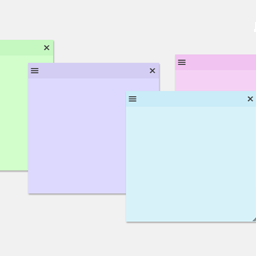
您可以透過 WordPress 的管理介面來輸入提醒,並以多種方式格式化。您可以更改文字顏色、背景顏色,以及加強、強調或底線文字。
這些提醒會儲存為資料庫中的文章。
當顯示提醒時,每個提醒都有一個勾選框,您可以勾選它以標記您已完成那項任務。當勾選框被勾選時,該項目將變暗,當未勾選時則會變亮。使用此功能來確保您已完成應有的任務。勾選的提醒在儲存文章後仍會保持勾選狀態。
外掛標籤
開發者團隊
原文外掛簡介
Lorelle, of Lorelle on WordPress, requested a simple reminder plugin that could be used from the administration
panel within WordPress. I decided to deliver with this little piece of code.
Your reminders are input through the WordPress administration interface, and you can format them in a variety
of ways. You can change the text color, background color, and make the text strong, emphasized, and underlined.
Reminders are stored as posts in the database.
When displaying the reminders, each reminder has a checkbox that you can check to mark that you’ve completed
that item. The item will be dimmed when the checkbox is checked and undimmed when unchecked. Use this feature
to make sure that you’ve completed everything that you should have. Checked reminders will stay checked after saving
a post.