內容簡介
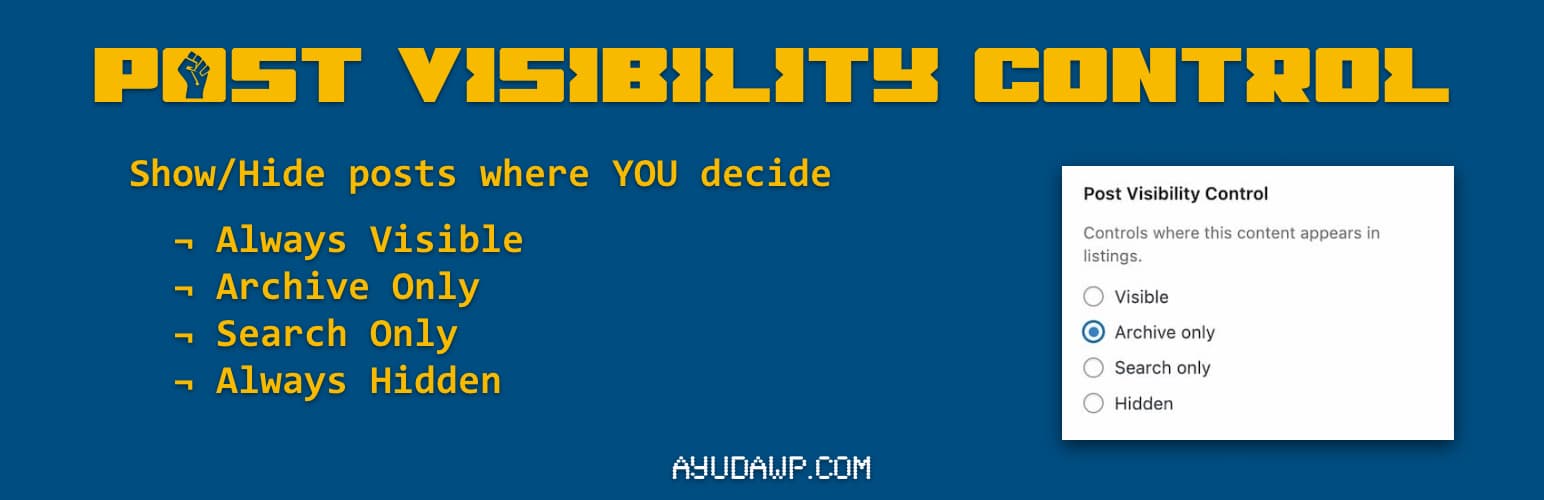
Post Visibility Control 外掛為文章、頁面及自訂文章類型提供可見性選項,讓使用者能精確控制內容的顯示位置,而不必將其設為私人。此外掛與 WordPress 原生介面無縫整合,操作簡便。
【主要功能】
• 支援文章、頁面及自訂文章類型
• 四種可見性選項:可見、僅存檔、僅搜尋、隱藏
• 兼容 Classic Editor 和 Block Editor (Gutenberg)
• 隱藏內容可透過直接連結訪問
• 自動排除 WooCommerce 產品
• 輕量且遵循 WordPress 編碼標準
外掛標籤
開發者團隊
原文外掛簡介
Post Visibility Control adds visibility options to posts, pages, and custom post types. Control exactly where your content appears without making it private.
The plugin integrates seamlessly into the native WordPress interface. In the Block Editor (Gutenberg), you will find the options in the Summary panel of the settings sidebar, together with the rest of the status controls. In the Classic Editor, the options appear within the Visibility section of the Publish metabox, right where you would expect them.
Features:
Works with posts, pages, and custom post types
Four visibility options: Visible, Archive only, Search only, Hidden
Compatible with both Classic Editor and Block Editor (Gutenberg)
Hidden content remains accessible via direct URL
Automatically excludes WooCommerce products (they have their own visibility)
Lightweight and follows WordPress coding standards
Translation ready
Visibility Options:
Visible – Content appears in archives and search results (default)
Archive only – Content appears in archives but not in search results
Search only – Content appears in search results but not in archives
Hidden – Content is hidden from archives and search, accessible only via direct link
Use Cases:
Hide landing pages from blog archives
Exclude specific posts from search results
Create content accessible only via direct links
Control which posts appear on your homepage
How to Use
Block Editor (Gutenberg):
Edit any post or page
Open the settings sidebar (gear icon) and select the document tab (Post or Page)
In the Summary panel you will see “Visibility Control” with four radio buttons
Select your preferred visibility option
Save or publish your post
Classic Editor:
Edit any post or page
In the Publish metabox (right sidebar), find the “Visibility” section
Click “Edit” next to Visibility if needed to expand the options
Below the standard WordPress visibility options, you will find “Visibility Control”
Select your preferred option from the radio buttons
Save or publish your post
Support
Need private support or custom development?
Do you need one-on-one help, priority troubleshooting, or a custom feature, integration, or tweak built specifically for your site? I offer private support and custom development. Just contact me and tell me what you need.
Need help or have suggestions?
Official website
WordPress support forum
YouTube channel
Documentation and tutorials
Love the plugin? Please leave us a 5-star review and help spread the word!
About AyudaWP
We are specialists in WordPress security, SEO, and performance optimization plugins. We create tools that solve real problems for WordPress site owners while maintaining the highest coding standards and accessibility requirements.