內容簡介
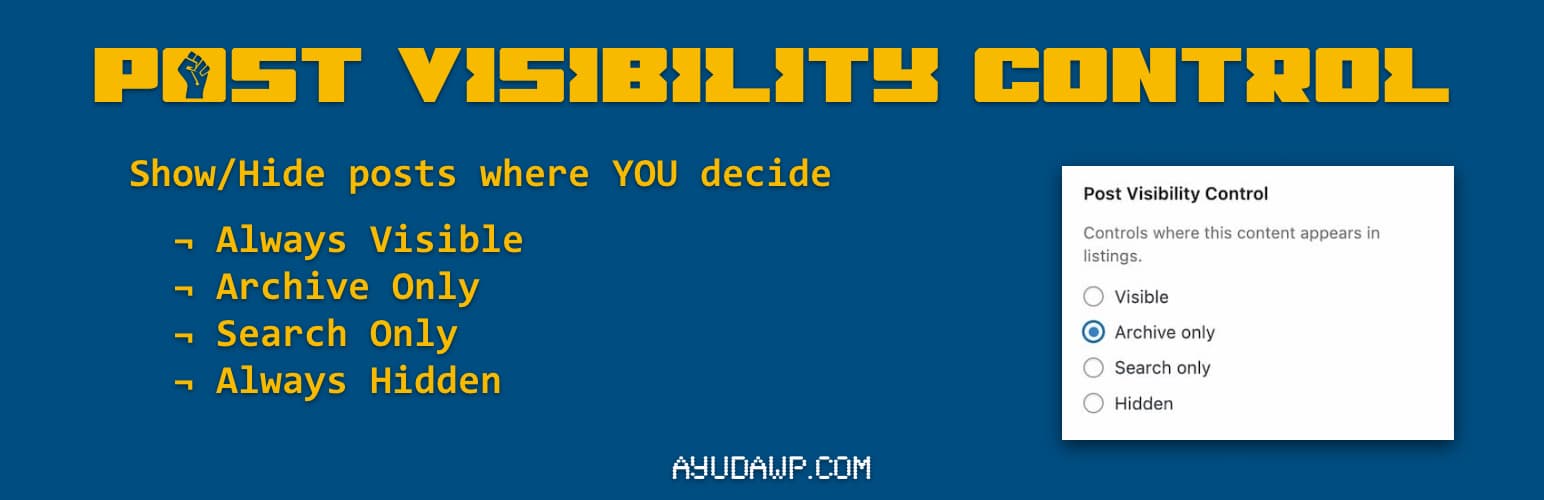
**總結:**Post Visibility Control 外掛可新增文章、頁面和自訂文章類型的顯示選項,在不將內容設為私密的情況下,精確控制內容的顯示位置。此外外掛與 WordPress 介面無縫整合,提供多種顯示選項,並支援 Gutenberg 與傳統編輯器。透過此外掛,您可以控制內容的顯示方式,使其在存檔和搜尋結果中可見,或僅透過直接連結存取。
**問題與答案:**
1. 這個外掛可以控制哪些內容的顯示?
- 可以控制文章、頁面和自訂文章類型的顯示。
2. 這個外掛提供了哪些顯示選項?
- 可見(Visible)、僅存檔(Archive only)、僅搜尋(Search only)和隱藏(Hidden)。
3. 如何在 Gutenberg 編輯器中使用此外掛?
- 編輯任何文章或頁面,在右側欄中找到「狀態」部分,點擊狀態以開啟「狀態與顯示」彈出窗口,選擇適合的顯示選項後保存或發佈。
4. 如何在傳統編輯器中使用此外掛?
- 在發佈框(右側欄)找到「可見性」部分,點擊「編輯」以擴展選項,選擇適合的顯示選項後保存或發佈。
5. 怎樣支持或尋求幫助?
- 請造訪官方網站、WordPress 支援論壇、YouTube 頻道或參閱文件與教程。
6. 關於 AyudaWP,他們是什麼專家呢?
- 他們是 WordPress 安全、SEO 和效能優化外掛的專家,致力於為 WordPress 網站擁有者創建解決真正問題的工具,同時遵循最高的編碼標準和無障礙要求。
外掛標籤
開發者團隊
原文外掛簡介
Post Visibility Control adds visibility options to posts, pages, and custom post types. Control exactly where your content appears without making it private.
The plugin integrates seamlessly into the native WordPress interface. In the Block Editor (Gutenberg), you will find the options inside the Status & Visibility popup when you click on the post status. In the Classic Editor, the options appear within the Visibility section of the Publish metabox, right where you would expect them.
Features:
Works with posts, pages, and custom post types
Four visibility options: Visible, Archive only, Search only, Hidden
Compatible with both Classic Editor and Block Editor (Gutenberg)
Hidden content remains accessible via direct URL
Automatically excludes WooCommerce products (they have their own visibility)
Lightweight and follows WordPress coding standards
Translation ready
Visibility Options:
Visible – Content appears in archives and search results (default)
Archive only – Content appears in archives but not in search results
Search only – Content appears in search results but not in archives
Hidden – Content is hidden from archives and search, accessible only via direct link
Use Cases:
Hide landing pages from blog archives
Exclude specific posts from search results
Create content accessible only via direct links
Control which posts appear on your homepage
How to Use
Block Editor (Gutenberg):
Edit any post or page
In the right sidebar, look for the “Status” section (usually shows “Draft” or “Publish”)
Click on the status to open the Status & Visibility popup
You will see “Visibility Control” options with four radio buttons
Select your preferred visibility option
Save or publish your post
Classic Editor:
Edit any post or page
In the Publish metabox (right sidebar), find the “Visibility” section
Click “Edit” next to Visibility if needed to expand the options
Below the standard WordPress visibility options, you will find “Visibility Control”
Select your preferred option from the radio buttons
Save or publish your post
Support
Need help or have suggestions?
Official website
WordPress support forum
YouTube channel
Documentation and tutorials
Love the plugin? Please leave us a 5-star review and help spread the word!
About AyudaWP
We are specialists in WordPress security, SEO, and performance optimization plugins. We create tools that solve real problems for WordPress site owners while maintaining the highest coding standards and accessibility requirements.