內容簡介
總結:
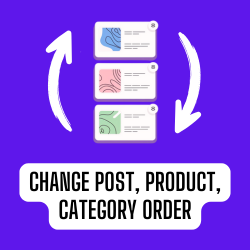
這個免費的 WordPress 外掛「Post Order Master」讓你輕鬆地排序文章、頁面,甚至自定義的文章類型!透過直觀的操作界面,你可以選擇所需的文章類型,載入它們的項目,並通過簡單的拖放操作重新排列它們。建立層次樹狀的內容以完全符合你所想像的網站結構!
問題與答案:
1. 使用 Post Order Master 可以做什麼?
- 可以使用高度響應的拖放界面對內容進行排序。
- 可以將文章、頁面和自定義文章類型組織成清晰的層次樹狀結構。
- 可以通過製作自定義顯示順序來提高網站的用戶體驗,突顯你最好的內容。
- 可以節省時間,因為使用直觀的用戶界面不需要任何複雜的設置。
2. Post Order Master 為什麼重要?
- 使用 WordPress 的默認排序方式管理內容在長時間內可能變得困難,而 Post Order Master 通過提供一個完全手動但簡單的拖放排序體驗來解決這些問題。
- 透過這個動態插件,可以強化SEO策略,吸引更多受眾並改善內容呈現方式。
3. 這個外掛是否尊重使用者權限?
- 是的,這個外掛具有「能力感知」,只有擁有編輯他人頁面、文章權限的使用者(如編輯和管理員)才能重新排序內容。
4. Post Order Master 與哪些 WordPress 頁面建構者兼容?
- Gutenberg – 現代內建的WordPress區塊編輯器
- Classic Editor – 古典內建的WordPress編輯器
- Elementor – 在WordPress上領先的網站構建平台
- WP Bakery – 用直觀的方式創建任何佈局
- Beaver – 可以信任的頁面構建者
- Bricks – 具有許多模板的驚人區塊編輯器
- Brizy – 任何人都可以使用的下一代網站構建者
- 以及更多...
外掛標籤
開發者團隊
② 後台搜尋「Post Order Master – Free Drag & Drop Hierarchy Manager」→ 直接安裝(推薦)
原文外掛簡介
Effortlessly sort your posts, pages, and even custom post types! 🚀 This free plugin offers a clean, intuitive interface where you can select your desired post type, load its items, and rearrange them via a simple drag & drop operation. Build hierarchical trees of content to reflect your site’s structure exactly as you envision!
✨ With Post Order Master you can:
✅ Sort content using a highly responsive drag & drop interface
✅ Organize posts, pages, and custom post types into a clear hierarchical tree structure
✅ Enhance your site’s UX by crafting a custom display order that highlights your best content
✅ Save time with an intuitive UI that needs zero complex configurations
✨ Why Post Order Master?
Over time, managing your content order with default WordPress sorting can be challenging. Post Order Master resolves these issues by offering a fully manual, yet simple, drag and drop sorting experience. Reinforce your SEO strategy, drive more engaged visitors and polish your content presentation with our dynamic plugin!
🔐 Plugin Respects User Permissions
The plugin is “capabilities aware” – only users who have the right to edit others’ pages, posts (such as editors and administrators) will be able to reorder content.
🚀 COMPATIBILITY
We realize that not all themes and plugins have the same structure and as a result are different, so we strive to provide additional compatibility. Post Order Master seamlessly integrates and works with the most popular WordPress page builders, themes and plugins. In rare cases, if Post Order Master fails to work with any page builder, theme or plugin, simply post in the support forum and we will do our best to resolve the issue.
PAGE BUILDERS
* Gutenberg – modern built-in WordPress block editor
* Classic Editor – classic built-in WordPress editor
* Elementor – leading website builder platform on WordPress
* WP Bakery – create any layout with intuitive way
* Beaver – page builder you can trust with your business
* Bricks – amazing block editor with many templates
* Brizy – next-gen website builder that anyone can use
* and more…
🎓 CONCLUSION
Transform your WordPress content management experience with the Post Order Master plugin. Simplify your post organization, enhance efficiency, and take control of your content like never before. This plugin provides an intuitive drag & drop interface, allowing you to easily rearrange, manage, and build a hierarchical tree for your standard and custom posts. Effortlessly reorder posts, pages, and custom post types, keeping your website organized and SEO-friendly. Each custom ordering gives your site a polished look and ensures visitors find what they need quickly. Try Post Order Master today and unlock the full potential of your WordPress website!
💼 GDPR & Privacy
We do not collect or store any information about our visitors or users without their consent.
We also do not transfer any data to external servers without users’ consent.
The purpose of our plugin is to help organize the WordPress pages, posts, and custom post types.
🔥 Check out our other WordPress Plugins
HappyVR – virtual tour builder and 360 panorama viewer for WordPress
MediaCommander – bring folders to media, posts, and pages
NinjaDraw – create diagrams, sketches & visual workflows
Support
Found an issue or have a feature request? Head over to our support forum or drop us an email for assistance. We’re here to help you master your post order effortlessly!