內容簡介
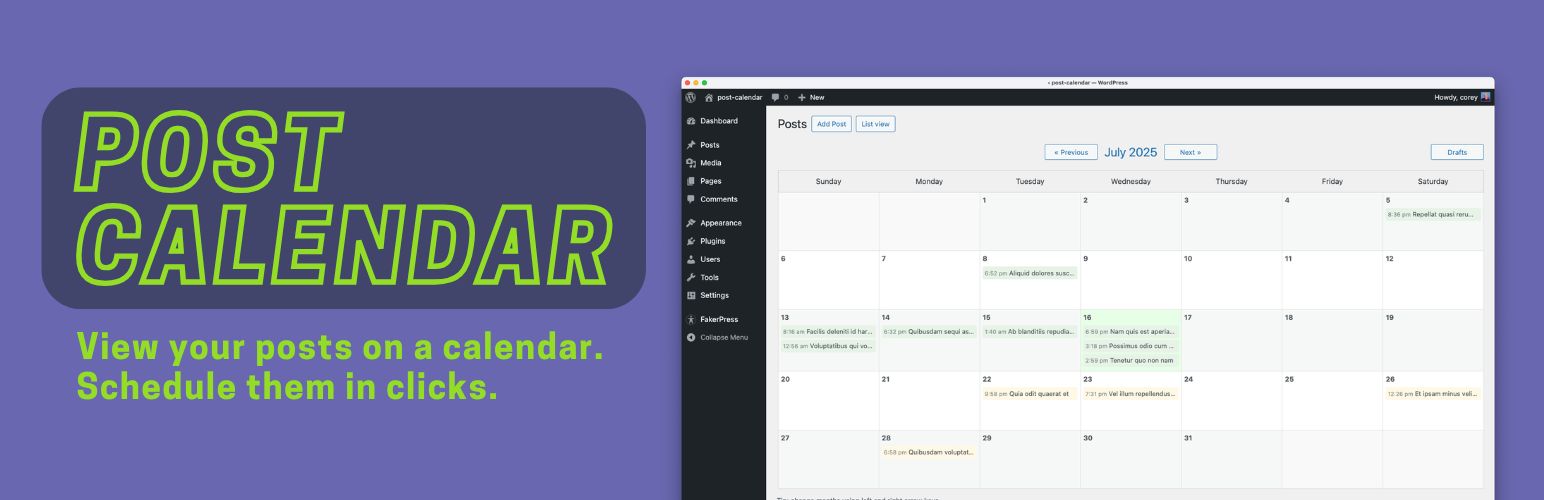
Post Calendar 外掛將標準的 WordPress 文章列表替換為日曆視圖,讓您可以按日期查看已發佈和排程的文章,方便管理發佈計畫。
【主要功能】
• 以日曆視圖顯示文章發佈計畫
• 一鍵重新排程文章日期和時間
• 控制台小工具顯示上個月發佈和未來排程的文章
• 顯示所有未排程的草稿,方便快速設定發佈日期
• 支援多種文章類型的日曆視圖
外掛標籤
開發者團隊
② 後台搜尋「Post Calendar by Gelform」→ 直接安裝(推薦)
原文外掛簡介
The Post Calendar plugin replaces the standard WordPress post list with a calendar view, so you can see your published and scheduled posts laid out by date.
Why You’ll Like the Post Calendar plugin
See your publishing schedule at a glance instead of scrolling a long list. Rescheduling is one click: click any post on the calendar, pick a new date and time from the popup, and you’re done.
A “Post Schedule” widget on the WordPress dashboard lists everything published last month and everything scheduled ahead, across all your enabled post types, color-coded by type. Click any post in it to reschedule it right from the dashboard.
Have unscheduled drafts? The “Drafts” button shows them all in one place so you can quickly assign each a publish date. The plugin is a good fit for bloggers, content marketers, news sites, or anyone managing an active content calendar. Settings let you choose which post types get the calendar view and whether to add a calendar link to the admin menu.







![WP-CopyProtect [Protect your blog posts]](https://s.w.org/plugins/geopattern-icon/wp-copyprotect_cccccc.svg)