內容簡介
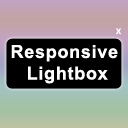
Pop Up 是一款 WordPress 外掛,允許你建立並顯示通知橫幅在你的網站上。這個外掛讓你建立不同類型的通知,例如關於最新消息、特別優惠、邀請訂閱電子報或其他資訊的通知。Pop Up 可以自動調整橫幅的大小。這個外掛容易使用,只需簡單幾步驟即可設置。只需上傳橫幅並啟用即可。在關閉彈出視窗後,訪問我們網站的訪客將在一天內不會再看到它。
歡迎訪問我的編程網站:zyrex.eu
外掛標籤
開發者團隊
原文外掛簡介
Pop Up is a WordPress plugin that allows you to create and display notifications on your website in the form of a banner. The plugin allows you to create different types of notifications, such as notifications about news, special offers, invitations to subscribe to a newsletter or other information. The pop up adapts its size to the banner. The plugin is easy to use and can be set up in a few simple steps. Simply upload the banner and activate it. The visitor to our site after closing the popup will not see it for a day.
Welcome to my programming website: zyrex.eu