內容簡介
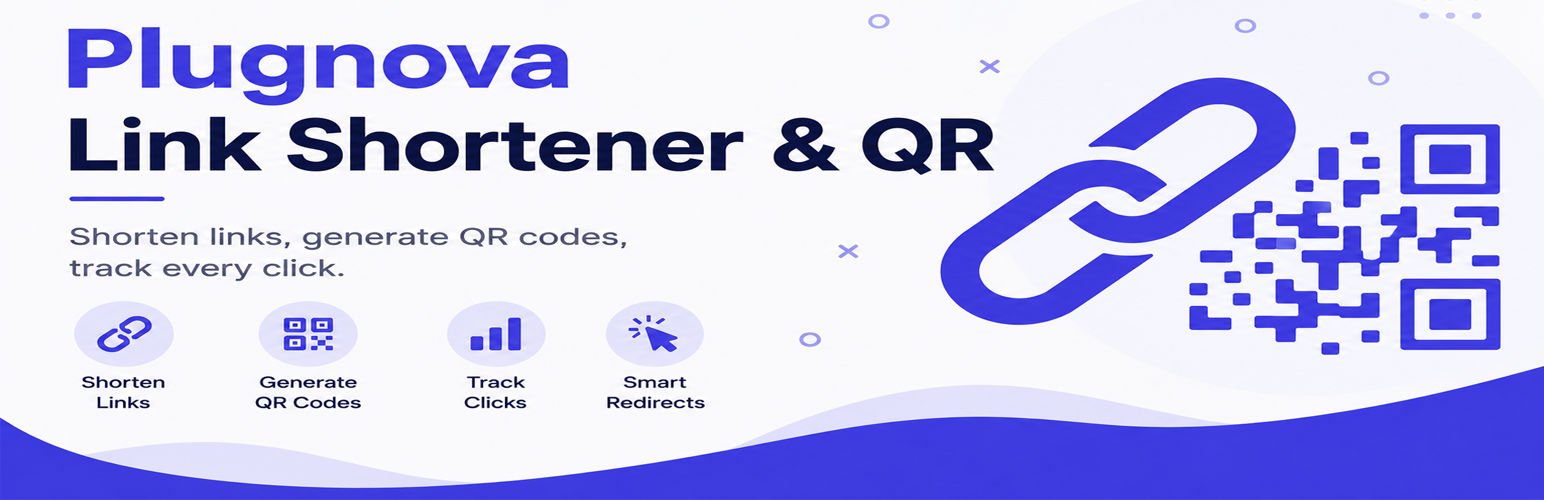
Plugnova Link Shortener & QR 是一款完整的 WordPress 連結縮短工具,讓使用者能在自己的網域上縮短連結,並將每次點擊記錄在自己的資料庫中,無需依賴第三方服務。
【主要功能】
• 自訂短連結,無需月費
• 自動生成可自訂的 QR 碼
• 詳細的點擊分析數據
• 支援多目的地 URL 旋轉
• 密碼保護及過期日期設定
• 友善的聯盟行銷管理功能
外掛標籤
開發者團隊
② 後台搜尋「Plugnova Link Shortener & QR」→ 直接安裝(推薦)
原文外掛簡介
Plugnova Link Shortener & QR is a complete link shortener for WordPress. Instead of paying a monthly fee to a hosted URL shortener service, you shorten links on your own domain, keep every click in your own database, and hand nothing to a third party.
Create short, branded links such as yoursite.com/go/offer in seconds. Every short link can automatically generate a customizable QR code, and every click is recorded with the detail you would expect from a paid link shortener: device, browser, operating system, referrer and UTM parameters — all stored locally, with no external visitor tracking.
Why use a self-hosted link shortener?
Your brand, not theirs — links read yoursite.com/go/offer instead of a generic shortener domain.
No monthly fee and no link limits — create as many short links as you need.
You own the data — link and analytics data live in your own WordPress database.
Nothing disappears — hosted shorteners expire links and lock analytics behind upgrades; your links last as long as your site does.
Privacy by default — visitor IP addresses are never stored, and no per-visitor request leaves your server.
Affiliate-friendly — manage affiliate links, track campaigns and monitor destination health.
Bio Link pages included — build link-in-bio pages on your own site, no extra service needed.
Link shortening & QR codes
Unlimited short links with random or custom slugs
Automatic QR code generation (PNG or SVG) with square/rounded/circle styles, custom colors, and an optional brand-logo band
Optional caption text baked directly into the QR image (e.g. “Check Price on Amazon”) — ideal for videos and thumbnails
Multi-destination URL rotation (Round Robin, Random, or Weighted Random) with per-destination analytics and an optional fallback URL
301 / 302 / 307 redirect types
Password-protected links, expiration dates, and click limits
Geo (country) and device targeting rules — send visitors to different URLs based on where they are or what they’re using
Quick Add: paste a URL and press Enter to create a link instantly
Bulk actions: enable/disable, trash/restore/delete, regenerate QR, set category, add tag, export selected
Filters by status, category, tag, color label, favorite, link health, and creation date
Broken-link checker with a Smart Link Score — on-demand always, and on an optional, off-by-default daily schedule (see “External services” below)
Smart Bio Link pages
Link-in-bio landing pages at your own domain (/bio/your-name)
Drag-and-drop buttons, product-card buttons (image + text), link groups (accordions), and a social-icon row
Announcement bar, countdown timer, floating contact buttons, campaign scheduling, and per-button country/device visibility
Optional email-capture gate and password protection
Ready-made templates, one-click import/export, and a live preview while editing
Per-page and per-button analytics
Analytics & tracking
Real-time click/view analytics: device, browser, OS, referrer (categorized), and UTM breakdowns, with a date-range picker and optional bot inclusion
QR-scan vs. direct-traffic split
Offline GeoIP country detection — visitor IPs never leave your server
Bot/crawler filtering — link-preview and search-engine bots are excluded from counts
Unique and bot-filtered click counts
CSV export of links and of analytics
Affiliate & content tools
Plugnova Link Shortener & QR is built for affiliate marketers, content creators, bloggers and publishers.
Keyword auto-linking — automatically link chosen keywords in your post content
Short, branded affiliate URLs with click and campaign analytics
QR codes for affiliate campaigns, print material and video thumbnails
UTM parameter tracking and broken-destination checking
Bulk CSV import and migration from Pretty Links / ThirstyAffiliates
Developer tools
Full REST API (/wp-json/qlqr/v1/) secured with capability checks and rate limiting
Shortcodes: [qlqr], [qlqr_qr], [qlqr_button], [qlqr_stats], [qlqr_bio], [qlqr_bio_qr]
Activity Log audit trail, Database Repair Tool, and a System Health checker
Privacy
IP addresses are never stored — only a salted, one-way SHA-256 hash
No per-visitor external requests; all redirects, QR generation, and geolocation happen on your own server
Clean uninstall routine with opt-in data removal
External services
This plugin relies on three external services, detailed below.
Freemius (licensing and update SDK)
This plugin uses the Freemius SDK to manage plugin updates, licensing for the premium version,
and (only if you opt in) anonymous usage data used to improve the plugin and offer support.
On activation, an administrator is shown a one-time opt-in screen asking permission to connect the
site to Freemius. Connecting sends non-sensitive data such as this site’s URL, admin email, WordPress
and PHP versions, and this plugin’s version — never post content, visitor data, or link/analytics data
stored by this plugin. An administrator may skip connecting; the plugin remains fully usable, and
Freemius still performs basic update checks for the plugin itself.
Service: Freemius, https://freemius.com/
Terms of use: https://freemius.com/terms/
Privacy policy: https://freemius.com/privacy/
GeoIP country dataset (npm registry)
This service is used to power the optional, offline “Top Countries” analytics report. The plugin
downloads a public IP-to-country dataset once and looks up visitor countries locally afterwards —
no per-visitor lookup is ever sent anywhere.
This service is called only when a site administrator clicks “Download / Update Database” on the
Settings screen. It is never called automatically, on a schedule, or in response to a visitor. If
that button is never clicked, this plugin makes no request to this service at all, and the Top
Countries report simply stays empty.
What is sent: a plain package-download request for the @ip-location-db/asn-country package —
no visitor data, IP address, or site data of any kind.
The dataset itself is released into the public domain (CC0) by the ip-location-db project:
https://github.com/sapics/ip-location-db
Service: npm registry, https://registry.npmjs.org/
Terms of use: https://docs.npmjs.com/policies/terms
Privacy policy: https://docs.npmjs.com/policies/privacy
Link destination check (broken-link checker)
This service check is used to tell you whether a short link’s own destination is still online. The
“destination” is whichever URL you yourself configured as a link’s target when creating it — this
plugin does not call any single fixed third-party service for this feature, but rather whatever
destination URLs you have added.
This is off by default. It is called only when a site administrator either clicks “Check All Links”
on the Links screen (a one-time, on-demand check), or turns on “Automatically check for broken
links” on the Settings screen (a daily scheduled check, which can be turned off again at any time).
It is never called automatically before that setting is turned on, and never in response to a visitor.
What is sent: a standard HTTP GET request to the destination URL, with a generic User-Agent string
identifying the plugin (no site-identifying information, such as this site’s own URL, is included).
No visitor data is ever sent.
If the setting is never turned on and “Check All Links” is never clicked, this plugin makes no such
request at all.
If you never click that button and never turn the setting on, the plugin makes no such requests at all.
Support
For bug reports, questions and feature requests, please use the
support forum for this plugin on WordPress.org.