內容簡介
**總結:**
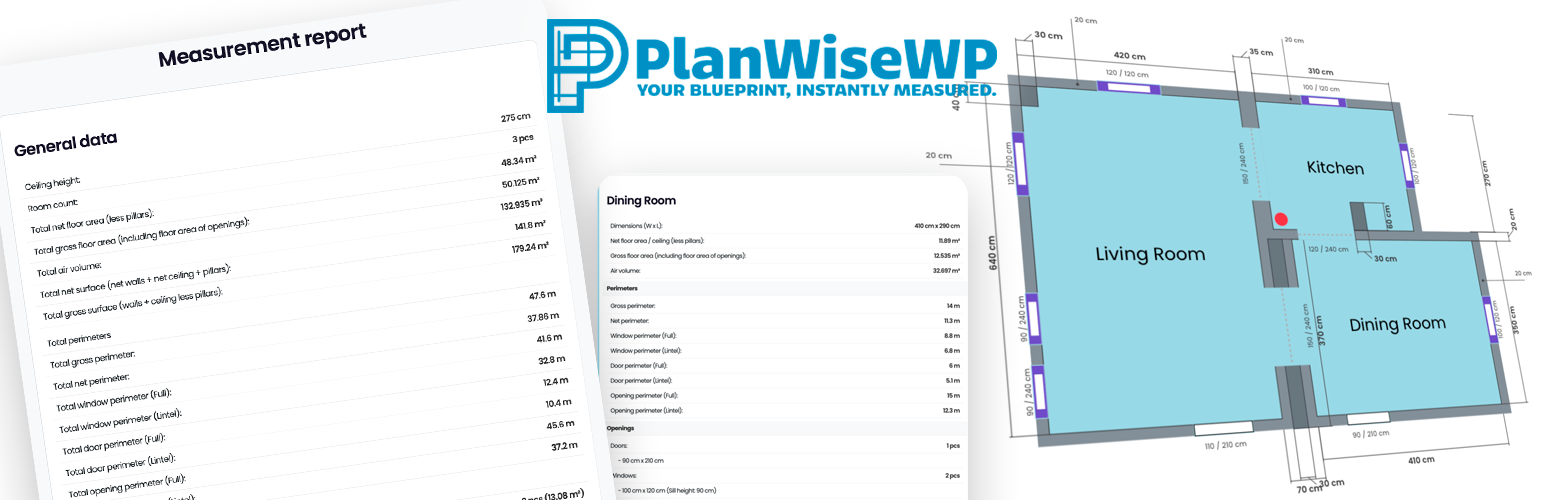
- PlanWiseWP 是一個革命性且易於使用的 WordPress 外掛,可以直接將專業的平面圖編輯器嵌入您的網站中,讓訪客輕鬆在瀏覽器中畫出平面圖。外掛會即時自動計算所有重要的尺寸。這是房地產經紀、承包商、電子商務商店 (油漆、地板、家具) 和任何需要提供準確報價或產生合格潛在客戶的完美 B2B 工具。
**問與答:**
1. PlanWiseWP 提供了哪些 PRO 版本的功能?
- 處理複雜幾何形狀:管理具有高級房間重疊和合併邏輯以及非標準形狀智能對齊的精密建築佈局。
- 精準尺寸定位:使用動態指導線和畫布上的尺寸線進行毫米級精確規劃和專業級藍圖。
- 自動工程報價:即時計算淨與總樓面面積、淨牆面積 (自動減去所有門窗) 和詳細的周邊線,以精確估算踢腳板或修整材料。
- 熱和體積分析:根據計算的表面和房間體積自動生成空氣體積數據和估算的加熱負載要求,非常適合暖通空調和絕緣承包商。
- 生成合格潛在客戶:允許用戶保存和載入他們的計劃,將匿名訪客轉換為您數據庫中的註冊、可聯絡的潛在客戶。
- 加強品牌形象:移除我們的浮水印並在所有輸出的高解析度 PNG 中添加您自己的公司徽標。
- 賺取流量:使用公司管理面板為您自己的 B2B 客戶和合作夥伴創建高級、分層訪問。
- 完整數據可移植性:在管理員儀表板中查看用戶保存的計劃 (JSON),解鎖 CSV 和 TXT 導出以直接與您的 CRM 或報價軟件同步數據。
2. PlanWiseWP 的免費版核心功能包括哪些?
- 視覺網格對齊編輯器:一個直觀的繪圖界面,任何人都可以輕鬆使用。
- 即時基本計算:即時計算總樓面積、總牆面積和物品數量。
- 智能磁性對齊:房間和元素自動對齊,實現完美對齊。
- 適用於移動和平板電腦:完全響應式和支持觸摸操作。
- 公制和英制單位:無縫在 (厘米/米) 或 (英寸/英尺) 中運作。
- 透過短碼嵌入:在任何頁面或文章中放置 [planwisewp]。
- PNG 圖像導出:讓用戶下載他們計劃的 PNG 圖片 (帶有 PlanWiseWP 浮水印)。
- 管理員自定義:控制編輯器按鈕顏色和預設房間名稱列表。
- 可翻譯:可以完全翻譯成您網站的語言。
外掛標籤
開發者團隊
原文外掛簡介
Stop wrestling with rulers and calculators! PlanWiseWP is a revolutionary, easy-to-use WordPress plugin that embeds a professional floor plan editor directly into your site with a simple shortcode [planwisewp]. Allow your website visitors, clients, or agents to draw floor plans effortlessly in their browser. As they draw, PlanWiseWP automatically calculates all crucial measurements in real-time. It’s the perfect B2B tool for real estate agencies, contractors, e-commerce stores (paint, flooring, furniture), and anyone who needs to provide accurate quotes or generate qualified leads.
From a simple utility to a powerful business and engineering engine
While the free version provides a powerful editor for your visitors, the PlanWiseWP PRO version transforms it into a complete professional asset. With PlanWiseWP PRO, your website can: * Handle Complex Geometries: Manage sophisticated architectural layouts with advanced Room Overlapping & Merging logic and intelligent snapping for non-standard shapes.
* Precision Dimensioning: Utilize Dynamic Guidelines and on-canvas dimension lines for millimeter-precise planning and professional-grade blueprints.
* Automate Engineering Quotes: Instantly calculate Net vs. Gross Floor Areas, Net Wall Surfaces (automatically subtracting all doors and windows), and Detailed Perimeters for accurate skirting or trim material estimation.
* Thermal & Volume Analysis: Automatically generate Air Volume data and estimated Heating Load requirements based on calculated surfaces and room volumes—perfect for HVAC and insulation contractors.
* Generate Qualified Leads: Allow users to Save & Load their plans, turning anonymous visitors into registered, contactable leads in your database.
* Strengthen Your Brand: Remove our watermark and add your own company logo to all exported high-resolution PNGs.
* Monetize Your Traffic: Use the Company Management panel to create premium, tiered access for your own B2B clients and partners.
* Full Data Portability: View user-saved plans (JSON) in the admin dashboard and unlock CSV & TXT export to sync data directly with your CRM or quoting software.
Core FREE features
Visual Snap-to-Grid editor: An intuitive drawing interface that’s easy for anyone to use.
Live basic calculations: Instantly calculates Gross Floor Area, Gross Wall Area, and item counts.
Smart magnetic alignment: Rooms and elements automatically snap together for perfect alignment.
Mobile & tablet ready: Fully responsive and touch-enabled.
Metric & Imperial units: Works seamlessly in (cm/m) or (in/ft).
Embed via shortcode: Place [planwisewp] on any page or post.
PNG image export: Lets users download a PNG of their plan (with PlanWiseWP watermark).
Admin customization: Control editor button colors and the preset room name list.
Translation ready: Fully translatable to your site’s language.
See the PRO vs. FREE Comparison | Try the Live DEMO | Read the Documentation
3rd Party or External Service Disclaimer
This plugin, when upgraded to the PRO version, uses the Freemius service (https://freemius.com) to handle licensing, payments, and automatic updates.
* Data Sent: When purchasing or activating a PRO license, user data (name, email, site URL, license key) is securely sent to Freemius to validate the purchase and manage the license.
* Freemius Privacy Policy: https://freemius.com/privacy/