
內容簡介
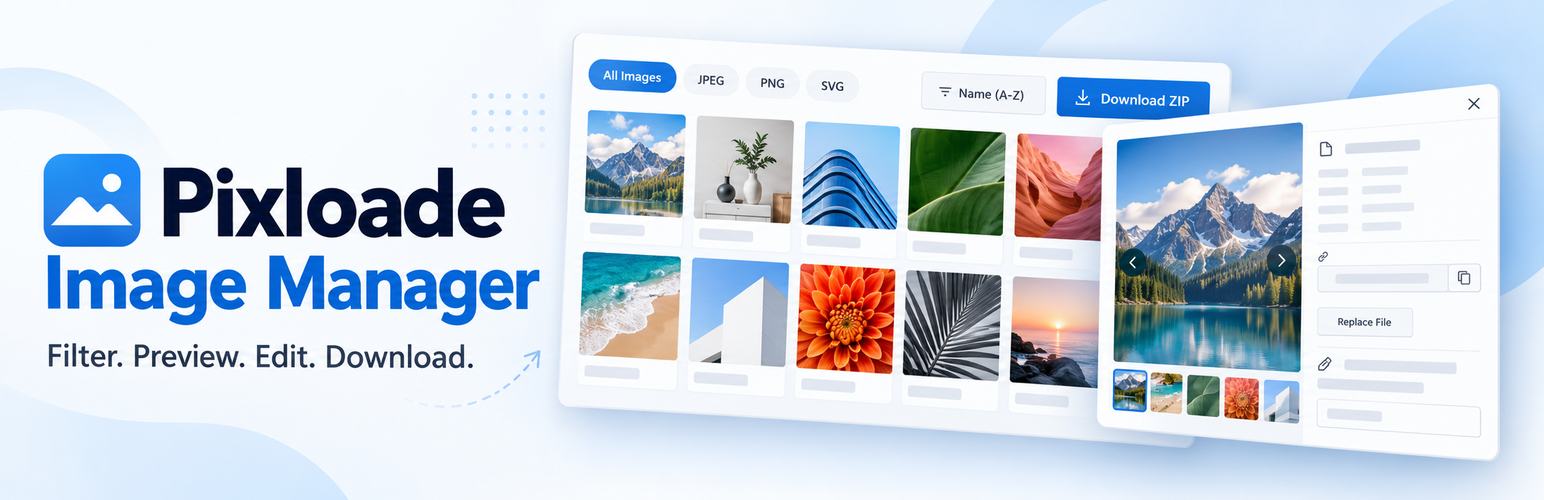
Pixloade Image Manager 是一款快速的 WordPress 媒體庫圖片管理工具,能夠輕鬆瀏覽、匯出及整理媒體庫中的圖片。用戶可以一鍵下載所有圖片或選擇特定格式,並檢查缺少 alt 文字的圖片,提升網站性能與 SEO。
【主要功能】
• 一鍵下載媒體庫所有圖片為 ZIP 檔
• 選擇性下載特定格式圖片
• 檢查缺少 alt 文字的圖片
• 依標題、描述或檔名搜尋圖片
• 編輯圖片標題、描述及 alt 文字
• 團隊安全性,依權限管理圖片存取
外掛標籤
開發者團隊
② 後台搜尋「Pixloade Image Manager – Bulk Download Media Library Images as ZIP」→ 直接安裝(推薦)
原文外掛簡介
Pixloade Image Manager is the fastest way to browse, export and tidy up the images in your WordPress Media Library.
Need to download every image from your site? Move a client’s photos to a new host? Grab only the PNG files? Find the heaviest images that slow your pages down? Fix missing alt text on dozens of images? Pixloade does all of this from one clean screen under Media → Image Manager.
Bulk download Media Library images as ZIP
Download all images in your Media Library as a single ZIP file with one click.
Select the images you want with checkboxes (Shift-click selects a range) and download only those.
The ZIP always follows what you see: the current format tab, search and filters.
Download only one format: JPEG, PNG, GIF, WebP, SVG or any other image type on your site.
The ZIP contains your original uploads, not the resized thumbnails or “-scaled” copies WordPress creates.
Duplicate file names are renamed automatically, so nothing gets overwritten.
Find images that need attention
Missing alt text filter lists every image without alt text, with a live count and a “No alt text” badge on each card.
Large files filter shows images of 500 KB or more, the ones that slow your pages down.
See your library size at a glance, in total and per format (JPEG, PNG, WebP…).
Search, filter and sort images
Search by title, caption, description or file name.
Filter by upload month and by format tabs with live counts.
Sort by name, upload date, or file size (smallest or largest first) to find heavy images quickly.
Combine everything, for example “PNG + Large files + Missing alt text”.
Large libraries load in pages with a “Load more” button, so the screen stays fast.
Preview and edit image details
Click any image to open a detail view with file name, type, size, dimensions, upload date and author.
Edit the title, caption, alt text and description in place and save without leaving the screen. Great for fixing missing alt text and improving image SEO and accessibility.
Save & next saves and jumps straight to the next image, so you can fix alt text for a whole list in minutes.
Move between images with the arrow buttons or the ← → keys.
Copy the image URL with one click, or download a single image.
See extra data other plugins store on an image (for example Rank Math, Yoast SEO or Elementor).
Safe for teams
Uses the same permissions as the WordPress Media Library: Authors, Editors and Administrators can browse and download, and people can only edit images they are allowed to edit.
Lightweight: no extra database tables, no tracking and no external services.










