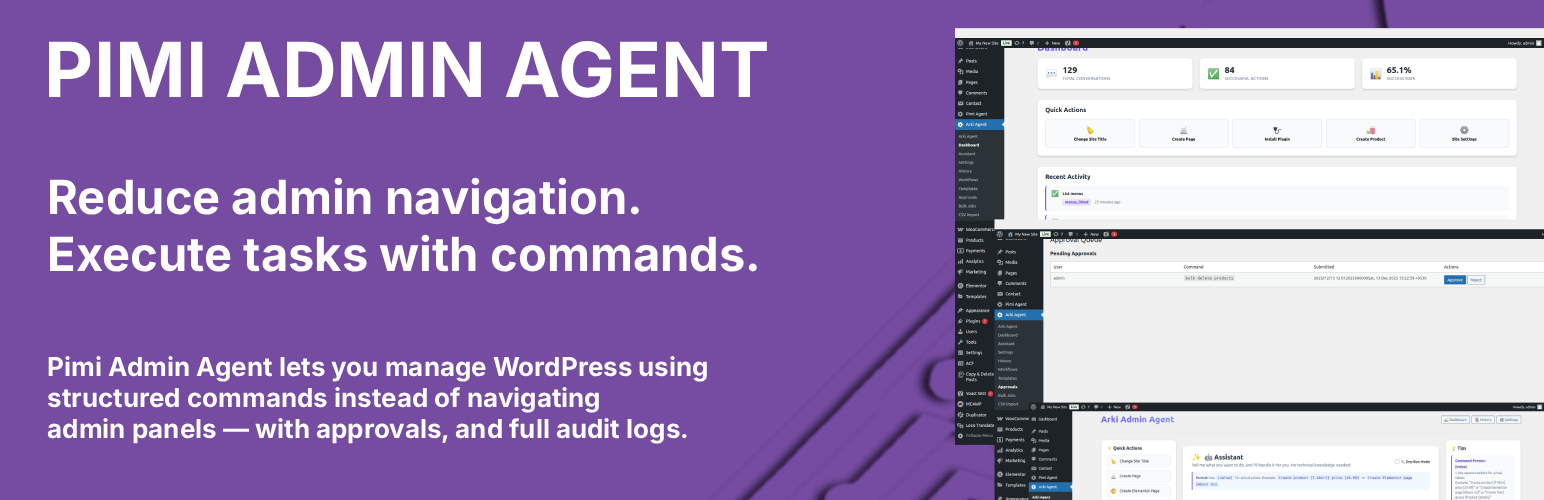
內容簡介
Pimi Admin Agent是一款強大的WordPress助手外掛,讓管理員可以通過指令來管理他們的WordPress網站。 以安全和易用性為首要考量,提供可靠的、可審計的、可擴展的WordPress管理解決方案。 使用指令來執行支持的操作,全面預覽並確認,取代了在多個WordPress管理介面中導航。
- 命令介面 - 使用指令控制您的WordPress網站
- WordPress核心管理 - 創建、更新、刪除頁面、文章和使用者
- 媒體庫操作 - 上傳、刪除和列出媒體文件
- 選單和導航 - 創建選單、添加項目、分配位置
- 小工具管理 - 在側邊欄中添加、刪除和列出小工具
- Elementor集成 - 創建Elementor頁面並分配模板
- 外掛管理 - 安裝和更新外掛(激活/停用必須通過外掛管理頁面手動完成)
- 通過高風險指令的自動批准排隊
- 工作流程 - 多步驟指令序列
- 批量操作 - 一次處理多個項目
- CSV導入 - 從CSV文件中導入產品、頁面、文章
- 指令模板 - 保存和重複使用指令
- 完整的審計日誌 - 帶有時間戳的完整指令歷史
- 安全功能 - 沒有危險操作(例如wp-config編輯、SQL執行等)
### 問題與答案:
1. Pimi Admin Agent這款外掛的目的是什麼?
- 讓管理員可以通過指令來管理他們的WordPress網站。
2. 使用Pimi Admin Agent能夠達到的效果是什麼?
- 使用指令來執行支持的操作,全面預覽並確認,取代了在多個WordPress管理介面中導航。
3. 這款外掛的主要設計原則是什麼?
- 預測性、透明性和安全性為第一等級原則。
4. 使用Pimi Admin Agent能夠管理哪些內容和功能?
- 可以控制WordPress網站的指令介面、WordPress核心管理、媒體庫操作、選單與導航、小工具管理、Elementor集成等。
5. 這款外掛並不會執行哪些操作?
- 不會啟用或停用外掛、不會通過指令刪除外掛、不會更改使用者密碼、不會創建或更新管理員使用者、不會編輯wp-config.php等。
外掛標籤
開發者團隊
原文外掛簡介
Pimi Admin Agent is a powerful WordPress assistant plugin that allows administrators to manage their WordPress site through commands. Built with safety and usability in mind, it provides a reliable, auditable, and scalable solution for WordPress administration.
Instead of navigating through multiple WordPress admin screens, administrators can use commands to safely execute supported actions with full preview and confirmation.
The plugin is designed with predictability, transparency, and safety as first-class principles.
Key Features
Command Interface – Control your WordPress site using commands
WordPress Core Management – Create, update, delete pages, posts, and users
Media Library Operations – Upload, delete, and list media files
Menus & Navigation – Create menus, add items, assign to locations
Widgets Management – Add, remove, and list widgets in sidebars
Elementor Integration – Create Elementor pages and assign templates
Plugin Management – Install and update plugins (activation/deactivation must be done manually through the Plugins page)
Approval Queue – Automatic approval for high-risk commands
Workflows – Multi-step command sequences
Bulk Operations – Process multiple items at once
CSV Import – Import products, pages, posts from CSV files
Command Templates – Save and reuse commands
Full Audit Log – Complete command history with timestamps
Safety Features – No dangerous operations (wp-config editing, SQL execution, etc.)
What This Plugin Does NOT Do
Does not activate or deactivate plugins (must be done manually through Plugins page)
Does not delete plugins via command
Does not change user passwords
Does not create or update administrator users
Does not edit wp-config.php
Does not execute arbitrary SQL
Does not edit core WordPress files
Does not modify role capabilities
Does not execute arbitrary or free-form commands
Does not bypass WordPress permissions or plugin security
Requirements
WordPress 5.0 or higher
PHP 7.4 or higher
MySQL 5.6 or higher
Administrator privileges required
Optional plugins (for specific features):
Elementor (for Elementor features)
Automatic Installation
Go to Plugins → Add New
Search for “Pimi Admin Agent”
Click “Install Now”
Click “Activate”
Manual Installation
Download the plugin ZIP file from your purchase
Log in to your WordPress admin panel
Navigate to Plugins > Add New
Click “Upload Plugin”
Choose the downloaded ZIP file
Click “Install Now”
Click “Activate”
Usage
Navigate to Pimi Admin Agent → Assistant in WordPress admin
Enter a command
Confirm the action (if required)
Review the result in the activity log
Example commands:
WordPress:
* Create page [About Us] content [Welcome to our site]
* Create post [Welcome Post] content [This is my first post]
* Create user [[email protected]] role [editor]
* Upload image [https://example.com/image.jpg]
* Create menu [Main Menu]
* Add widget [text] to sidebar [sidebar-1]
Elementor:
* Create Elementor page [Home]
* Assign Elementor template [Homepage Template] to page [Home]
Plugins:
* Install plugin
錯誤: 找不到符合條件的聯絡表單。
* Update plugin
錯誤: 找不到符合條件的聯絡表單。
* Note: Plugin activation and deactivation must be done manually through the WordPress Plugins page
Security
Administrator-only access (manage_options capability required)
WordPress nonce validation on all AJAX requests
Whitelisted actions only
No dangerous operations (wp-config editing, SQL execution, etc.)
Administrator user protection (cannot create/update/delete admin users)
Password changes disabled (use WordPress admin)
Approval queue for high-risk commands (>50 items)
Complete audit logging
Role-based permissions