內容簡介
WP Posts Bulk Actions 擴展了 WordPress 的文章(及自訂文章類型)列表畫面,提供額外的批量操作功能。使用者可以選擇公開的文章類型來顯示操作,並在執行前過濾內容,從而提高管理效率。
【主要功能】
• 批量更改文章狀態:移至草稿或已發布
• 批量移動選定項目至垃圾桶或永久刪除
• 同時更改多篇文章的作者
• 批量新增、移除或替換分類術語
• 批量設定或移除特色圖片
• 批量開啟或關閉評論
外掛標籤
開發者團隊
原文外掛簡介
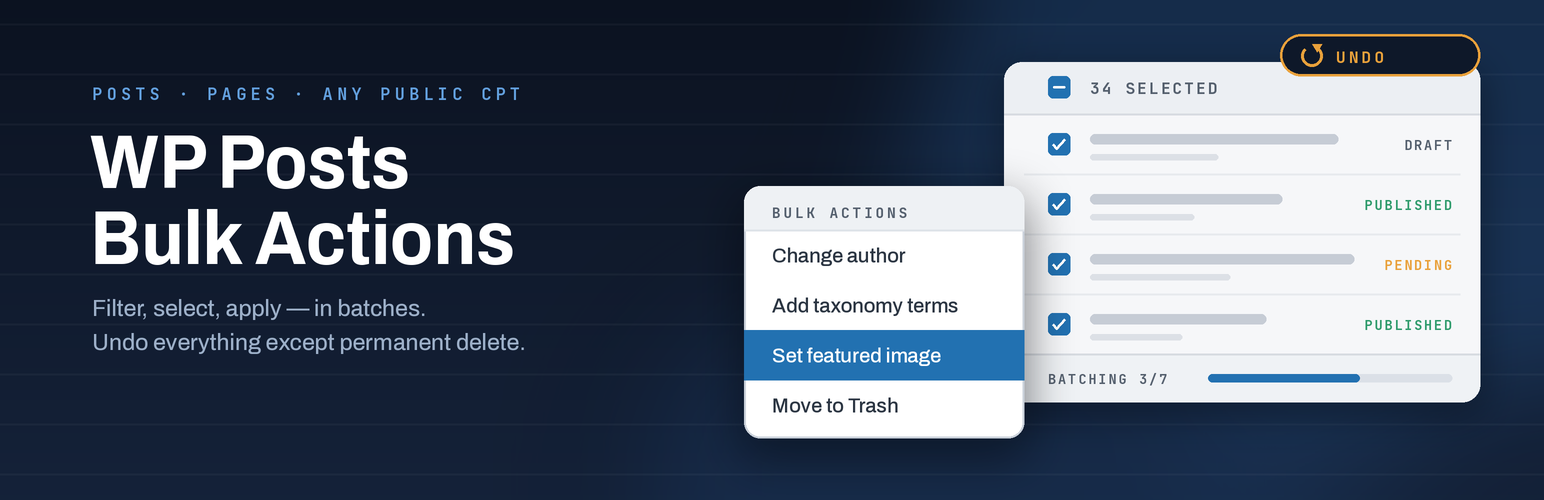
WP Posts Bulk Actions extends the WordPress posts (and custom post type) list screens with extra bulk actions. Choose which public post types should show the actions, filter content on the Tools page before you act, then apply changes from the familiar Bulk actions dropdown.
Large selections are processed in batches so the admin screen stays responsive. Recent operations are logged so you can review what ran and undo supported actions when needed.
Features
Bulk change status: move to Draft or Published
Move selected items to Trash, or delete permanently (with confirmation)
Change author on many posts at once
Add, remove, or replace taxonomy terms in bulk
Set or remove featured images in bulk
Open or close comments in bulk
Toggle sticky posts (Posts only)
Enable the plugin’s bulk actions per post type (posts, pages, and public CPTs)
Filter-before-acting Tools page: status, author, taxonomy/term, date range, and “no featured image”
Preview matching posts before you leave for the list screen
Batch processing for large selections (admins)
Operation history with undo for supported actions (last 20 operations)
Permanent delete is logged but cannot be undone
Optional Abilities API integration on WordPress 6.9+ (find posts, update status, delete)
Options
From Tools → WP Posts Bulk Actions:
Step 1 — Select posts — choose a post type and filters, then preview matches.
Step 2 — Apply action — enable bulk actions for Posts, Pages, and other public post types, then Save.
Operation history — review recent bulk operations and undo when available.
On each enabled list screen, use the standard Bulk actions dropdown plus any extra fields the chosen action needs (author, taxonomy terms, featured image, and so on).