
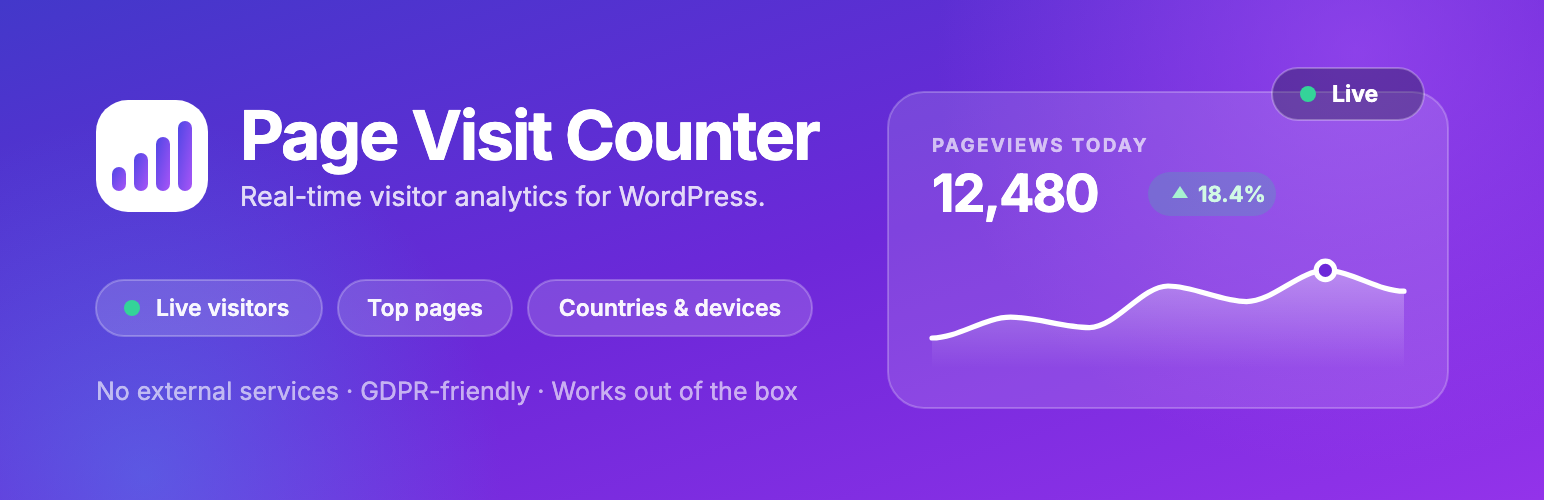
內容簡介
Page Visit Counter Analytics 是一款輕量級的 WordPress 分析外掛,專為不需要複雜設定的使用者設計。它提供網站訪問統計,並在控制台中顯示,讓使用者能輕鬆獲取流量洞察,無需依賴 Google Analytics。
【主要功能】
• 隱私優先分析,無需使用 cookies
• 100% 自我託管,所有數據保留在 WordPress 資料庫
• 實時訪客統計,隨時查看網站訪客
• 會話分析,包括頁面瀏覽、跳出率等
• 流量來源追蹤,了解訪客如何找到網站
• 輕量快速,對頁面加載時間無影響
外掛標籤
開發者團隊
② 後台搜尋「Page Visit Counter Analytics – Website Statistics & Google Analytics Alternative for WordPress」→ 直接安裝(推薦)
原文外掛簡介
Simple WordPress analytics you’ll actually use
Google Analytics is overkill for most WordPress sites. You don’t need tracking codes, GA4 properties, or a data science degree just to see how many people visit your website.
Page Visit Counter Analytics is a lightweight, privacy-first WordPress analytics plugin and visit counter that shows your website statistics right inside your WordPress dashboard. Track visitors, page views, sessions, bounce rate, traffic sources, devices, and countries — with no cookies, no external scripts, and no third-party accounts.
Install, activate, and see your site stats instantly. No configuration required.
Perfect for bloggers, small businesses, marketers, WooCommerce stores, agencies, and anyone who wants actionable website traffic insights without relying on Google Analytics or external services.
Why choose Page Visit Counter Analytics?
Privacy-first analytics – no cookies, no PII, GDPR/CCPA-ready out of the box
100% self-hosted – all statistics stay in your own WordPress database, nothing is sent to third-party servers
Real-time visitor stats – see who’s on your site right now
Session analytics – page views, bounce rate, session duration, and pages per session
Traffic source tracking – referrers, search engines, UTM campaigns, and direct visits
Lightweight & fast – zero impact on page load times or Core Web Vitals
No account needed – no external dashboards, no API keys, no signup
Track every metric that matters
📊 Visitor Analytics – daily visits, unique visitors, top pages, top posts, devices, browsers, and countries
⚡ Real-Time Stats – live view of visitors currently on your site
🔍 Traffic Sources – discover how visitors find your site (referrers, UTM, direct)
🧭 Session-Level Insights – session duration, bounce rate, and pages per session
🌍 Geographic Reports – country-level visitor stats powered by a local GeoIP database
🖥️ Device & Browser Reports – see which devices, browsers, and platforms your audience uses
🎯 UTM Campaign Tracking – measure marketing campaigns with full UTM summaries (Pro)
✅ Goal & Conversion Tracking – set goals and monitor conversions (Pro)
🔥 Click Heatmaps – visualize where visitors click on each page (Pro)
🔒 Privacy First – cookieless tracking, hashed IPs, compliant with privacy laws
🚀 Fast & Lightweight – optimized tracking with no external requests
🧩 Easy to Use – activate and get insights instantly, no setup wizard required
Who is this WordPress statistics plugin for?
Bloggers – see which posts get the most views and where your readers come from, without wading through GA4 menus
Small businesses & startups – simple site stats and traffic sources in plain language, right in your WP admin
WooCommerce stores – understand which products and pages attract the most visitors
Agencies & freelancers – give clients a clean analytics dashboard inside WordPress they can actually understand
News & content sites – real-time stats show you what’s resonating right now
Privacy-conscious site owners – GDPR-compliant, cookieless analytics with no data sent to Google
Privacy-friendly, GDPR-compliant analytics
Unlike Google Analytics, Page Visit Counter Analytics is built for privacy compliance by design:
No cookies and no tracking pixels — cookieless analytics by default
No personally identifiable information (PII) is stored
IP addresses are hashed for anonymous visitor tracking
All data is created and stored on your own server — full data ownership
No data shared with Google, Facebook, or any third party
Designed to support GDPR, CCPA, DSGVO, and PECR compliance
Because no cookies are set and no personal data is collected, in most cases you won’t need a cookie consent banner for your analytics.
A lightweight Google Analytics alternative
If GA4 feels too complex — or you simply don’t want to send your visitor data to Google — Page Visit Counter Analytics is a clean Google Analytics alternative for WordPress:
Google Analytics / GA4 alternative – no Google account, no tracking codes, no sampling. Real numbers in a simple dashboard.
MonsterInsights alternative – MonsterInsights still sends your data to Google Analytics. This plugin keeps everything on your own server.
Jetpack Stats alternative – no WordPress.com connection required, and your stats never leave your site.
Matomo alternative – far lighter and simpler, with no separate application to maintain.
Plausible / Fathom alternative – the same privacy-first philosophy, but free and fully self-hosted with no monthly fee.
Also comparing WP Statistics, Koko Analytics, Burst Statistics, or Independent Analytics? Page Visit Counter Analytics focuses on being the simplest way to count page visits and understand your traffic — a clear dashboard, session analytics, real-time stats, and privacy by default, without the clutter.
Free vs Pro
The free version includes everything you need to track your website traffic: visitor counter, page view tracking, real-time stats, top pages, traffic sources, sessions, bounce rate, devices, browsers, and country reports.
Pro adds advanced insights for marketers and growing sites:
UTM Campaign Tracking – full campaign summaries with source grouping
Goal & Conversion Tracking – measure the actions that matter
Click Heatmaps (beta) – see exactly where visitors click on every page
User Journey – follow the path visitors take through your site
Referrer Breakdown – a detailed view of every site that sends you traffic
Geographic reports – world map and top cities
Scheduled email reports – analytics reports delivered to your inbox
Pro is available as yearly plans. See plans and pricing at pagevisitcounter.com.
Built for speed
Page Visit Counter Analytics is a lightweight analytics plugin that won’t slow down your site:
No external scripts or third-party requests
Optimized, cache-friendly tracking system
Zero impact on page load times and Core Web Vitals
Migration from Advanced Page Visit Counter
Upgrading from Advanced Page Visit Counter? Your data is migrated automatically when you activate Page Visit Counter Analytics:
All existing page visit counts and historical analytics are preserved
Your settings, configurations, and custom tracking rules are transferred
No manual steps required — just activate and verify your dashboard
Migration steps:
Install and activate Page Visit Counter Analytics
Deactivate Advanced Page Visit Counter
Your data is migrated automatically
Review your settings and check the new analytics dashboard














