內容簡介
OZY Translate 是一款免費的 WordPress 外掛,能夠輕鬆將網站轉換為多語言,無需計費或 API 金鑰。它提供即時翻譯,並具備多種無障礙功能,讓訪客能夠快速獲得所需語言的內容。
【主要功能】
• 無限語言與翻譯內容
• 內建翻譯器無需 API 金鑰
• 支援 WooCommerce 產品翻譯
• 語音朗讀功能支援 100+ 語言
• 自訂欄位支援多種適配器
• 自動右至左佈局與 CJK 排版處理
外掛標籤
開發者團隊
原文外掛簡介
OZY Translate makes a WordPress site multilingual without metered word counts, per-language upsells, or a monthly subscription. Everything the plugin can do is available to everyone, for free.
Nothing has to be configured for it to translate. A built-in translator that needs no API key and no account handles the site from the moment you add a second language, and a visitor who picks a language sees that page translated straight away rather than waiting for a queue to catch up.
Pages are not slowed down to do it. The page is sent at full speed with every translation the site has stored, and anything new is translated in the visitor’s browser a moment after the page appears, then kept, so the next visitor gets it from storage.
When you want the better phrasing a language model gives, bring your own key from a provider you already trust, several of which have generous free tiers. On WordPress 7.0 and later the plugin can also use the AI Client built into WordPress, so whichever provider you have connected under Settings, Connectors just works and this plugin never handles a key. The AI Providers screen decides which translator leads. You can also turn automatic translation off entirely and write every translation by hand through the built-in editors.
Voice-first accessibility
Every translated page can be read aloud in the active language using the browser’s built-in speech synthesis. No external service, no API key, no per-character cost. Visitors get play, pause, speed, pitch, voice, and accent controls, plus word-level highlighting as the page is read.
This is paired with a wider accessibility toolkit: font size controls, high contrast mode, a dyslexia-friendly font, reduced motion enforcement, skip links, ARIA landmarks, and a correctly maintained lang attribute so operating-system screen readers switch pronunciation properly.
What is included
Unlimited languages and unlimited translated content.
A built-in translator that needs no API key, no account and no billing.
Whole-page translation, so custom themes, page builders, menus, buttons and forms are all covered.
Works with the AI Client built into WordPress 7.0, so no API key is needed here either.
Four URL modes: subdirectory, subdomain, query parameter, and cookie-only.
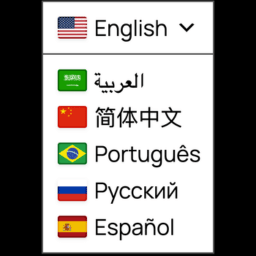
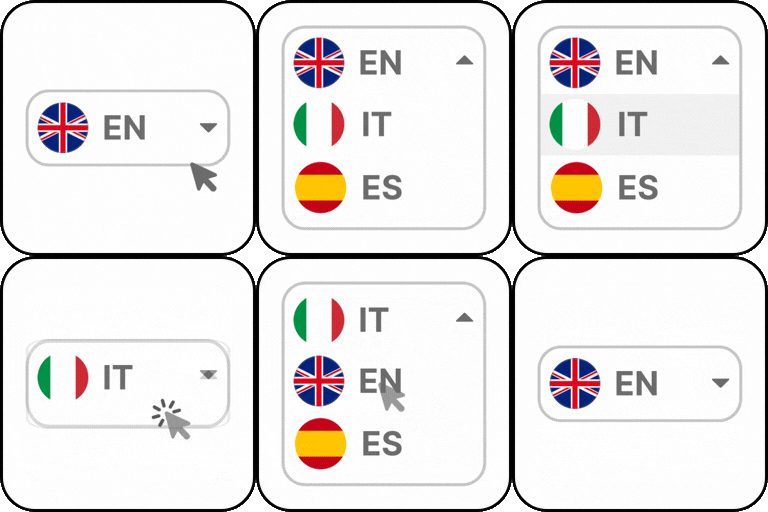
Eight language switcher designs, including a searchable full-screen modal grid.
Text-to-speech in 100+ languages through the browser Web Speech API.
Accent selection for English, Spanish, French, Portuguese, Arabic, Chinese, and more.
Translated URL slugs with three storage strategies to suit any site size.
Hreflang tags, per-language canonicals, per-language XML sitemaps, and translated structured data.
Native WooCommerce support: products, variations, cart, checkout, and order emails.
Custom field support through seven adapters, including ACF, Meta Box, CMB2, and Carbon Fields.
Glossary and do-not-translate rules so brand terms survive translation intact.
Translation memory, approval workflow, and PO / XLIFF / CSV / JSON import and export.
A string scanner for theme and plugin strings, with both file and runtime scanning.
Usage insights, kept entirely in your own database, showing which pages to translate next.
A/B testing of two wordings, with a winner declared only at 95% statistical confidence.
Automatic right-to-left layout and CJK typography handling.
Bulk approve, review, flag and delete, run in the background over a whole language.
Optional visitor-submitted corrections, held for review and never published automatically.
One-click migration from eight other translation plugins.
Language switcher widgets for nine page builders, plus shortcodes and template functions.
Accessibility statement
OZY Translate targets WCAG 2.1 level AA for everything it renders, and reaches level AAA for contrast in most places. All switcher designs are keyboard operable, expose correct ARIA roles, trap focus in modal contexts, return focus to the trigger on close, announce language changes through a live region, and respect prefers-reduced-motion. Contrast is measured programmatically on every build, and the build fails if any pairing drops below AA.
Privacy
OZY Translate does not phone home, does not include analytics beacons, and does not transmit any data to OZY Solutions. Usage statistics, when enabled, are stored only in your own database. No external service is contacted unless you explicitly configure and enable it.
External services
Every request below is made from your server to the named provider. Your visitors are never sent to a third party, and no data is ever sent to OZY Solutions.
One service is used without you configuring anything: the built-in translator, described first below. Your visitors’ browsers talk only to your own site, never to a translation service: the browser asks your site for the missing translations, and your server contacts the service. It is what lets the plugin translate with no API key, and it is contacted only when you have added a second language, automatic translation is on, and a page is viewed in that language with text that has not been translated yet. It sends the text being translated and nothing else. It can be switched off under AI Providers, and with it off nothing is sent anywhere until you configure a provider of your own.
Every other service here is contacted only after you have switched on the feature that uses it and entered your own credentials for it, and only at the moment that feature runs.
Translation providers
The built-in translator is used unless you switch it off. The rest you need at most one of, and only if you want a language model to do the translating instead. Manual translation, imports, the string scanner and browser text-to-speech work with none of them.
Built-in translator: Google Translate public endpoint
Endpoint contacted: https://translate.googleapis.com/translate_a/t and https://translate.googleapis.com/translate_a/single
Purpose: translate content and interface strings without an API key
Data sent: the source text and the source and target language codes. No key, no account, no site identifier and nothing about your visitors.
When: only when automatic translation and the built-in translator are both on, at the moment a page is viewed in a language that has text with no translation stored yet. Once stored, the text is never sent again.
Terms of service: https://policies.google.com/terms
Privacy policy: https://policies.google.com/privacy
Built-in translator: MyMemory
Endpoint contacted: https://api.mymemory.translated.net/get
Purpose: translate content and interface strings without an API key, when the endpoint above could not
Data sent: the source text and the source and target language codes. No key, no account and no site identifier.
When: only when automatic translation and the built-in translator are both on, and only for text the endpoint above refused or could not be reached for
Terms of service: https://mymemory.translated.net/doc/en/tos.php
Privacy policy: https://translated.com/privacy-policy
Built-in translator: LibreTranslate
Endpoint contacted: whichever instance you enter under AI Providers. Nothing is contacted unless you enter one.
Purpose: translate content and interface strings through a LibreTranslate instance you choose, including one you host yourself
Data sent: the source text, the source and target language codes, and the optional key you entered for that instance
When: only when you have entered an endpoint, and only for text the two endpoints above could not translate
Terms of service: set by the instance you choose. The project is at https://libretranslate.com/
Privacy policy: set by the instance you choose
OpenAI
Endpoint contacted: https://api.openai.com/v1/chat/completions
Purpose: translate content and interface strings
Data sent: the source text, the source and target language codes, and the translation instructions you configured (brand name, tone, audience, glossary terms)
When: only when AI translation is enabled and an OpenAI key is configured, at the moment a translation is generated
Terms of service: https://openai.com/policies/terms-of-use
Privacy policy: https://openai.com/policies/privacy-policy
Anthropic
Endpoint contacted: https://api.anthropic.com/v1/messages
Purpose: translate content and interface strings
Data sent: the source text, the source and target language codes, and the translation instructions you configured
When: only when AI translation is enabled and an Anthropic key is configured, at the moment a translation is generated
Terms of service: https://www.anthropic.com/legal/consumer-terms
Privacy policy: https://www.anthropic.com/legal/privacy
Groq
Endpoint contacted: https://api.groq.com/openai/v1/chat/completions
Purpose: translate content and interface strings
Data sent: the source text, the source and target language codes, and the translation instructions you configured
When: only when AI translation is enabled and a Groq key is configured, at the moment a translation is generated
Terms of service: https://groq.com/terms-of-use/
Privacy policy: https://groq.com/privacy-policy/
Google Gemini
Endpoint contacted: https://generativelanguage.googleapis.com/v1beta/models/
Purpose: translate content and interface strings
Data sent: the source text, the source and target language codes, and the translation instructions you configured
When: only when AI translation is enabled and a Gemini key is configured, at the moment a translation is generated
Terms of service: https://ai.google.dev/gemini-api/terms
Privacy policy: https://policies.google.com/privacy
Mistral AI
Endpoint contacted: https://api.mistral.ai/v1/chat/completions
Purpose: translate content and interface strings
Data sent: the source text, the source and target language codes, and the translation instructions you configured
When: only when AI translation is enabled and a Mistral key is configured, at the moment a translation is generated
Terms of service: https://legal.mistral.ai/terms
Privacy policy: https://legal.mistral.ai/terms/privacy-policy
DeepL
Endpoints contacted: https://api.deepl.com/v2/translate and https://api-free.deepl.com/v2/translate
Purpose: machine translation of content and interface strings
Data sent: the source text and the source and target language codes
When: only when DeepL is selected as a translation provider and a key is configured
Terms of service: https://www.deepl.com/pro-license
Privacy policy: https://www.deepl.com/privacy
Google Cloud Translation
Endpoint contacted: https://translation.googleapis.com/language/translate/v2
Purpose: machine translation of content and interface strings
Data sent: the source text and the source and target language codes
When: only when Google Cloud Translation is selected as a translation provider and a key is configured
Terms of service: https://cloud.google.com/terms
Privacy policy: https://policies.google.com/privacy
Microsoft Translator
Endpoint contacted: https://api.cognitive.microsofttranslator.com/translate
Purpose: machine translation of content and interface strings
Data sent: the source text and the source and target language codes
When: only when Microsoft Translator is selected as a translation provider and a key and region are configured
Terms of service: https://azure.microsoft.com/en-us/support/legal/
Privacy policy: https://www.microsoft.com/en-us/privacy/privacystatement
On WordPress 7.0 and later the plugin can use the AI Client built into WordPress instead of any of the above. In that case this plugin makes no request of its own and holds no key: WordPress contacts whichever provider you connected under Settings, Connectors, under that provider’s own terms.
Spoken audio
The listen feature uses the visitor’s own browser by default, through the Web Speech API. That is entirely local: no request leaves the site and none of the services below is used. They are alternatives you can switch to, and each returns audio that is then cached in your own uploads directory.
ElevenLabs
Endpoint contacted: https://api.elevenlabs.io/v1/text-to-speech/
Purpose: generate spoken audio of translated text
Data sent: the text to be spoken, the language code and the chosen voice identifier
When: only when the voice engine is switched from the browser to ElevenLabs and a key is configured
Terms of service: https://elevenlabs.io/terms-of-use
Privacy policy: https://elevenlabs.io/privacy-policy
Microsoft Azure Speech
Endpoints contacted: https://REGION.tts.speech.microsoft.com/cognitiveservices/v1 and the matching /cognitiveservices/voices/list, where REGION is the Azure region you enter
Purpose: generate spoken audio of translated text
Data sent: the text to be spoken, the language code and the chosen voice identifier
When: only when the voice engine is switched to Azure Speech and a key and region are configured
Terms of service: https://azure.microsoft.com/en-us/support/legal/
Privacy policy: https://www.microsoft.com/en-us/privacy/privacystatement
Google Cloud Text-to-Speech
Endpoint contacted: https://texttospeech.googleapis.com/v1/text:synthesize
Purpose: generate spoken audio of translated text
Data sent: the text to be spoken, the language code and the chosen voice identifier
When: only when the voice engine is switched to Google Cloud Text-to-Speech and a key is configured
Terms of service: https://cloud.google.com/terms
Privacy policy: https://policies.google.com/privacy
Amazon Polly
Endpoint contacted: https://polly.REGION.amazonaws.com/v1/speech, where REGION is the AWS region you enter
Purpose: generate spoken audio of translated text
Data sent: the text to be spoken, the language code and the chosen voice identifier
When: only when the voice engine is switched to Amazon Polly and AWS credentials are configured
Terms of service: https://aws.amazon.com/service-terms/
Privacy policy: https://aws.amazon.com/privacy/
WooCommerce multi-currency
ExchangeRate-API
Endpoint contacted: https://open.er-api.com/v6/latest/
Purpose: fetch currency exchange rates for the optional WooCommerce multi-currency feature
Data sent: your shop base currency code only. No customer, order, visitor or site data is sent
When: only when multi-currency is enabled with automatic exchange rates. Entering rates by hand avoids this entirely
Terms of service: https://www.exchangerate-api.com/terms
Privacy policy: https://www.exchangerate-api.com/privacy
Migrating away from another plugin
Weglot
Endpoint contacted: https://api.weglot.com/
Purpose: read your existing Weglot translations so they can be copied into your own database
Data sent: your Weglot API key and the project identifier it belongs to
When: only while you are running the Weglot migration, and only after you supply your key
Terms of service: https://www.weglot.com/terms
Privacy policy: https://weglot.com/privacy/
Every other migration importer (WPML, Polylang, TranslatePress, GTranslate, Loco Translate, qTranslate and MultilingualPress) reads your own database directly and contacts nothing.
Country detection
Country detection reads a header your CDN or proxy already sends, such as the CF-IPCountry header from Cloudflare. No lookup service is contacted and no visitor IP address is sent anywhere. Where no such header is present, country detection simply does nothing.
If none of the services above is configured, this plugin operates entirely on your own server and contacts nothing.