內容簡介
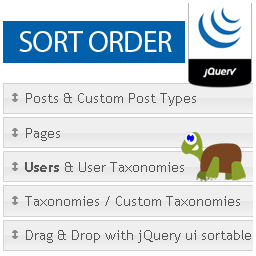
Order Manager 可讓您為任何文章類型或任何分類法下的文章和標籤進行排序。
選項
“啟用所有文章/分類的順序管理器”
這將在相關文章類型下新增一個頁面至 WordPress 選單。它為您提供一個簡單的拖放介面以整理文章或標籤。如果文章類型或分類支持階層結構,它還可以讓您輕鬆地通過將它們拖到預定父項目的下方來重新指定項目到不同的父項目下。
這新增了一個 'orderby' 值,當使用 get_terms() 時:'menu_order'。
“啟用每個標籤的文章順序管理器”
啟用此選項的分類將為每個標籤的編輯頁面提供文章排序界面,允許您為該標籤中的文章設定唯一的順序。
這新增了一個 'orderby' 值,當使用 get_posts() 時:'term_order'。
注意:此唯一的順序僅當列出屬於使用此排序選項的特定標籤下的文章時才會生效。
“在 get_posts()/get_terms() 覆蓋順序“
這將導致此類型的所有文章/分類查詢默認使用自定義順序,而不是日期/名稱順序。在查詢屬於啟用文章排序的標籤的文章時,它將默認使用該排序方式。
Order Manager
貢獻者:dougwollison
標籤:order、order manager、sort、post order、term order、sort posts、sort terms
需要版本:5.2 或更新版本
已測試到版本:5.3.1
需求 PHP 版本:5.6.20
穩定版本:1.0.0
授權:GPLv2 或更新版本
授權 URI:http://www.gnu.org/licenses/gpl-2.0.html
為文章和標籤添加順序控制。
外掛標籤
開發者團隊
原文外掛簡介
Order Manager allows you sort posts and terms belonging to any post type or any taxonomy,
as well as posts tagged with a specific term.
Options
Enable order manager for all posts/terms
This will add a new page to the WordPress menu under the associated post type.
It provides you with a straightforward drag-and-drop interface to organize your
posts or terms. If the post type or taxonomy supports a hierarchy, it will also
let you easily reassign items to different parents by dragging them just below
the intended parent.
This adds a new 'orderby' value when using get_terms(): 'menu_order'.
Enable post order manager for each term
Taxonomies with this option enabled will now offer a post order interface on
each term’s edit screen, allowing you to set a unique order for posts in that
term.
This adds a new 'orderby' value when using get_posts(): 'term_order'.
Note: this unique order will only take effect when listing posts belonging to
a specific term that uses this.
Override order on get_posts()/get_terms()
This will cause all queries for posts/terms of that type to use the custom
order by default, rather than by date/name. In the case of a query for posts
belonging to a term with post-sorting enabled, it will use that order by default.