⚠ 此外掛已下架 — 不再更新維護,建議勿安裝。
10+
安裝啟用
—
尚無評分
4069 天前
最後更新
—
問題解決
WordPress 3.0.1+ v1.0.0 上架:2015-02-14
內容簡介
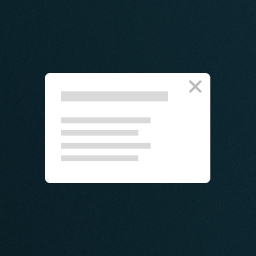
Notification Widget 提供您在網站、部落格等位置插入和完整自定一個疊層小工具的功能。
您可以在後台輕鬆更改整個疊層的所有設定。
以下為您可以更改的設定:
疊層風格:
– 條形和內容框背景的顏色
– 內容框和條形的文字
疊層版面:
– 關閉按鈕到邊框的距離
– 關閉按鈕的大小
– 條形的高度
– 內容框的高度和寬度
– 小工具位置(X和Y軸)
外掛標籤
開發者團隊
原文外掛簡介
Notification Widget offers you the ability to insert and fully customize an overlay widget for your website, blog, etc.
You can easily change all settings of the entire overlay in the Dashboard.
There are the following settings for you to change:
Overlay Style:
– colors of bar and content frame background
– text of the content frame and bar
Overlay Layout:
– distance of the close button to the borders
– size of the close button
– height of the bar
– height and width of the content frame
– widget position (X- and Y-axis)