內容簡介
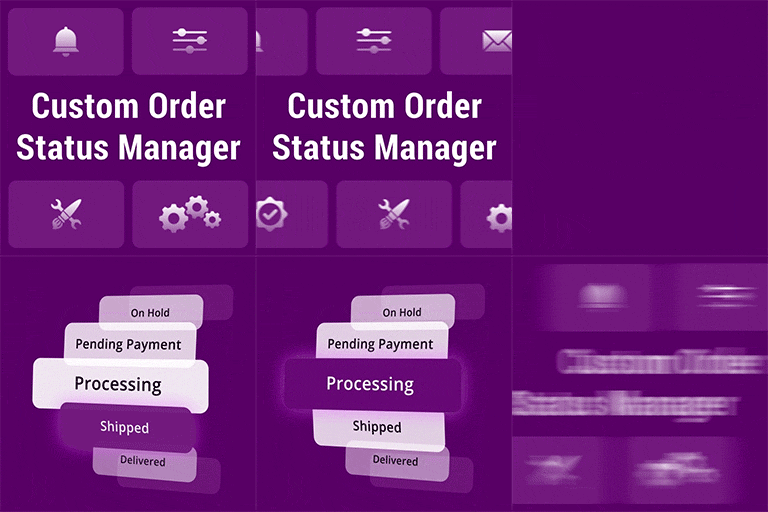
Ni WooCommerce Custom Order Status 外掛讓您可以為 WooCommerce 創建、編輯、顏色標記及刪除無限的自訂訂單狀態,並在訂單狀態變更時自動發送電子郵件給客戶,協助您更有效地管理訂單流程。
【主要功能】
• 創建無限的 WooCommerce 自訂訂單狀態
• 編輯、重命名及刪除自訂訂單狀態
• 為每個訂單狀態分配顏色以便於識別
• 添加內部描述以便於管理
• 批量更改 WooCommerce 訂單狀態
• 一鍵完成自訂訂單狀態的訂單
外掛標籤
開發者團隊
② 後台搜尋「Ni WooCommerce Custom Order Status」→ 直接安裝(推薦)
原文外掛簡介
Requires WooCommerce 4.0 or higher and is tested up to WooCommerce 9.7.
Ni WooCommerce Custom Order Status lets you create, edit, color-code and delete unlimited custom order statuses for WooCommerce, automatically send a custom order status email to the customer whenever an order moves to one of your statuses, and analyse your store with a built-in order status report and sales dashboard.
Out of the box WooCommerce ships with a fixed set of order statuses (pending, processing, on-hold, completed, cancelled, refunded, failed). Most stores need more, for example “Awaiting Shipment”, “Packing”, “Ready for Pickup”, “Out for Delivery” or “Quote Sent”. This plugin adds an Order Status manager to your WordPress admin so you can model your real order fulfilment workflow without writing a single line of code.
The plugin is fully compatible with the WooCommerce High-Performance Order Storage (HPOS) feature as well as the legacy post-based order storage.
Need status icons, a Next Order Status workflow, order status history, rich-text status emails with placeholders, or the Order List report with CSV export? Check out Ni WooCommerce Custom Order Status Pro.
Key features
Create unlimited WooCommerce custom order statuses
Edit, rename and delete custom order statuses at any time
Assign a color to every order status so it stands out in the WooCommerce orders list, with the whole order row also softly tinted in that color for quick scanning
Add an internal description to each order status
A custom status still in use by any order cannot be deleted by mistake – move those orders to another status first
Custom, editable order status slug
Custom statuses appear on the single order screen, in the order status dropdown and in the order status filter
Bulk change order status from the WooCommerce orders list (HPOS compatible)
One-click “Complete” action for orders that are in a custom order status
Custom order status email – enable or disable per status, with its own subject line and message, sent automatically when the order status changes
Order Status Report – order count and order total per status, filter by period (today, yesterday, last 7 / 15 / 30 / 60 / 90 days) and sort by status, order total or order count
Sales dashboard – total, yearly, monthly, weekly, yesterday and today sales and order counts
Customer analysis, top 5 customers, top 5 countries, payment gateway sales breakdown and stock analysis
Developer friendly – filters to customise the order status email subject and content
Works with WooCommerce HPOS and legacy order storage
Lightweight, translation ready and easy to use
Why use custom order statuses in WooCommerce?
Custom order statuses give you and your team an instant overview of where every order is in your process. They reduce fulfilment mistakes, improve customer communication through targeted order status emails, and let you filter and report on orders by the stages that actually matter to your business.
How the custom order status email works
Every custom order status has its own “Enable Email Send” option, subject line and email content. When an order changes to that status, the plugin sends the message to the customer’s billing email address using the store’s configured “from” name and address. Developers can adjust the subject and body with the ni_custom_order_status_email_subject and ni_custom_order_status_email_content filters.
How to get started
Go to Plugins > Add New in your WordPress dashboard.
Search for “Ni WooCommerce Custom Order Status”.
Click Install Now, then Activate.
Open the new Order Status menu and click Add New to create your first custom order status, set its color and (optionally) its status email.
Support and feedback
We are open to your suggestions and feedback – thank you for using one of our plugins. For help or feature requests, email [email protected].
Disclaimer
It is not responsible for any harm or wrong doing this Plugin may cause. Users are fully responsible for their own use. This Plugin is to be used WITHOUT warranty.