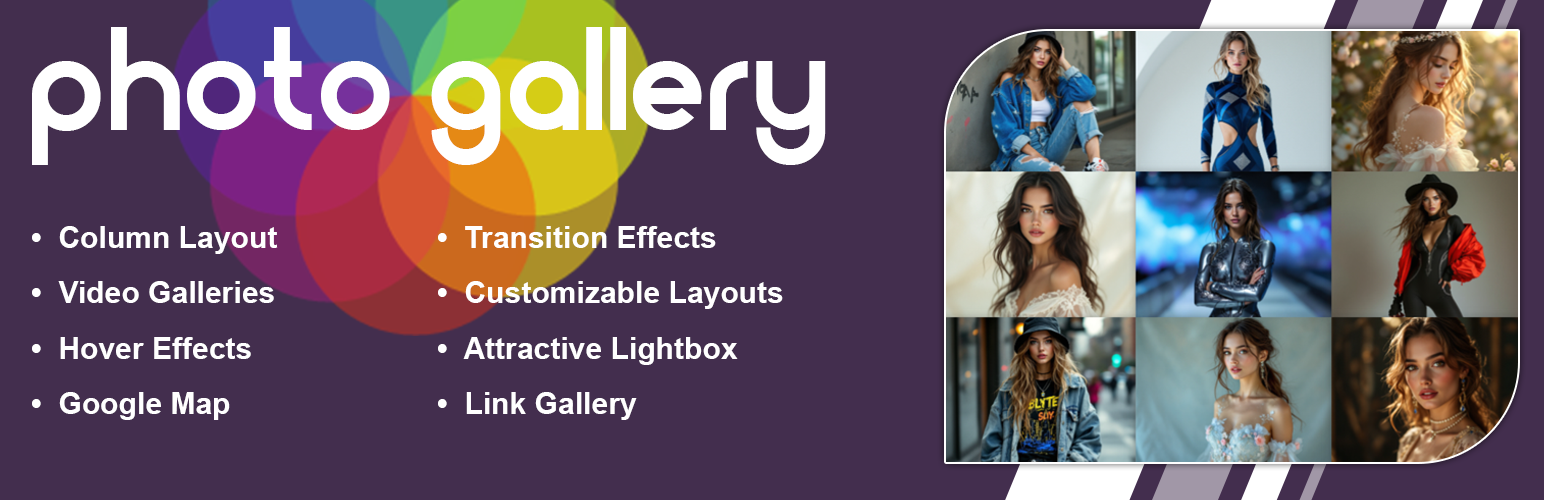
內容簡介
使用相片庫外掛可建立相片、圖像、圖片網格、燈箱作品集、Logo畫廊。相片庫是一款進階的外掛,提供多種工具和選項,可在不同的視圖中添加圖像。這是一種完全響應式的外掛,產品包括將圖像庫新增至文章和頁面的外掛,以及多個小部件。您可以添加帶有標題的圖像,將圖像庫組織成不同的相片集。 您可以上傳無限量的照片,並創建所需的多個相片集。如果想要包含影片,該外掛也支援影片,可以讓您輕鬆快速地創建YouTube影片庫。更改圖像顯示方式,使用燈箱功能。圖像燈箱庫完全響應式,將以圖像輪播的方式在燈箱中顯示大圖像和其他圖像的縮略圖。燈箱庫還支援全屏庫模式。請參閱免費外掛的演示,點擊這裡。升級到高級版本外掛,點擊這裡。請參閱高級外掛的演示,點擊這裡。如何使用外掛呢?下載並安裝外掛到您的站點後,在外掛的“DOC”菜單中,查看幫助和指示。 相片庫外掛允許您創建多種媒體,例如圖像庫、相片集,簡單的圖片到燈箱、YouTube視頻、Vimeo視頻、WordPress媒體上傳的視頻。它是一款進階的外掛,提供多種工具和選項,可根據不同的視圖添加和編輯圖像。這是一種完全響應式的圖庫外掛,產品包括用於添加圖像庫和相冊到文章和頁面的外掛,以及多個小部件。您可以添加圖像,提供詳細的圖像庫描述和標籤,將圖像庫組織成不同的相片集。 響應式相片庫允許上傳無限量的圖片,並創建所需的多個相片集。若要瞭解更多特色請參閱高級版本外掛演示,點擊這裡。另外,高級版本外掛還提供了更多特色:簡單、響應式圖庫、網格庫、瀑布流庫、鏈接庫、地圖庫、YouTube視頻庫、Vimeo視頻庫、WordPress視頻庫、多欄布局、固定大小燈箱、縮略圖、活動背景色、基於Bootstrap 3.3.6、30個悬停效果、陰影和光晕過渡效果、縮略圖間距、圖像標題、標題顏色選取器、燈箱工具颜色選取器、開啟圖像連結URL、文章中使用庫、頁面中使用庫、SEO友好庫、縮略圖尺寸和品質設置、燈箱預覽中的導航錯誤、簡單且使用者友好的自定義外掛儀表板、無限廣場與無限圖片、自定義CSS、可輕鬆實現在任何WordPress網站中、易於自定義、快速、友好和質量支持。
外掛標籤
開發者團隊
📦 歷史版本下載
原文外掛簡介
New Photo Gallery offers a versatile solution for creating and managing image collections on your WordPress website. This plugin enables you to build responsive photo galleries that adjust seamlessly to different screen resolutions, ensuring a consistent viewing experience across desktop and mobile devices.
Check Live Demos
Photo Gallery Free | Photo Gallery Premium | Where To Buy
The core functionality centers on a grid-based display that keeps your images organized. When a visitor clicks on an item, it opens in a lightbox, providing a focused view of the image or video. This feature is particularly useful for portfolios, product showcases, or event albums where visual detail is important.
Beyond standard images, the plugin supports video content from YouTube and Vimeo, allowing you to create mixed media galleries. You can also utilize the layout options to present team members or partner logos in a structured format. The interface is designed to be intuitive, letting you upload media and generate shortcodes without complex configuration.
What You Can Create
Photo Gallery – Organize your images in a clean, structured grid layout.
Portfolio Showcase – Present your work professionally with optional hover effects.
Lightbox Display – Enable users to view images in a full-screen overlay.
Video Gallery – Integrate content directly from YouTube and Vimeo.
Team Layouts – Introduce team members with photos and bios.
Brand Displays – Show client logos or partner brands effectively.
Key Features (Free Version)
Responsive grid system that adapts to any screen size.
Lightbox functionality for viewing images and videos without leaving the page.
Create unlimited galleries with no restriction on the number of images.
Support for YouTube and Vimeo video embedding.
Image protection for gallery
Grayscale effect for images.
Options to add titles and descriptions to your media.
Multiple column configurations (ranging from 2 to 6 columns).
Hover effects for gallery thumbnails.
Shortcode system for easy insertion into posts and pages.
Translation support for multilingual websites.
Premium Features
Upgrade to the premium version for additional capabilities:
Masonry Layout – Utilize a dynamic Pinterest-style grid for varied image aspect ratios.
Advanced Hover Effects – Choose from 30 distinct animation styles for thumbnails.
Load More Pagination – Implement a “Load More” button for large collections.
Map Integration – Associate images with location data on a map.
Custom Links – Attach specific URLs to individual gallery items.
Fixed Dimension Lightbox – maintain consistent sizing for the lightbox viewer.
Transition Effects – Smooth 2D animations when enhanced gallery navigation.
Visual Enhancements – Apply shadow and glow effects to thumbnails.
Interface Customization – Adjust colors for the lightbox tool and background.
Custom CSS – Apply your own style rules for precise control.
Priority Support – Receive direct assistance for technical inquiries.
Get Photo Gallery Premium
How to Use
Navigate to Photo Gallery > Add New in your WordPress dashboard.
Provide a title for your new gallery.
Upload your desired images using the standard media uploader.
Adjust the gallery settings, such as column count and spacing.
Copy the shortcode generated by the plugin.
Paste this shortcode into any page or post editor.
Publish the page to view your live gallery.