內容簡介
Nephila Checkout Address Autocomplete with Radar 外掛為 WooCommerce 結帳頁面提供地址自動完成建議,無需使用 Google Maps 或 Google Places API,提升顧客的結帳體驗。
【主要功能】
• WooCommerce 結帳地址自動完成
• 支援帳單地址與運送地址
• 友好的結帳區塊前端檢測
• 可選的我的帳戶地址頁面支援
• API 金鑰測試按鈕
• 輕量級前端 JavaScript 和 CSS
外掛標籤
開發者團隊
② 後台搜尋「Nephila Checkout Address Autocomplete with Radar」→ 直接安裝(推薦)
原文外掛簡介
Nephila Checkout Address Autocomplete with Radar adds address suggestions to WooCommerce checkout billing and shipping address fields using the Radar API.
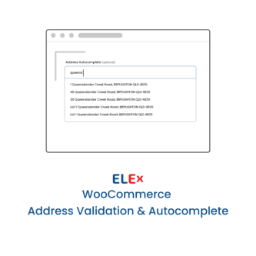
The plugin is built for store owners who want a clean checkout address autocomplete experience without using Google Maps or Google Places API. Customers can start typing an address, choose a suggestion, and the plugin can fill common WooCommerce address fields such as street address, city, state, postcode, and country.
This plugin is not created by, endorsed by, sponsored by, or affiliated with Radar or WooCommerce.
Features
Address autocomplete for WooCommerce checkout.
Billing address support.
Shipping address support.
Checkout block friendly frontend detection.
Optional My Account address page support.
API key test button in admin settings.
Get Radar API Key button when setup is needed.
Country restriction by two-letter country code.
Configurable minimum characters and suggestion limit.
Custom CSS selectors for custom checkout fields.
Lightweight frontend JavaScript and CSS.
No Google Maps API required.
External Services
This plugin connects to the Radar API to provide address autocomplete suggestions for WooCommerce checkout and supported address fields.
What the service is used for:
The Radar API is used to return address suggestions while a customer enters an address.
What data is sent and when:
When a customer types into an enabled billing, shipping, My Account, or custom address field, the partial address text entered by the customer is sent to the Radar autocomplete endpoint. If a country restriction is configured in the plugin settings, the configured country code may also be sent. Radar returns suggested addresses, which are displayed to the customer for selection.
Service provider:
Radar Labs, Inc.
https://radar.com/
Radar Privacy Policy:
https://radar.com/privacy
Radar Terms of Service:
https://radar.com/terms
Source Code
This plugin does not require npm, webpack, or other build tools. The JavaScript and CSS files included in the plugin are the human-readable source files used by the plugin.