內容簡介
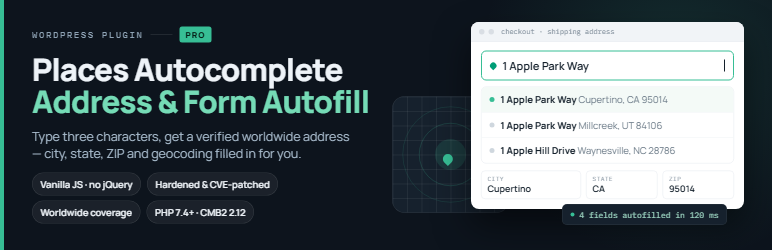
Autocomplete Google Places 外掛可在訂單、結帳及註冊頁面提供 Google Places 地址自動完成功能。用戶輸入地址時,外掛會自動填寫街道、城市、州、省、郵遞區號及國家等欄位,提升使用者體驗。
【主要功能】
• 支援 WooCommerce 標準地址欄位
• 自動填寫地址相關資訊
• 使用現代無依賴的原生 JavaScript
• 連接 Google Maps JavaScript API
• 需提供有效的 Google Places API 金鑰
外掛標籤
開發者團隊
原文外掛簡介
This plugin enables Google Places address auto-completion on text input fields (order, checkout and registration pages). When a user starts typing an address and picks a suggestion, the plugin auto-fills the street, city, state, postcode and country fields. You only need a valid Google Places API key.
The plugin targets the standard WooCommerce-style billing and shipping address fields (for example billing_address_1 and shipping_address_1).
As of version 3.0.0 the front-end script is written in modern, dependency-free vanilla JavaScript (no jQuery required) and the bundled CMB2 settings library has been updated for security.
External services
This plugin connects to the Google Maps JavaScript API (Places library) to provide address autocomplete and suggestions. This is required for the plugin to function.
When a visitor types in an address field, the text entered is sent to Google to return address predictions, and the selected address details are returned to fill the form. The plugin loads the Google Maps script from Google’s servers using the API key you configure on the settings page, along with your site’s language and region.
No data is sent until a visitor interacts with an address field on a page that contains a supported field. You must provide your own Google API key.
Service provider: Google Maps Platform
Terms of Service: https://cloud.google.com/maps-platform/terms
Privacy Policy: https://policies.google.com/privacy