內容簡介
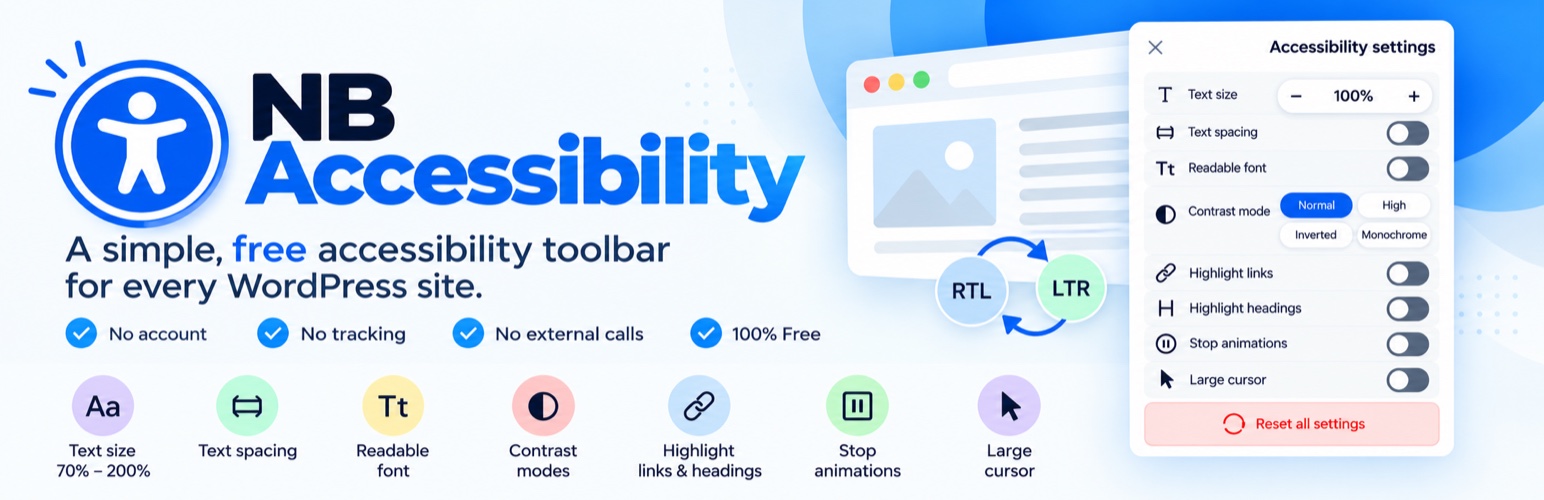
NB Accessibility 是一款免費的無障礙工具列外掛,讓網站訪客能夠輕鬆調整文字大小、間距和對比度,提升可讀性與使用體驗,並且完全在訪客的瀏覽器內運行,無需任何帳號或外部網路連接。
【主要功能】
• 調整文字大小(70%–200%)
• 調整文字間距
• 可讀性字型選擇
• 高對比、反轉與單色模式
• 突顯連結與標題
• 停止動畫效果
外掛標籤
開發者團隊
原文外掛簡介
NB Accessibility adds a clean, keyboard-operable accessibility toolbar to your site — completely free, with no account, no tracking, and zero external network calls. Everything runs locally in the visitor’s browser.
Toolbar features (each can be toggled in settings):
Text size (70%–200%)
Text spacing
Readable font
Contrast modes: high, inverted, monochrome
Highlight links & headings
Stop animations
Large cursor
Reset + link to your accessibility statement page
Simple by design: activate the plugin and the toolbar is live. No setup wizard, no account, and nothing to configure unless you want to.
9 languages, RTL and LTR: the toolbar follows your site’s language and direction automatically. Translations for English, Spanish, German, French, Italian, Portuguese, Arabic, Persian and Hebrew are built in, including regional variants such as Mexican Spanish, Swiss German and Canadian French. More languages can be added through translate.wordpress.org. No language setting to fiddle with.
Works on every screen: the toolbar adapts to desktop, tablet and mobile, and is fully usable by touch and keyboard.
Privacy by architecture: visitor preferences are stored only in their own browser (localStorage). The plugin never contacts external servers and collects no data.
Honest scope: this is a usability toolbar for your visitors. It does not claim to make your site compliant with any law or standard — no plugin can promise that.