內容簡介
- 《WordPress 月度活動日曆》是一個功能豐富的外掛程式,通過提供全面且視覺吸引人的方式,增強您的 WordPress 網站,以便管理、展示和推廣活動。
- 這個外掛程式旨在幫助個人、企業、組織和社區高效地組織和展示各種活動,如會議、研討會、工作坊、會議、表演、網絡研討會、社交聚會等等。
- 這個外掛程式使用 REST API 來顯示活動。
- 使用短碼 [wp_monthly_events] 來在頁面上顯示活動。
- 《WordPress 月度活動日曆》的主要功能通常包括:
- 活動的創建和管理:通過直觀的用戶界面輕鬆創建、編輯和管理活動。您可以設置活動的詳細信息,如標題、日期、時間、地點、描述、分類、標籤和特色圖像。
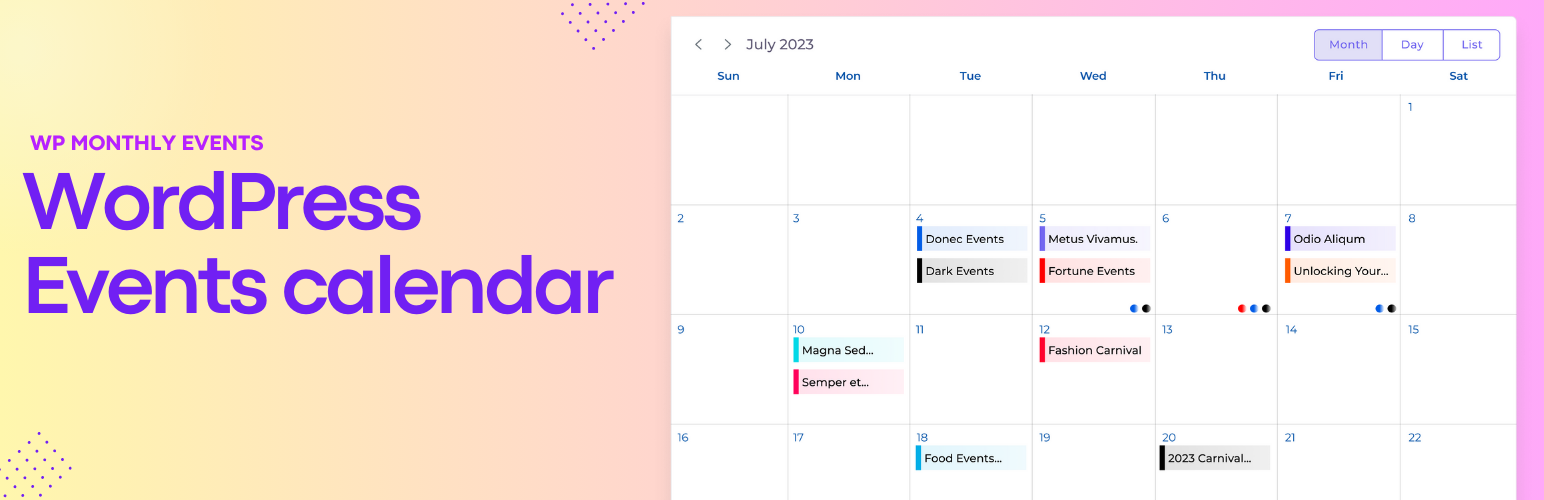
- 互動式日曆顯示:以用戶友好的日曆格式顯示活動,讓訪問者可以按月、天或甚至議程列表查看活動。用戶可以在日期之間導航並點擊活動以獲取更多信息。
- 可自定義的活動視圖:用戶可以根據自己的偏好選擇不同的視圖,如月度網格視圖、日程視圖或列表視圖。這種自定義提供了針對您的觀眾的個性化體驗。
- 場地管理:維護一個包含舉辦活動的場地或地點的數據庫。用戶可以輕鬆訪問地址詳細信息。
- 活動分類和標籤:將活動分類為不同類型(如工作坊、會議、音樂會),並提供標籤選項,以便用戶更輕鬆地找到感興趣的活動。
- 響應式設計:確保日曆對於移動設備友好,並根據不同的屏幕尺寸調整佈局,以實現一致的用戶體驗。
- 总的来说,WordPress 的活动日历使网站管理者能够有效地传达他们的活动日程,吸引观众,并提供一个集中管理活动相关信息的中心枢纽,以增强用户体验。它简化了活动的管理,并鼓励用户参与,是任何旨在推广和组织活动的 WordPress 网站的必备工具。
《月度活动日历》的 GitHub 存储库 - 包含所有未压缩文件。
外掛標籤
開發者團隊
原文外掛簡介
The Monthly Events Calendar for WordPress is a feature-rich plugin that enhances your WordPress website by providing a comprehensive and visually appealing way to manage, display, and promote events. This plugin is designed to help individuals, businesses, organizations, and communities efficiently organize and showcase events such as conferences, seminars, workshops, meetings, performances, webinars, social gatherings, and much more.
Check the documentation of Events Calendar’s
This plugin used the REST API to display the events.
🚀 Use the shortcode [wp_monthly_events] to display it on the page.
📅 Key features of an Monthly Events Calendar for WordPress typically include:
✨ Event Creation and Management
Easily create, edit, and manage events through an intuitive user interface. You can set event details such as title, date, time, location, description, categories, tags, and featured images.
✨ Interactive Calendar Display
Display events in a user-friendly calendar format, allowing visitors to view events by month, day, or even in an agenda-style list. Users can navigate through dates and click on events to access more information.
✨ Customizable Event Views
Users can choose different views based on their preferences, like monthly grid view, day schedule view, or a list view. This customization provides a tailored experience for your audience.
✨ Venue Management
Maintain a database of venues or locations where events are held. Users can easily access address details.
✨ Event Categorization and Tags
Categorize events into different types (e.g., workshops, conferences, concerts) and provide tagging options so users can find events of interest more easily.
✨ Responsive Design
Ensuring that the calendar is mobile-friendly and adjusts its layout to different screen sizes for a consistent user experience across devices.
Overall, an Events Calendar for WordPress empowers website owners to effectively communicate their event schedules, engage their audience, and enhance the user experience by providing a centralized hub for event-related information. It simplifies the management of events and encourages user participation, making it an essential tool for any WordPress site aiming to promote and organize events.
Monthly Events Calendar’s GitHub repository – Includes all the uncompressed files.