內容簡介
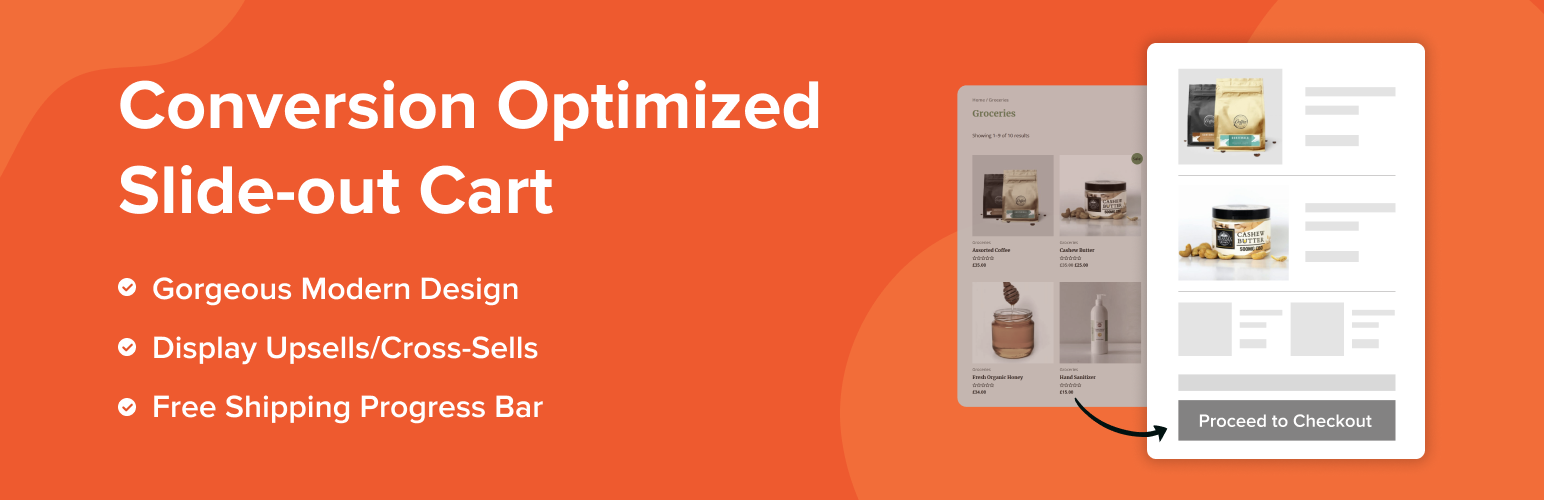
Modern Cart 是一款 WooCommerce 側邊購物車外掛,以 AJAX 驅動的滑出式購物車或彈出式購物車取代預設購物車頁面,讓顧客無需跳轉頁面即可檢視與管理購物車,有效減少結帳流失並提升平均訂單金額。
【主要功能】
• AJAX 滑出式側邊購物車,免重新載入頁面
• 彈出式購物車模式,可自由切換顯示風格
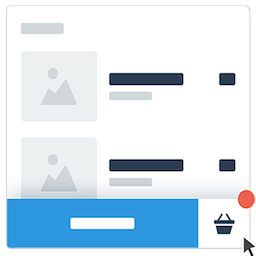
• 浮動購物車圖示,即時顯示商品數量徽章
• 免運費進度條,激勵顧客湊單達標
• 購物車內追加銷售(Upsell)推薦功能
• 內建折價券輸入表單,方便顧客直接套用優惠
外掛標籤
開發者團隊
② 後台搜尋「Modern Cart – WooCommerce Side Cart & Popup Cart」→ 直接安裝(推薦)
原文外掛簡介
Modern Cart is the ultimate WooCommerce side cart plugin that replaces your clunky default cart page with a smooth slide-out cart drawer or popup cart – all powered by AJAX so customers never leave the page they’re on.
Stop losing sales to the default WooCommerce cart page. Every time a shopper gets redirected to a separate cart page, you lose momentum. A WooCommerce side cart fixes this instantly so the cart slides open right on the page, no redirect, no reload, no lost sale.
Add a free shipping progress bar, in-cart upsells, and a built-in coupon form on top, and every cart visit becomes an opportunity to grow your average order value.
Try the live demo of Modern Cart
Why Your Store Needs a WooCommerce Side Cart
The default WooCommerce cart page kills conversions. Shoppers click “Add to Cart,” get bounced to a separate page, and lose interest. That friction costs you real money every single day.
A WooCommerce side cart (also called a cart drawer, sliding cart, or floating cart) solves this immediately. The cart opens right there on the page – no redirect, no reload.
A floating cart icon stays pinned in the corner at all times so shoppers always know what’s in their cart and can open it from anywhere on your store.
🏆 Trusted by 4,000,000+ WordPress users worldwide • Built by Brainstorm Force, the team behind CartFlows and Astra Theme.
Powerful Features 🚀
WooCommerce Side Cart / Slide-Out Cart Drawer – A smooth slide-in panel opens from the side of the screen when a product is added or the floating cart icon is clicked. Customers view, update, and manage their entire cart without leaving the current page.
Popup Cart – Prefer a popup over a slide-out? Switch to popup cart mode for a centered overlay experience. Choose the style that fits your store – both are included.
Floating Cart Icon – A sticky floating cart icon stays pinned in the corner of every page, showing a live item count badge. One click opens the full WooCommerce side cart from anywhere on your site.
Free Shipping Progress Bar – Show customers exactly how close they are to free shipping with a dynamic progress bar inside the cart drawer. The single most effective way to increase average order value – customers consistently add one more item just to unlock it.
Cart Rewards Progress Bar – Go beyond free shipping. Set custom reward milestones – free gifts, discounts, or any incentive – with a real-time progress bar that updates as items are added or removed.
Built-In Coupon Form – Let customers apply discount codes right inside the WooCommerce side cart. No page reloads, no confusion. Works seamlessly with Power Coupons for WooCommerce for auto-apply and rule-based discounts.
In-Cart Upsells and Cross-Sells (Pro) – Recommend relevant products directly inside the sliding cart at the exact moment customers are closest to checking out. The perfect trigger for increasing order value.
AJAX Cart – No Page Reloads – Adding, removing, and updating quantities all happen instantly via AJAX. No page refresh ever. The floating cart icon and side cart always show live, up-to-date totals.
Customization and Design Flexibility – Choose from multiple cart styles and customize colors, button labels, coupon placeholder text, icon styles, and shipping bar messages to match your store’s branding perfectly.
Mobile-First Design – The WooCommerce side cart and floating cart icon are built mobile-first. The sliding cart and cart drawer work beautifully on all screen sizes – especially phones and tablets where cart abandonment is highest.
Lightweight and Fast – Built for performance. Modern Cart won’t slow your WooCommerce store down.
GDPR Compliant – Modern Cart does not collect or store any personal data from shoppers and is fully GDPR compliant.
How Does It Work?
Getting started is quick and easy:
Install & Activate the Modern Cart plugin
Enable the cart from the settings
Customize cart text, colors, icons, and more
Done! Your new cart is now live and optimized
Who Can Benefit from Modern Cart?
WooCommerce Store Owners who want to replace the default cart page with a modern, conversion-ready side cart experience.
Conversion-Focused Businesses aiming to increase average order value and reduce cart abandonment with a floating cart and free shipping bar.
CartFlows Users who want a high-converting WooCommerce side cart paired with their optimized checkout funnels – Modern Cart and CartFlows are built by the same team and work together seamlessly.
Developers and Agencies building WooCommerce stores for clients who need a professional, fully customizable cart drawer and floating cart solution.
Reduce Cart Abandonment – Complete Stack
Modern Cart keeps shoppers engaged and in-flow with a floating cart icon visible on every page.
For shoppers who still leave before purchasing, pair it with Cart Abandonment Recovery for WooCommerce to automatically follow up and win them back.
Together they cover your full cart funnel – engagement, retention, and recovery.
Works Great With ✅
CartFlows – Pair the slide-out cart drawer with CartFlows’ optimized checkout pages, one-click upsells, and order bumps for a complete WooCommerce sales funnel. Built by the same team.
Power Coupons – Auto-apply rule-based coupons that display cleanly inside the Modern Cart coupon form.
Variation Swatches – Let customers pick product variations with visual swatches, then add them straight to the WooCommerce side cart drawer.
Cart Abandonment Recovery for WooCommerce – Recover shoppers who leave before checkout with automated follow-up emails. The perfect companion plugin to Modern Cart.
Compatible Themes
Astra
Spectra One
Blocksy
Kadence
GeneratePress
OceanWP
Hello Elementor
Storefront
Bricks Builder
Flatsome
Hestia
Neve
And many more
Compatible Plugins:
Spectra
Elementor
Beaver Builder
Brizy Builder
Bricks Builder
Gutenberg
Oxygen Builder
CartFlows
Cart Abandonment Recovery for WooCommerce
Variation Swatches for WooCommerce
OttoKit
TutorLMS
LifterLMS
LearnPress
LearnDash
MemberPress
PrestoPlayer
WooCommerce Subscriptions
And many more
Modern Cart Pro
The free version gives you a fully functional WooCommerce side cart. Upgrade to Modern Cart Pro to unlock product recommendations, empty cart product recommendations, express checkout, advanced color controls, custom icon uploads, and cart width controls.
External services
This plugin connects to external APIs provided by CartFlows to fetch changelog and documentation data, which are displayed in the plugin’s admin panel to assist site administrators.
1. Changelog Feed
URL: https://cartflows.com/product/modern-cart/feed/
Purpose: Retrieves the latest changelog entries shown in the “What’s New” section of the plugin admin area.
Data Sent: No user data is sent. This is a read-only request triggered when the admin panel is accessed.
2. Knowledge Base Documentation
URL: https://cartflows.com/wp-json/powerful-docs/v1/get-docs
Purpose: Fetches documentation and knowledge base articles displayed in the “Knowledge Base” section within the plugin admin.
Data Sent: No user data is sent. The request is triggered only when an administrator views the relevant documentation page.