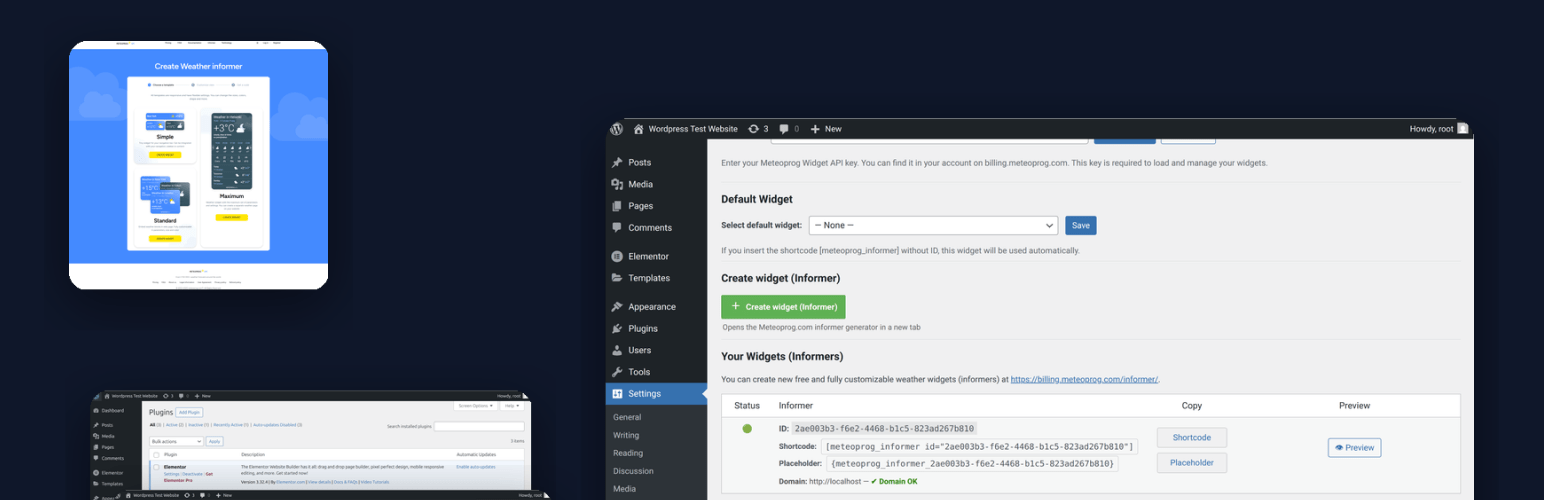
內容簡介
**總結:** Meteoprog 天氣小工具讓您快速嵌入來自 Meteoprog 的免費天氣提供者(小工具)。
1. 這個外掛使用單獨的 API 金鑰來設置小工具。
2. 並不是 Meteoprog 天氣 API 金鑰相同。
3. 告知金鑰永遠免費且無使用限制。
4. 可在此處創建新的提供者:https://billing.meteoprog.com/informer。
**問答組:**
- **這個外掛可以用來做什麼?**
- Meteoprog 天氣小工具允許您快速嵌入來自 Meteoprog 的免費天氣提供者(小工具)。
- **使用這個外掛需要注意什麼重要事項?**
- 這個外掛使用一個獨立的 API 金鑰來設置小工具,並不是與 Meteoprog 天氣 API 金鑰相同。
- **提供者 API 金鑰具有什麼特點?**
- 通常是免費的,並且沒有使用限制。
- **如何自訂小工具?**
- 可以透過 Meteoprog 控制面板完全自訂小工具。
- **是否支援 Gutenberg 區塊和舊版小工具屏幕?**
- 是的,它支援 Gutenberg 區塊: Meteoprog 天氣小工具(在小工具類別中)以及舊版小工具(WordPress 4.9–5.7)。
- **如何設置預設小工具選項?**
- 在管理員中設置一次,全域使用。
- **這個外掛如何管理密鑰、默認值和快取?**
- 透過 WP-CLI 支援來管理。
- **此外掛是否收集或存儲個人數據?**
- 此外掛本身不會收集或存儲任何個人數據,但當小工具顯示在前端時,訪問者的瀏覽器會從 Meteoprog CDN 載入小工具腳本,此時可能會接收標準請求信息(IP 地址、用戶代理、引薦)。
- **如何可以創建和管理免費提供者?**
- 您可以在 Meteoprog 的 Informer Dashboard 中創建和管理您的提供者。
外掛標籤
開發者團隊
② 後台搜尋「Weather Widget & Forecast by Meteoprog」→ 直接安裝(推薦)
原文外掛簡介
Meteoprog Weather Widgets lets you add live local weather widgets and weather forecasts to your WordPress site.
Widgets are free, unlimited, and easy to embed using Gutenberg, Elementor, shortcodes, or legacy widgets.
Features:
* Easy setup with free informer API key.
* Widgets are fully customizable via Meteoprog dashboard.
* Supports Gutenberg block: Meteoprog Weather Widget (in the Widgets category).
* ✅ Legacy Widget (WordPress 4.9–5.7) for classic widget screen.
* Supports shortcodes:
– [meteoprog_informer id="YOUR_INFORMER_ID"]
– [meteoprog_informer] (uses default widget)
* Supports placeholders in content:
– {meteoprog_informer_YOUR_INFORMER_ID}
– {meteoprog_informer} (uses default widget)
* Default widget option: set once in admin, use everywhere.
* Admin preview with “Copy” buttons.
* Responsive admin interface (mobile-friendly).
* WP-CLI support for managing keys, defaults, and cache.
* ✅ Legacy support: works on WordPress 4.9+ and PHP 5.6+ (also tested on PHP 8.3/8.4).
Integrations:
* ✅ Gutenberg Block — modern block with dynamic informer selector (REST API).
* ✅ Shortcodes Ultimate — custom integration with dropdown and admin preview.
* ✅ Elementor — native widget in the Elementor editor.
* ✅ Legacy Widget — for WP 4.9–5.7 classic widget screens.
* ✅ Shortcodes & Placeholders — for flexible embedding in content and templates.
* ✅ WP-CLI — manage API keys, defaults, and cache from the command line.
* ✅ REST API — exposes /wp-json/meteoprog/v1/informers (secured by edit_posts) for block integration.
Privacy
This plugin itself does not collect or store any personal data. However, when the widget is displayed on the frontend, visitors’ browsers load the widget script from the Meteoprog CDN, which receives standard request information (IP address, User-Agent, Referrer).
The CDN may also set technical cookies required for content delivery or security. These cookies are managed by Meteoprog and are subject to their privacy policy.
This plugin adds a suggested section to WordPress’s default Privacy Policy page, explaining what data is transmitted when widgets are displayed.
Links
Meteoprog Homepage — main weather portal
Meteoprog Informer Dashboard — create and manage your free informers
GitHub repository
External Services
This plugin connects to the Meteoprog services to display widgets.
https://billing.meteoprog.com — used by the plugin to fetch your informer list via a secure API request (Authorization header with your informer API key and site domain).
https://cdn.meteoprog.net — the visitor’s browser loads a small JavaScript file from the Meteoprog CDN to render the widgets. As with any CDN, the visitor’s IP address and browser information are transmitted as part of the HTTPS request. This is standard browser behavior.
No personal data is collected or stored by the plugin itself.