
外掛標籤
開發者團隊
原文外掛簡介
MazeGuard Security protects the accounts that run your site and tells you, in plain terms, when its files or content change in ways worth a look.
Everything that runs on your own server is free and needs no account:
Two-factor authentication with any TOTP app, a QR code drawn on your own server (the secret is never sent to a third-party QR service), and single-use recovery codes.
Account security — an inventory of every account with risk flags (accounts without two-factor, dormant accounts, old passwords), a password policy that refuses recently used passwords, sign-in history with alerts for sign-ins from a network not seen before, and one-click session revocation.
Login protection — throttling per address and per username, with correct client addresses behind Cloudflare and configured proxies.
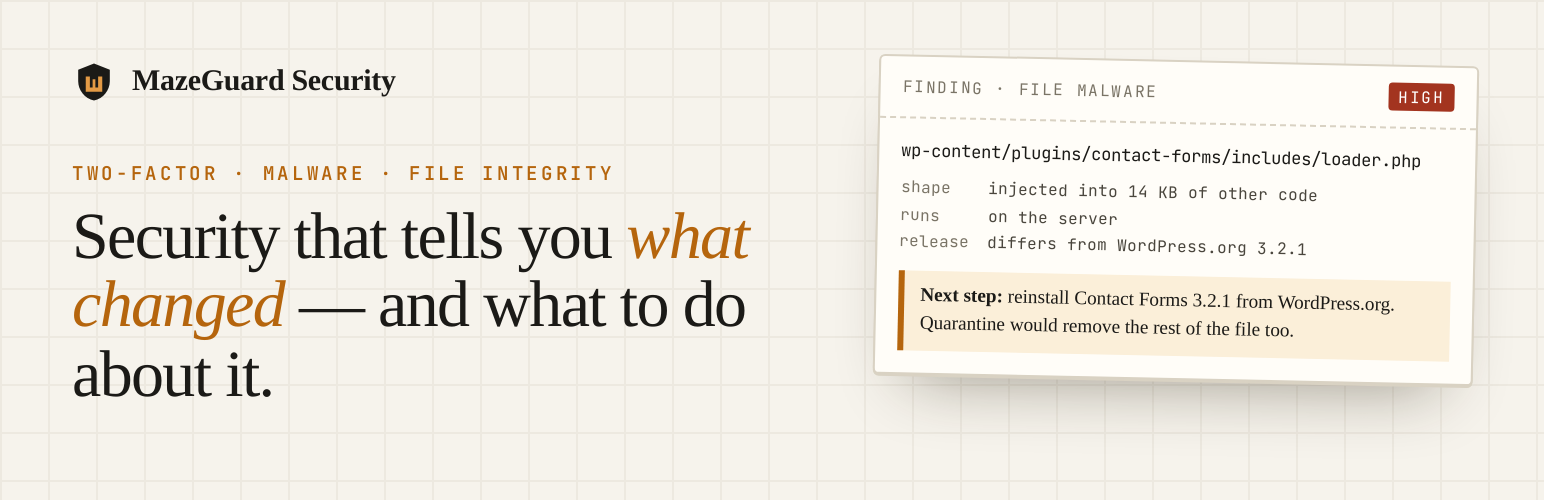
File malware scanning that separates where a file is from what it does. Each finding says whether the flagged code is the whole file or one part of a larger one, and what to do next: quarantine a payload file, reinstall an injected plugin or theme.
Comparison with WordPress.org — installed plugins and themes are compared file by file with the release WordPress.org distributes for the same version. Files identical to the release are not reported as malware; PHP and JavaScript files that differ, and PHP files the release does not contain, are listed for review.
Database malware scanning of posts and settings for stored scripts, hidden iframes and SEO spam, with the matched content shown on request and never copied into scan history.
File integrity — WordPress core checked against WordPress.org checksums, a baseline of every file, uploads monitoring, and detection of mass changes such as a site’s folders being reorganised at once.
Encrypted quarantine, an activity log, scan history and CSV exports.
Cloudflare — optionally, push blocks and Under Attack mode into your own Cloudflare zone with your own API token.
An optional MazeGuard Cloud licence adds what needs MazeGuard’s servers: alert delivery from outside your site (so an alert still arrives when the site’s own mail is broken), notice when the site stops checking in, and external vulnerability scans. Nothing is sent to MazeGuard Cloud unless you connect a licence and consent.
What MazeGuard Security is not
It is not a firewall and does not filter traffic. It does not remove malware automatically: findings are indicators for a person to review, not proof of infection, and nothing is changed or deleted without your say-so. Back up your site before quarantining or restoring files.
External services
MazeGuard Security connects to the services below. Only the WordPress.org connections are made by default; every other one runs only after you configure it.
WordPress.org (core checksums)
Used to check WordPress core files against the official release, once a day and when you run an integrity check. Sends the WordPress version and locale to api.wordpress.org, with a user agent naming this plugin and your site address, as WordPress itself does when checking for updates. Privacy
WordPress.org (plugin and theme releases)
Used to compare installed plugins and themes with their official releases, once a day, when a malware scan has findings inside a plugin or theme, and when you click Compare now. Sends the slug and version of each installed plugin and theme to downloads.wordpress.org, which is the same information WordPress sends when checking for updates. Can be turned off under MazeGuard > Settings. Privacy
MazeGuard Cloud
Used only after you enter a licence key under MazeGuard > Cloud & License and tick the consent box. On connecting, it sends the licence key, site address and site name. It then sends a periodic summary: plugin, WordPress and PHP versions, security score, plugin and theme counts, and finding counts. Relayed alerts carry an event type, a severity and counts; the alert wording, which can name an account or address, is included only if you turn on that setting. File contents, database values, passwords and customer records are never sent. External scans, if requested, probe your site’s public address from MazeGuard’s servers. Terms — Privacy
Cloudflare
Used only after you add a Cloudflare API token under MazeGuard > Settings. Sends requests to api.cloudflare.com to read your zone, create and remove IP blocks, purge the cache and change the security settings you choose. Blocks carry the address being blocked and a short note. Terms — Privacy














