內容簡介
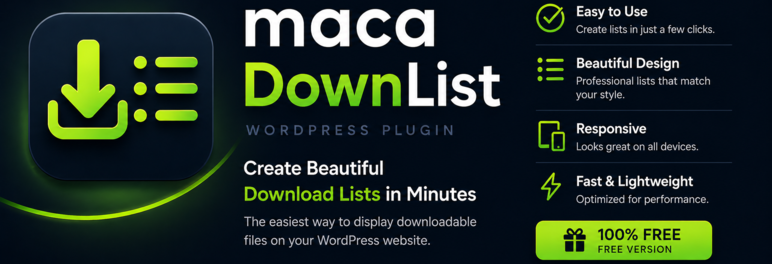
maca DownList 是一款幫助您在 WordPress 網站上發布可下載檔案列表的外掛。它允許您組織檔案、以網格或列表佈局顯示,並透過追蹤連結讓訪客下載檔案,提供無限的檔案列表和功能。
【主要功能】
• 無限檔案列表和檔案
• 自訂檔案標題、描述及縮圖
• 支援 PDF 檔案的瀏覽和下載按鈕
• 簡單的下載計數功能
• 短碼和 Gutenberg 區塊支援
• 多語言使用者指南
外掛標籤
開發者團隊
原文外掛簡介
Developed by maca development.
maca DownList helps you publish downloadable file lists on your WordPress site. Organize files into lists, show them in a grid or list layout, and let visitors download files through tracked links.
Unlimited lists, Media Library files, shortcode and block, PDF view/download buttons, and an opt-in front-end credit line. More information: maca DownList.
Features
Unlimited file lists
Unlimited files with title, description, manual thumbnail, and download file (Media Library)
File type label with icon on the front end
Optional More information link per file
PDF files: View (browser) and Download buttons
Download counts in admin (Files and Lists)
Media Library picker for download files and thumbnails in admin
Grid or list layout (default under maca DownList → Settings)
Shortcode: [maca_downlist list="your-list-slug"] or [maca_downlist] to show all lists grouped
maca DownList List Gutenberg block
List display heading and intro text per list
Built-in multilingual user guide in admin (eight languages)
Admin and front-end translations: English, Swedish, Danish, Norwegian (Bokmål), Finnish, German, French, Spanish
Optional Powered by maca DownList credit on front-end lists (opt-in under Settings)
Pro version
This WordPress.org package is the free, fully functional maca DownList — unlimited lists and files, with no license check.
maca DownList Pro is a separate plugin (download from maca DownList Pro) with advanced delivery and admin features. License activation is not included in this WordPress.org build (WordPress.org policy).
Included in this free plugin:
Unlimited file lists and unlimited files
Shortcode and maca DownList List Gutenberg block
Show all lists on one page ([maca_downlist] or list="all")
Grid or list layout, PDF View + Download, manual thumbnails
Simple download counts in admin (Files and Lists)
Media Library storage, list heading and intro text, built-in user guide (eight languages)
Powered by maca DownList credit is opt-in and off by default (leave unchecked in Settings to hide it)
Pro adds (separate download — see comparison on maca DownList Pro):
Automatic thumbnails for image and video files
Built-in video player (stream in the list)
Protected file storage (in addition to Media Library)
Custom download and information link styling (colors, hover, font)
Guest comments and CAPTCHA (reCAPTCHA / Cloudflare Turnstile)
Access restrictions (IP / country blacklist)
Full download log (IP, country, action) — free shows simple download counts only
File versioning
Configurable max upload size
Pro support in wp-admin
Privacy and external services
Files are stored in the WordPress Media Library. Download links are handled on your site.
On activation, deactivation, and uninstall, the plugin may send a small lifecycle event to api.maca.se (site URL, plugin/WordPress/PHP version, locale). Optional deactivation feedback from the Plugins screen is sent the same way. No license checks and no visitor download content. maca Hub status endpoints only respond when maca Sec provides a site key (optional companion plugin).