內容簡介
LWS Tools 是一款多功能的 WordPress 外掛,提供各種工具與選項以優化網站性能。使用者可以輕鬆管理外掛、佈景主題及資料庫,並提升網站的安全性與效率。
【主要功能】
• 自動分析網站,提供個性化建議
• 改善通知中心,快速查看更新狀態
• 顯示伺服器資訊與環境參數
• 優化資料庫,修復與清理功能
• 增強網站安全性,隱藏敏感資訊
• 自訂功能,刪除不必要的元素
外掛標籤
開發者團隊
📦 歷史版本下載
原文外掛簡介
With LWS Tools, get a hold on various tools and options to optimize your website. From deactivating emotes or hiding sensible informations to deactivating REST API!
You can access and change several parameters, get informations on your database and your server and even more.
WPilot – Your WordPress AI Assistant
Meet WPilot, your dedicated AI assistant for WordPress, available exclusively with LWS hosting. WPilot automatically analyzes your site, plugins, and theme to provide personalized advice and guidance. Whether you’re creating, updating, or optimizing your website, WPilot acts as your co-pilot, helping you troubleshoot common issues and make informed decisions about your WordPress site. This intelligent assistant understands your specific setup and offers tailored recommendations to enhance your website’s performance and functionality.
Notifications
Find an improved notification center allowing you to see at a glance what to update, what to delete, correct or adjust.
Status of updates to the WordPress version, plugins, themes and translations.
Unused plugins and themes can be removed in one click..
Database prefix : customized or not.
Validity of your SSL certificate (included with LWS web hosting plans).
Server information
View all the characteristics of the server on which your WordPress website is hosted:
Environment, server information
IP address of your device
Server web port
SSL certificate status (HTTPS)
Server name
Server IP address
Protocol version
PHP version
Debug WP mode status (WordPress debug mode)
Status of allow_url_fopen (file access functions)
Server time zone
Default encoding
Uploading files
Maximum execution time
Maximum number of files per upload
Maximum number of characters per entry
RAM memory limit
Maximum size of an item
Maximum size of uploaded files
PHP memory usage
Optimisation
Delete, reduce elements that are not useful to you. Or add minor features. Here are the features you can enable as you wish:
Delete the Windows Live Writer manifest
Reduce the number of revisions
Delete author pages and associated links
Prevent WordPress from disabling pingbacks of your own posts
Use visitor browser emotes instead of WordPress emotes
Remove Title 1 in Tiny MCE
Remove shortlinks
Add hidden ‘Medium Large’ image size
Alternative cleaning of uploaded media
Remove RSS feeds
Remove links from RSS feeds
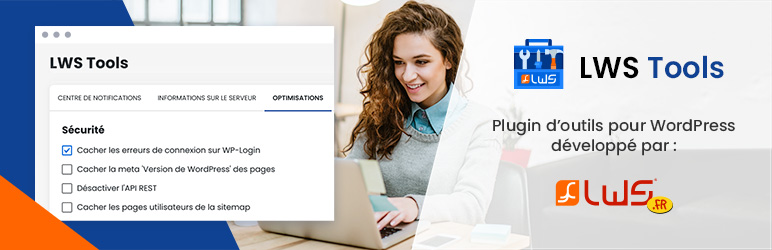
Security
Here are some functions that you can activate. These have a positive impact on the security of your site:
Hide connection errors on WP-Login
Hide the ‘WordPress Version’ meta from pages
Disable the REST API
Hide user pages from sitemap
Hide user endpoints from REST API
MySQL Reports
Find a summary table of the WordPress data in your MySQL database. You can also repair and optimize your database directly from LWS Tools.
Other tools
In the last tab of the plugin, you have access to other useful functions:
Disconnect all sessions except the active user (you).
Clean up revisions that are older than a certain time (please specify)
Delete trashed or unwanted comments
Delete temporary data (transients) from the cache
Reset the plugin configuration
Keep the configuration even after deleting the plugin
This plugin is pre-installed when ordering one of these LWS webhosts: WordPress hosting, Classic shared web hosting and cPanel hosting
License
Released under the terms of the GNU General Public License.