內容簡介
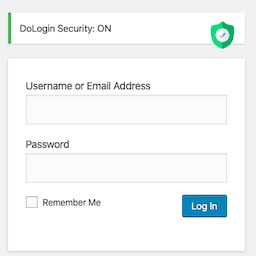
Multilogin 是一款集成多項 WordPress 登入安全與自訂功能的外掛,能夠保護並個性化您的登入頁面。透過自訂登入 URL、限制登入嘗試次數、添加 Google reCAPTCHA 等功能,Multilogin 讓您輕鬆減少自動攻擊並提升使用者體驗。
【主要功能】
• 自訂登入 URL
• 限制登入嘗試次數
• 添加 Google reCAPTCHA
• 自訂登入頁面品牌與背景
• 網站密碼保護
• 維護模式功能
外掛標籤
開發者團隊
② 後台搜尋「Multilogin – Hide Login URL, Secure & Customize WordPress Login」→ 直接安裝(推薦)
原文外掛簡介
Protect and personalize your WordPress login page without installing multiple plugins.
Multilogin combines essential WordPress login security and customization features in one simple plugin. Create a custom login URL, limit repeated login attempts, add Google reCAPTCHA, customize your login branding, password-protect your site, and enable maintenance mode when needed.
Whether you want to reduce automated attacks targeting the default WordPress login page or create a branded login experience for users and clients, Multilogin gives you practical controls without requiring custom code.
Secure your WordPress login
Custom Login URL – Create a custom login URL such as `/my-login` and control what happens when someone visits the default login URL.
Login Attempt Limits – Set the maximum number of failed login attempts and temporarily lock users out after the limit is reached.
Google reCAPTCHA – Add Google reCAPTCHA v2 or v3 to help reduce automated bot and spam login attempts.
Customize your login page
Custom Logo and Branding – Replace the default WordPress logo with your own logo, adjust its dimensions, and add a custom logo link.
Custom Background – Use a custom background color or image to match your website or brand.
Login Form Message – Add a custom message above the login form and control its font size and color.
Password Reset Options – Control the password reset link and display a custom note on the password reset form.
Control site access when needed
Site-Wide Password Protection – Restrict front-end access and allow visitors with the correct password to access the site.
Maintenance Mode – Temporarily place your site in maintenance mode and display a custom heading, description, message, and background.
Why use Multilogin?
Multilogin is useful when you want to:
Change the default WordPress login URL without custom code.
Reduce repeated automated login attempts with login limits and reCAPTCHA.
Create a branded WordPress login page for your website, clients, or team.
Password-protect a private, staging, or work-in-progress website.
Display a custom maintenance page while your site is being updated.
Instead of using separate plugins for login URL changes, login protection, branding, and temporary site access controls, Multilogin brings these tools together in one place.
Getting Started
Install and activate Multilogin.
Open Dotstore Plugins > Multilogin in your WordPress dashboard.
Configure your custom login URL, login page design, login protection, and other options.
Save your settings and test the login page in a private or incognito browser window.
Important: After changing your login URL, save the new URL somewhere secure so you can easily access your WordPress login page later.
CONTACT US
Free plugin: Need Technical Help? – Click here
External Services
Multilogin uses or may connect to the following external services for specific plugin functionality.
YouTube
Multilogin may include a YouTube tutorial to help users understand how to configure the plugin, including the custom login URL, login page customization, and security settings.
The video is provided for instructional purposes only.
Dotstore Promotional API
Multilogin may use API calls to TheDotStore.com to display promotional offers inside the plugin.
These API calls are used only to deliver promotional content. No additional user data is collected specifically for displaying these promotional offers.
For more information:
Privacy Statement: https://www.iubenda.com/privacy-policy/15880757
Terms and Conditions: https://www.thedotstore.com/terms-and-conditions/
Google reCAPTCHA
Multilogin uses Google reCAPTCHA when this feature is enabled to help determine whether a login interaction is performed by a human or an automated bot.
Google reCAPTCHA may process interaction data, browser or device information, and cookies as part of its verification process. Data is handled according to Google’s policies.
For more information:
https://support.google.com/recaptcha/?hl=en