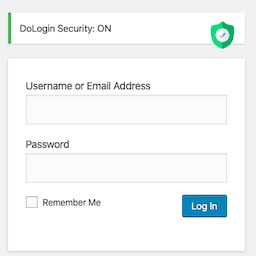
內容簡介
LoginBerry 是一款強化 WordPress 登入安全性的外掛,提供帳號驗證、雙重身份驗證(2FA)、無密碼登入及登入記錄等功能,讓使用者在保護帳號的同時,享受更流暢的登入體驗。
【主要功能】
• 帳號驗證:透過電子郵件發送六位數驗證碼
• 雙重身份驗證:可設定為必要、選擇性或禁用
• 無密碼登入:使用者可透過電子郵件獲取一次性登入碼
• 登入記錄:成功與失敗的登入紀錄可在控制台查看
• 最後登入追蹤:顯示使用者的最後登入時間
外掛標籤
開發者團隊
② 後台搜尋「LoginBerry – 2FA, Passwordless & Email Verification」→ 直接安裝(推薦)
原文外掛簡介
LoginBerry bundles account verification, two-factor authentication (2FA), passwordless login, login logs, and optional last-login tracking. Each feature can be enabled or disabled independently. Outgoing codes are delivered by email.
The plugin works for standard WordPress sites. When WooCommerce is active, additional customer- and order-related options are available (for example 2FA on the My Account login form and optional account activation tied to orders).
User-facing behavior (when features are enabled)
Account verification: After registration, the user signs in and completes activation on the configured activation page using a six-digit code sent by email.
Two-factor authentication: After a successful username and password, the user enters a second code sent by email. Per-role modes are Required, Optional, or Disabled.
Passwordless login: On wp-login.php, eligible roles may request a one-time email code instead of entering a password.
Login logs: Success and failure records are listed in the WordPress admin.
Last-login tracking: Successful login times can be recorded and displayed in a Last Login column under Users → All Users.
Authentication codes are email-based; end users do not install a separate authenticator app for the flows described here.
Account verification
New accounts receive a six-digit activation code by email.
After fifteen failed activation attempts, the account is locked until an administrator intervenes.
Administrators can resend codes, activate accounts manually, and unlock accounts from Users → All Users.
Two-factor authentication (2FA)
Per-role setting: Required, Optional, or Disabled.
Optional mode allows users to enable 2FA from the profile when permitted by role.
Supported on wp-login.php and on the WooCommerce My Account login form.
Passwordless login
Let users log in without a password – just enter a username or email and receive a one-time login code. Improves user experience while maintaining strong security through email verification.
Toggle between password and passwordless login on wp-login.php
One-time email codes on wp-login.php, controlled per role.
When both passwordless login and 2FA are enabled for the same role, the passwordless flow does not require a separate 2FA step (email possession is already verified).
WooCommerce
Optional automatic account activation when an WooCommerce order is created.
Optional restriction so that only paid orders trigger activation.
Integration points include classic checkout, block checkout (Store API), and paid-order completion hooks, as implemented in the plugin.
Login logs
Monitor all login activity on your site. Essential for detecting suspicious behavior and meeting security compliance requirements for e-commerce stores.
Records successful and failed login attempts
Logs username, email, IP address, and timestamp
Stores login history in a dedicated database table for more efficient querying as the log grows
View, search, filter, and delete logs from a dedicated admin page
Optionally track each user’s most recent successful login and show it under Users → All Users
Identify patterns of brute force attacks and suspicious login activity
Audit trail for security compliance and fraud investigation
Last-login tracking can be enabled independently of full login logging under BerryPress → LoginBerry → Login Logs.
Admin interface
Centralized settings under BerryPress → LoginBerry, with separate screens per feature.
Email templates
HTML email templates for activation, 2FA, and passwordless login ship in the plugin templates/ directory. To override, copy the desired template into the active theme or child theme under templates/loginberry/ (see each template file header for the exact path).
Email delivery
Reliable outbound email is required for codes to arrive. Typical setups use the hosting provider’s mail relay, a transactional email API (for example Brevo, Mailchimp Transactional / Mandrill, Postmark, SendGrid, Amazon SES), or a WordPress plugin that sends mail via SMTP or a provider API. Test delivery with a real signup or code request before relying on the feature in production.
Typical use cases
Reducing unwanted or automated registrations and limiting abuse of disposable email addresses.
Verifying that a customer or member controls the email address on file.
Adding a second factor after password entry for selected roles.
Reviewing login success and failure history in the admin.
WooCommerce: applying optional post-order account activation, including a paid-order-only mode where configured.
Roadmap
LoginBerry is a brand new plugin and we are improving it quickly based on real user feedback. If you have ideas, feature requests, or run into a theme-specific styling issue, we would love to hear from you.
Planned work includes:
Configurable failed-attempt limits (instead of the fixed fifteen for activation lockout)
Custom activation page URL
Custom redirect URL after successful verification
Rate limiting on code verification attempts
Social login options
Improved styling flexibility and theme compatibility
Feedback and compatibility reports are welcome via the plugin support channels. New features are prioritized based on user feedback.