內容簡介
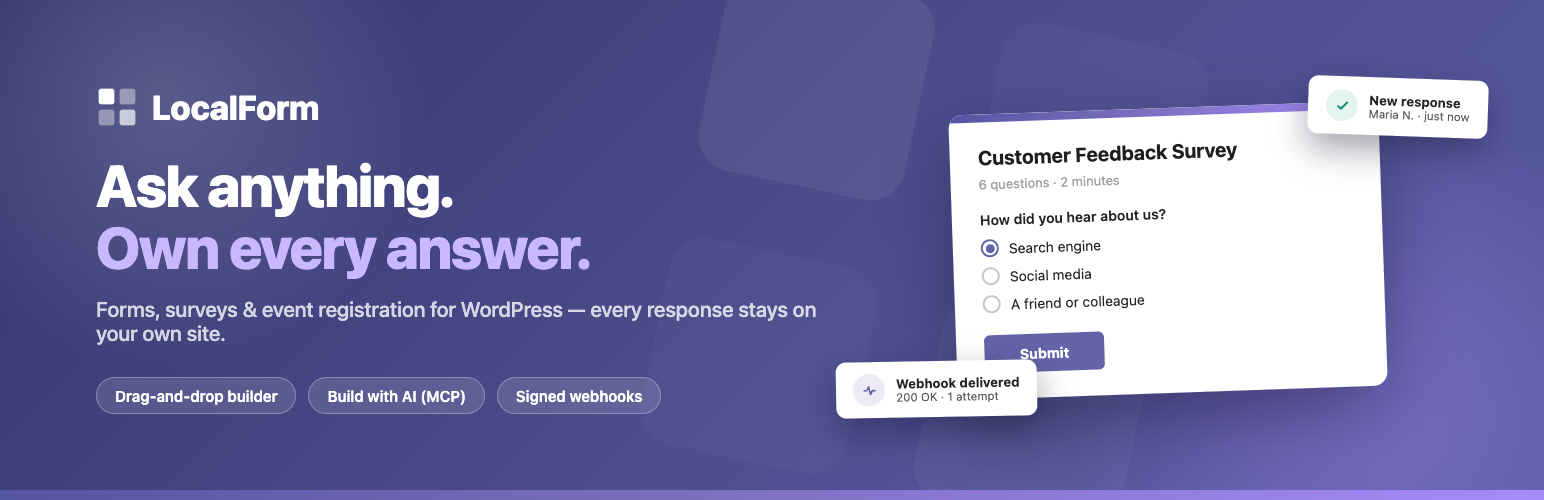
LocalForm 是一款專為 WordPress 設計的表單建構外掛,讓使用者可以輕鬆創建聯絡表單、調查、報名等,所有回應資料均保留在自己的網站上,確保資料安全與隱私。
【主要功能】
• 拖放式表單建構器,無需編碼
• 提供多種表單範本,快速上手
• 支援多種問題類型,靈活設計
• 回應資料可下載為 Excel 或 CSV
• 無需註冊帳號或授權金鑰
• 具備多步驟表單設計功能
外掛標籤
開發者團隊
② 後台搜尋「LocalForm – Form Builder for Contact Forms, Surveys & Event Registration」→ 直接安裝(推薦)
原文外掛簡介
LocalForm is a form builder for WordPress. Add your questions, drag them into order, pick your colors, and hit publish. Your form gets its own page and a link you can share right away – no page building, no shortcode wrangling, no fighting your theme’s CSS.
The name says what it does: every response stays local, on your own site, under your own domain and branding. Nothing is sent to a third-party form service, so you stay in control of your visitors’ data. And there is nothing to set up before your first form is live – install, activate, and start building.
If you have been collecting answers with a cloud form service such as Google Forms or Microsoft Forms, LocalForm covers the same ground – write your questions, share a link, read the results back as a summary – except the form lives on your own domain and the answers never leave your site.
What you can build
Contact forms. Name, email and a message, with an email in your inbox every time someone writes in. Start from the template and publish in a minute.
Surveys and feedback forms. Ask your questions and read the results back as a summary with counts and charts, right in the admin.
Sign-ups and intake forms. Collect the details you need and get an email every time someone submits.
Quizzes and knowledge checks. Give the questions an answer key, set a pass mark, and every response is marked for you – with the score, the right answers and your own explanation shown the moment someone submits.
Event registrations. Set the event date, time, location, organizer and price, cap the number of registrations, open and close the form on a schedule, and send every registrant a confirmation email.
Why LocalForm?
Simple to use. A distraction-free builder: add questions, drag to reorder, pick your colors, publish.
Share a link. Every form gets its own page with a URL you choose – or drop it into an existing page with a shortcode or block.
Your data stays yours. Responses are stored on your own site and can be downloaded as an Excel or CSV file whenever you like.
No surprises. No account, no license key, no trial period, and no limit on the number of forms or submissions.
Nothing calls home. No analytics, no telemetry, and fonts are served from your own domain – so building a form never sends your visitors anywhere else.
Works with AI assistants. Built-in MCP support lets an assistant like Claude build and edit your forms for you, on your own site – see below.
Features
Building forms
Drag-and-drop builder in the WordPress admin – no code, no page builder needed.
Starter templates for a contact form, a feedback survey, an event registration, an RSVP and a quiz – they open the builder with the questions already written, and nothing is saved until you hit Save.
Already built the form somewhere else? Forms > Import brings it across from Contact Form 7, WPForms or Google Forms – the questions, their options and which ones are required. Neither plugin has to still be active; a Google Form comes across from its share link. Every import arrives as a draft with a report of what could not be brought over.
Question types: text, long text, email, phone, number, dropdown, single choice, checkboxes, consent, date, date range, rating, Likert scale, choice and checkbox grids, ranking, points allocation and slider. Any of them can be marked as part of a quiz where marking makes sense – see Quizzes below.
A consent question renders as a single tick box with your own wording beside it – put a link to your privacy policy in it and require it before the form can be sent.
Add section titles, text and images between questions to explain or break up a long form.
Multi-step forms, with no extra setup: add a section title and everything after it becomes the next step, with a progress bar, a step counter and Back and Next buttons – so a long form asks a few questions at a time.
A Design tab beside your questions, with a live preview of the form next to the controls: a cover photo across the top, your own logo instead of the site’s, colors, a background image, font and size, corner style, shadow, width, and whether the form brings its own card or sits plainly in the page. Start from one of four presets – Classic, Minimal, Bold or Dark – and change anything afterwards.
Pick the four colors and the rest follows: borders, hint text, button hover and focus rings are worked out from them, so a dark form stays readable.
Set the house style once under Settings – Appearance and every form follows it until it chooses otherwise.
Seven bundled font families, all served from your own domain.
Organize your forms with tags and filter the forms list by them.
Light mode hides the webhook URL, the redirect URL and the custom fields on a form’s Settings tab, for a builder that shows only the questions – per form, or as the default for new forms.
Sharing your form
Every form gets its own page at a web address you choose.
Place a form inside an existing page or post with the [localform id="123"] shortcode or the LocalForm block, which shows the real form while you edit.
A QR Code block puts a scannable link to a form on any page – for a flyer, a poster or a slide.
Share dialog in the builder: copy the link, copy the embed code, or download a QR code for print and posters.
Forms are shown full-screen by default, or in your theme’s normal page layout if you prefer.
Collecting responses
Visitors get instant validation and a thank-you message you can write yourself, without the page reloading.
Get an email whenever someone submits – to your whole team if you like, up to ten addresses on a form – and send the person who submitted a confirmation email you can customize with their answers.
Attach a calendar invitation to that confirmation email, so a registrant adds the event to Outlook, Google Calendar or Apple Calendar with one tap instead of retyping the date. It carries the event’s date, time, location and organizer, and an event without a time is added as an all-day one.
Cap the number of registrations and set an opening and closing date and time, with your own message shown when the form is full or closed.
Stop taking responses whenever you like: an Accepting responses switch on the form, and a Stop accepting link on the forms list, close a form on the spot without touching a date or deleting anything.
See whether your notification emails are actually going out. Every message is recorded – who it went to, what it was about, whether the mailer took it – with a Send test email button beside it, and a warning the first time one fails.
Built-in spam protection: a hidden trap field that differs per site and rotates daily, a check that the submission came from a real browser, rate limiting, blocking for repeat bot attempts, and duplicate-submission checks. None of it asks a visitor to prove anything.
A content filter for the spam a real browser sends: a link limit, and blocklists for words, email domains and IP addresses – it reads what actually arrived, which catches the junk that passes every invisible check.
An optional challenge – Cloudflare Turnstile or hCaptcha – for a site under sustained attack. Off by default, and best set to appear only for a visitor whose device has already tripped the automated checks, so an ordinary visitor never meets one.
A blocked-attempts log: what was turned away, from which form and why, with a seven-day summary. It is how you tune the settings above, and how you notice protection catching a real person. No IP addresses are stored; each entry carries a one-way hash instead.
Per-form spam settings, for the internal form a whole office fills in from one shared address and the one public form being hammered. Every other form follows the site.
Decide who may fill a form in: anyone with the link, anyone signed in to your site, or only the roles you pick. Everyone else gets your own message instead of the form, with a sign-in link if that is all they are missing, and the refusal is enforced on the server. Every response then records which account left it – in the responses list, in your exports and on the printout.
Quizzes
Turn any form into a marked one: tick the correct options, or type the answers you accept, and LocalForm scores every response.
Works on single choice, dropdown, checkbox, short text and number questions. Give the harder question more points; leave a question without an answer key and it is asked but not marked.
Set a pass mark and every response reads Passed or Not passed. Leave it empty to report a score and let nobody fail.
The person answering can be shown their score, which questions they got right, the correct answer where they did not, and a sentence of explanation you wrote – so a test doubles as the lesson.
The score goes in the confirmation email, in the responses list, in every export, and on the printout – which is what makes a response usable as a training record.
The Responses summary tells you how the group did and, question by question, how many got it right: the one everybody missed is highlighted.
Scores are worked out from the answer key each time they are read, never stored. Correct a key you got wrong and every response already collected is marked again – and switching grading on scores the answers a form collected before it was a quiz.
Reading and keeping your results
A count in the admin menu of the responses that arrived since you last looked, per form on the forms list – the same badge WordPress puts on Comments.
Browse every submission per form in the admin, a page at a time, with a date range and a search box to narrow the list down.
Summary view per question: counts and bar charts for choice questions, lowest/average/highest for numbers, per-day counts for dates, and the most recent answers for open questions.
Download responses as Excel (XLSX) or CSV – comma or semicolon separated, so Excel in Dutch, Belgian or German settings opens it in columns. Whatever the date range and search box are showing is what gets downloaded.
An Excel export with a Summary sheet alongside the responses: per-question counts, averages and percentages, ready to pivot or paste into a report.
Print any single response, or save it as a PDF, from the Print link beside it.
Export from the command line with wp localform export, or read responses over the REST API – both with the same date and search filters.
Data requests are handled by WordPress’s own Tools > Export Personal Data and Tools > Erase Personal Data, which include LocalForm responses.
Let a colleague read the responses without making them an administrator: two permissions of LocalForm’s own, granted per role, so the coordinator sees the registrations and nothing else.
Back up every form, submission and setting to a single file, and restore it here or on another site.
A site report under Forms > Settings > Support: which question types and features your forms use, and how it is set up, copied in one click for a support request. Sent nowhere.
Building forms with an AI assistant (MCP)
LocalForm speaks MCP – the Model Context Protocol – so an AI assistant such as Claude can build your forms for you. Ask for “a registration form for the summer school on 12 and 13 August, with a student rate”, and the form is created on your site, ready for you to review.
Three WordPress Abilities are registered – list forms, read a form, and create or update one – and become MCP tools as soon as the MCP Adapter plugin is installed.
It is your site doing the work. The assistant connects to WordPress; LocalForm sends nothing out, and no form or response is uploaded anywhere.
Everything goes through the same validation as the builder, so an assistant cannot save something you could not have built by hand, and reconfiguring a form never touches the responses already collected.
Sign in with an Application Password and the usual WordPress permissions apply: only an administrator can read or change a form.
LocalForm Pro
Everything described above is in the free plugin and stays that way – none of it is a trial, a teaser or a limited version. LocalForm Pro is a separate paid add-on for the sites that need more, sold at localform.dev and installed alongside the free plugin. If none of the following applies to you, you are not missing anything.
Payments. Charge for a registration and take the money at submit, through Stripe, Mollie or your own WooCommerce shop.
Build with AI. Describe the form you want and watch it built on your site, from inside the admin.
Registering several people. One person books for their whole party, and the maximum counts people rather than bookings.
Waiting list. A full form keeps taking registrations and tells people where they stand, so a late cancellation gets filled.
Mailing lists. Add the person who filled in your form to a list at Flexmail, Brevo, MailerLite or Mailchimp, gated on a consent question of your own.
Conditional fields. Show a question only when another answer matches a rule.
More event detail. Several dates per event, each with its own times and count, and a labelled price list.
More question types. File upload, a Yes/No switch, and a one-click block of invoice questions.
Webhook and field controls. Global webhook fields, field name rules, reusable field templates, and prefill from URL parameters.
Insights. One screen counting every form together – what came in this period against the one before it, which forms are being answered, and when.
Attendance sheets and scheduled exports. A tick-off list per event date, and a form’s responses emailed out daily, weekly or monthly.
Elementor widgets. A form on any Elementor page, or a list of upcoming events with a register link per date.
The Pro add-on is not hosted on WordPress.org; it is documented at docs.localform.dev.
LocalForm is …