內容簡介
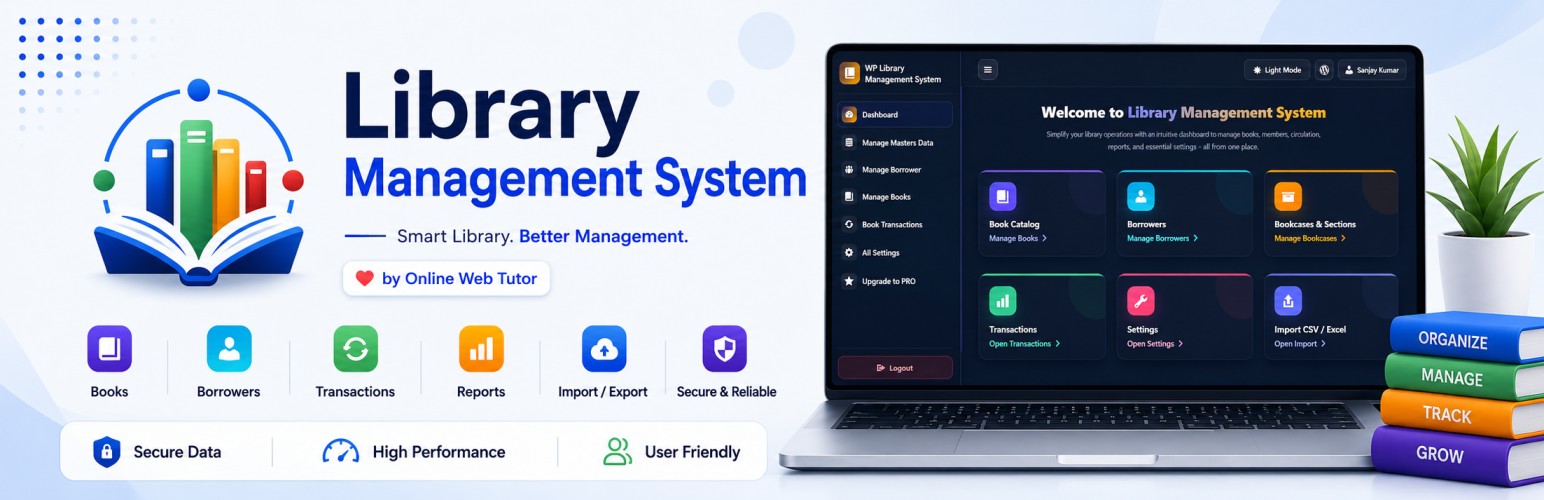
Library Management System (LMS) 將您的 WordPress 網站轉變為完整的圖書館管理系統。無需編寫任何程式碼,即可管理書籍目錄、借閱者註冊、書籍借還、收取逾期罰款及列印收據,並為每位成員提供專屬入口。
【主要功能】
• 完整的書籍目錄管理
• 結構化的借閱交易流程
• 自助服務的借閱者入口
• 簡潔的介面設計
• 支援多語言及多作者書籍
• 數據安全與私有性保障
外掛標籤
開發者團隊
📦 歷史版本下載
原文外掛簡介
Library Management System (LMS) turns your WordPress site into a complete, working library. Catalogue your books, register your borrowers, issue and return copies, collect late fines, print receipts, and give every member their own portal — all without writing a single line of code.
Most book plugins give you a list of titles. If you are searching for the best library management system plugin for WordPress, the difference here is scope: master records, copy-level tracking, a full circulation workflow with fines and receipts, member self-service, migration tooling and a public catalogue — presented in a distraction-free workspace with dark and light modes.
It ships in three editions — Free, Basic PRO and Full PRO — so you begin at no cost and move up only when your collection genuinely outgrows the edition you are on.
Why Choose Library Management System?
📚 A catalogue that reflects your actual shelves — Categories, publications, authors, languages, bookcases, sections and branches are all first-class records, defined once and reused everywhere. A single title can carry several authors and several languages, so translations, co-authored works and multi-edition holdings stay accurate instead of being squeezed into one field.
🔄 Circulation handled end to end — Issue and return titles through a structured loan transaction, record the condition a book comes back in, calculate overdue charges against your own fine rate, and hand the member a receipt at the counter.
👥 Members who can serve themselves — Every borrower gets a signed-in portal for searching the catalogue, reviewing current and past loans, and retrieving receipts. Permission settings decide exactly how far that access reaches.
🎨 An interface your staff will actually use — A full-width, distraction-free workspace with dark and light appearance modes, adjustable theme colours and typography, and a responsive layout that holds up at the issue desk, on a tablet in the stacks, or on a phone.
📤 Your data stays yours — Every listing exports to Excel, CSV or PDF, and every module supports CSV import and export. Migrating a spreadsheet-based catalogue in, or pulling figures out for a board report, is never a barrier.
🌐 A public face for your collection — Publish your holdings to any page or post with a flexible shortcode, narrowed to the categories, authors or specific titles you want on display.
🌍 Configured for your institution — Country, currency and fine-rate settings, with the interface available in English, Hindi, Italian, Spanish and French.
🚀 Evaluate before you commit — Install demonstration data in one click and explore a fully populated library before entering a single real record.
🛡️ Built the WordPress way — Capability checks, nonces and sanitisation throughout, so the plugin behaves predictably alongside the rest of your site.
Perfect For
✔ Schools, colleges and universities
✔ Coaching institutes and training centres
✔ Community, public and church libraries
✔ Corporate, research and departmental libraries
✔ Clubs, societies and private book collections
✔ Anyone who wants the best library management system plugin for WordPress without a monthly SaaS bill
✨ Free Version — What You Get ✨
The free edition is a working library system in its own right, not a preview of one.
A Workspace Built for Library Staff
* A full-width, distraction-free portal that keeps circulation work on one screen instead of scattering it across WordPress sub-pages
* Dark and light appearance modes, with theme colour and typography controls so the system carries your institution’s identity
* A card-based dashboard that surfaces stock levels, membership figures and open loans the moment you sign in
* Considered empty states with a rotating quote panel, so a fresh install reads as ready rather than broken
* A responsive layout that stays usable at the issue desk, on a tablet during shelf checks, and on a phone
Cataloguing That Matches Real Collections
* Dedicated master records for categories, publications, authors, languages, bookcases, sections and branches — entered once, reused everywhere
* Masters are created automatically as you type them into a book form and immediately become suggestions across the system
* A title accepts several authors, so edited volumes, translations and co-authored works are recorded accurately rather than flattened into a single name
* A title also accepts several languages, letting one entry represent every edition variant you actually hold
* Tag-style categorisation places a work under every subject it genuinely belongs to
* Copy-level tracking with unique accession numbers, so each physical item remains individually identifiable
* Full bibliographic detail per title: ISBN, cover image, stock and description
Membership Records
* Complete borrower profiles covering contact, membership and branch details
* Each profile opens onto that member’s current loans, answering “who has this book?” without a separate search
* Branch association keeps statistics meaningful across multiple locations
Circulation and Charges
* Structured issue and return handling for every loan, with the condition of each returned item recorded at the desk
* Overdue charges calculated automatically against the fine rate you set
* A downloadable receipt issued on return, giving the member proof of settlement and your desk an audit trail
* Complete borrowing and return history retained for every title and every member
The Member Portal
* A signed-in self-service area where members search the catalogue and filter it on the criteria that matter to them
* Members review what they currently hold, what they have already returned, and retrieve their own receipts
* Access is permission-driven, so you decide precisely which areas each member reaches
* Administered entirely from the WordPress side — no separate system to maintain
Data Portability
* Any listing exports to Excel, CSV or PDF for audits, stock-taking and board reporting
* CSV import and export on every module, so an existing spreadsheet catalogue can be brought across in minutes
* One-click demonstration data for evaluating the system, training staff or piloting a workflow before going live
Public Presence
* A shortcode that publishes your holdings on any page or post, with attributes to narrow the display to a category, an author or specific titles
* Paginated browsing, filtering and a full detail view for every work
Regional and Language Settings
* Country, currency and fine-rate configuration
* Public page display and shortcode behaviour under your control
* Interface available in English, Hindi, Italian, Spanish and French
Limitations of the Free Version
The free edition is sized for smaller collections and single-handed operation. These are its boundaries, stated plainly:
Record ceilings — Each module holds up to 30 records: categories, bookcases, sections, branches, titles and members
One title per transaction — A checkout covers a single book; issuing several titles together arrives in Basic PRO
A fixed lending term — Every loan runs for 30 days and cannot be adjusted; configurable terms arrive in Basic PRO
No reporting module — Consolidated reports and statistics begin at Basic PRO
No database diagnostics — Integrity checks on your library tables begin at Basic PRO
No backup or restore — Snapshotting and recovering your library is a Basic PRO capability
Records are handled one at a time — Cloning, and bulk delete, activate and deactivate across modules, begin at Basic PRO
Limited data tooling — Import and export cover the essentials; broader data management and maintenance workflows come with the paid editions
No member requests — Members cannot submit borrow or return requests for staff approval; available from Basic PRO
No WordPress account import — Turning existing site users into members in one action is Full PRO
No member self-service circulation — Self-checkout and self-return from the frontend, with optional staff approval, are Full PRO
No reservations — Placing a hold on a title that is currently out is Full PRO
A single administrator — Additional Librarian and Circulation Staff roles are Full PRO
No permission matrix — Deciding what each role may see and do is Full PRO
No automated correspondence — Email templates and notification rules are Full PRO
Fixed form fields — Adding, hiding and reordering form fields is Full PRO
Fixed portal wording — Rewriting the portal’s labels and messages is Full PRO
No commercial channel — Selling PDFs and eBooks through WooCommerce is Full PRO
In short: Basic PRO lifts the ceilings and adds the operational tooling a busy collection needs. Full PRO adds delegation, automation and member self-service on top.
Basic Premium Features
Basic PRO keeps every free capability and removes the constraints that hold a growing collection back.
➜ Unrestricted capacity — Every record ceiling is lifted. Catalogue as many titles, members, categories, bookcases, sections and branches as your collection actually requires.
➜ Multi-title checkout — Issue several books to a member in a single transaction, the way a real issue desk works, instead of repeating the process one title at a time.
➜ Lending terms you define — Replace the fixed 30-day period with durations that match your own policy, whether that is a fortnight for popular fiction or a full term for reference material.
➜ Reporting and statistics — A dedicated reporting area that turns circulation activity into figures you can act on and present: what is moving, what is idle, who is overdue.
➜ Database health checks — Verify the integrity of your library tables and catch structural problems before they interrupt service.
➜ Backup and restore — Capture a complete snapshot of your library whenever you choose and restore it to the same site or a different one. Indispensable before a migration, a major upgrade or end-of-term archiving.
➜ Cloning and bulk actions — Duplicate an existing record as a starting point, and delete, activate or deactivate records in batches rather than individually.
➜ Member request workflow — Members submit borrow and return requests from their portal; your staff approve or decline them. Convenience for the member, control at the desk.
➜ Extended data tooling — Broader import, export and maintenance options than the free edition provides.
Reserved for Full PRO: WordPress account synchronisation, member self-checkout and self-return, reservations, multi-librarian roles and permission control, automated email correspondence, form field and portal wording customisation, and the WooCommerce sales channel.
Contact [email protected] to learn more about Basic PRO.
Full Pro Add-ons
Full PRO is the complete system: everything above, plus the delegation, automation and self-service capabilities larger libraries depend on.
➜ WordPress account synchronisation — Convert existing site users into library members in a single action, filtered by the roles you choose, instead of re-entering hundreds of records by hand.
➜ Member self-checkout and self-return — Let members issue and return titles themselves from the frontend, with optional staff approval before anything is committed to the ledger.
➜ Reservations — A member places a hold on a title that is currently out and is first in line when it comes back, so popular works keep circulating instead of being missed.
➜ Delegated staffing — Distinct Librarian, Circulation Staff and Library User roles, so responsibilities are properly separated rather than shared through one administrator account.
➜ Permission control — Decide precisely what each role may see and do, module by module.
➜ Automated correspondence — Professionally designed email templates and notification rules that keep members informed of due dates, returns and charges without manual follow-up.
➜ Form field management — Add, hide and reorder the fields on your forms so the system records exactly what your institution needs, and nothing it does not.
➜ Interface wording control — Rewrite every label and message in the member portal to match your own terminology, whether that is “patron”, “member” or something specific to your organisation.
➜ Barcode circulation — Generate barcodes for titles and individual copies, issue and return by scan, and produce barcode sheets in bulk for an entire accession run.
➜ Graduated return charges — Separate penalties for late returns, damaged volumes and missing pages, rather than a single blanket fine.
➜ Announcements — Publish notices to members directly inside their portal.
➜ WooCommerce bookstore — Sell PDFs and eBooks alongside your lending collection, using the storefront and payment gateways you already run.
Additional Notes
We would be happy to assist you anytime.
If you are interested in a paid edition or custom development, feel free to contact us via email [email protected].