內容簡介
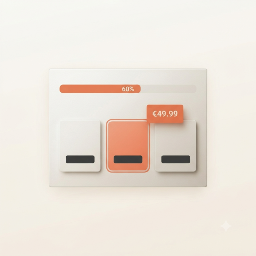
Let’s Make Decisions 是一款能夠幫助訪客找到最適合他們的計畫的 WordPress 外掛。透過智能對話式精靈,使用者可以回答問題,並獲得量身訂做的建議,所有數據均保留在本地,無需支付月費。
【主要功能】
• 建立最多 5 個問題的精靈
• 前端精靈可嵌入任何文章或頁面
• 支援 Gutenberg 區塊、短碼和 Elementor 小工具
• 條件邏輯樹(進階版)
• 電子郵件收集功能(進階版)
• JSON 匯入匯出功能(進階版)
外掛標籤
開發者團隊
原文外掛簡介
Let’s Make Decisions replaces the guesswork of “which plan is right for me?” with a smart, conversational wizard that scores each visitor’s answers and surfaces the option that genuinely fits them.
Most quiz and recommendation tools are hosted SaaS products that charge $30–$100/month and store your data on someone else’s server. Let’s Make Decisions runs entirely inside WordPress: your data stays in your database, you own the experience, and there is no monthly platform fee.
How it works
You build a wizard in the WordPress admin — write your questions, add answer choices, set up your plans or offers, and Let’s Make Decisions scores each visitor’s responses to find their strongest match. When they finish, a polished results modal shows them exactly which option fits and why.
What’s included:
Build a wizard with up to 5 questions, 5 answers per question, and 3 result plans (Free)
Full frontend wizard rendering on any post or page (Free)
Gutenberg block, shortcode [lmdwiz], and Elementor widget (Free)
Conditional logic trees with a visual drag-and-drop canvas (Premium)
Custom colors, fonts, and branding to match your site (Premium)
Email capture — collect visitor emails and send them their results (Premium)
Admin notifications when a visitor completes the wizard, with optional custom SMTP (Premium)
JSON export to back up or copy your wizard (Premium); JSON import to restore or duplicate one (Premium — Pro and up)
Plan logo and icon images on the results page (Premium — Pro and up)
Higher wizard/question/answer/plan limits, multi-site licensing, and analytics scale with Starter ($79/yr), Pro ($149/yr), and Agency ($299/yr) — see the full comparison at welflecreative.com
Embedding options
Gutenberg block — search for “Let’s Make Decisions Wizard” in the block inserter
Shortcode — [lmdwiz] or [lmdwiz id="123"] for a specific wizard
Elementor — Let’s Make Decisions Wizard widget available in the Elementor panel
Privacy
Let’s Make Decisions does not send any visitor data to external servers. All wizard configurations and visitor responses are stored in your WordPress database. If email capture is enabled, collected emails are stored locally in your WordPress database.
When lead capture is enabled, visitor submissions (any of: name, email, phone, company, message), the recommended plan, the visitor’s answers, their consent (text + timestamp), the page URL, a one-way hashed IP address, and the browser user-agent are stored locally as private records in your WordPress database. No lead data is transmitted outside your site by the plugin itself. Leads participate in WordPress’s built-in personal-data export and erasure tools (Tools → Export/Erase Personal Data), and all lead data is deleted when the plugin is uninstalled.
Premium
The Free tier is fully usable on its own — build a wizard with up to 5 questions, 5 answers per question, and 3 result plans, embedded anywhere via Gutenberg, shortcode, or Elementor. Starter ($79/yr), Pro ($149/yr), and Agency ($299/yr) unlock conditional logic, custom branding, email capture, admin notifications, JSON import/export, plan logo/icon images, multi-site licensing, and analytics; see the full tier comparison at welflecreative.com. Upgrading is handled inside your WordPress dashboard from the plugin’s Upgrade page, which is powered by our checkout partner Freemius — they process the purchase and issue your license.
External services
This plugin uses Freemius for license management and the optional upgrade flow. Freemius is only contacted for these purposes, and any usage-data sharing is opt-in via a consent prompt you can decline. See the Freemius Terms of Service and Privacy Policy.