外掛標籤
開發者團隊
原文外掛簡介
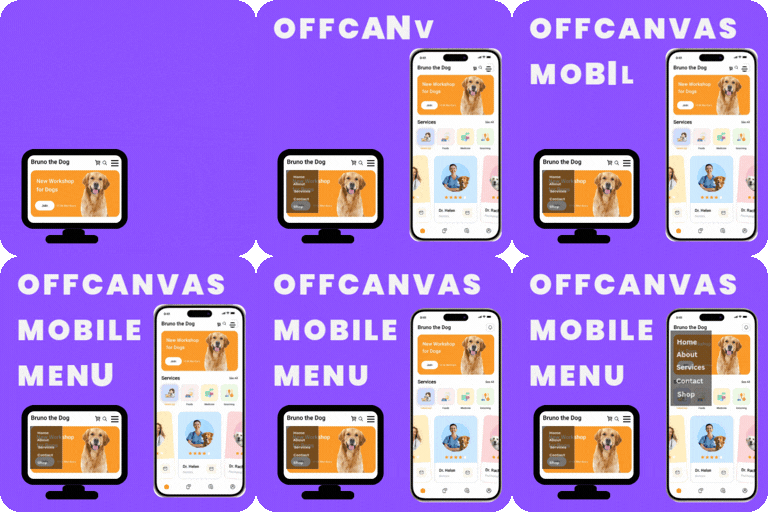
Leidsens Mobile Menu replaces your theme’s default mobile navigation with a smooth, app-like slide-in menu designed for modern websites.
Built specifically for mobile usability, this plugin provides a clean multi-level navigation experience where sub-menus slide into their own panels instead of expanding inline. Everything is fully configurable from a dedicated settings page — no coding required.
The admin interface includes collapsible sections, toggle switches, and WordPress color pickers for an intuitive customization experience.
Why choose Leidsens Mobile Menu?
Designed for mobile-first user experiences
Smooth multi-level sliding navigation
Lightweight and fast
Works with any properly coded WordPress theme
No coding required
Key Features
Multi-Level Sliding Menu
Unlimited menu depth
Each sub-menu opens in its own sliding panel
Built-in back navigation for easy usability
Flexible Open Behavior
Open sub-menus by clicking the menu item
Or open only via arrow icon (arrow mode)
Fully Customizable Appearance
Upload your logo using the WordPress Media Library
Choose menu slide direction (left or right)
Customize background, text, and hover colors
Built-in WordPress color pickers
Typography Controls
Select from popular Google Fonts
Set base font size for the menu
Set separate font size for menu items
Hamburger Button Controls
Fixed or absolute positioning
Left or right alignment
Custom top and side offsets
Optional custom icon upload
Footer Content Options
Call-to-Action (CTA) button
Contact phone and email
Social media links (Facebook, Instagram, Twitter, LinkedIn, YouTube)
Responsive Behavior
Custom mobile breakpoint
Menu activates only below selected screen width
Automatically closes when a navigation link is clicked
Clean Admin Experience
Collapsible accordion sections
Toggle switches for two-option settings
Clear visual grouping of options
Setup
Assign a menu:
Go to Appearance > Menus
Create or select a menu
Assign it to Leidsens Mobile Menu
Save the menu
Configure the plugin:
Open Leidsens Menu in the WordPress admin sidebar
Customize layout, colors, typography, button position, and footer content
Click Save Changes
The menu will automatically appear on the front end.