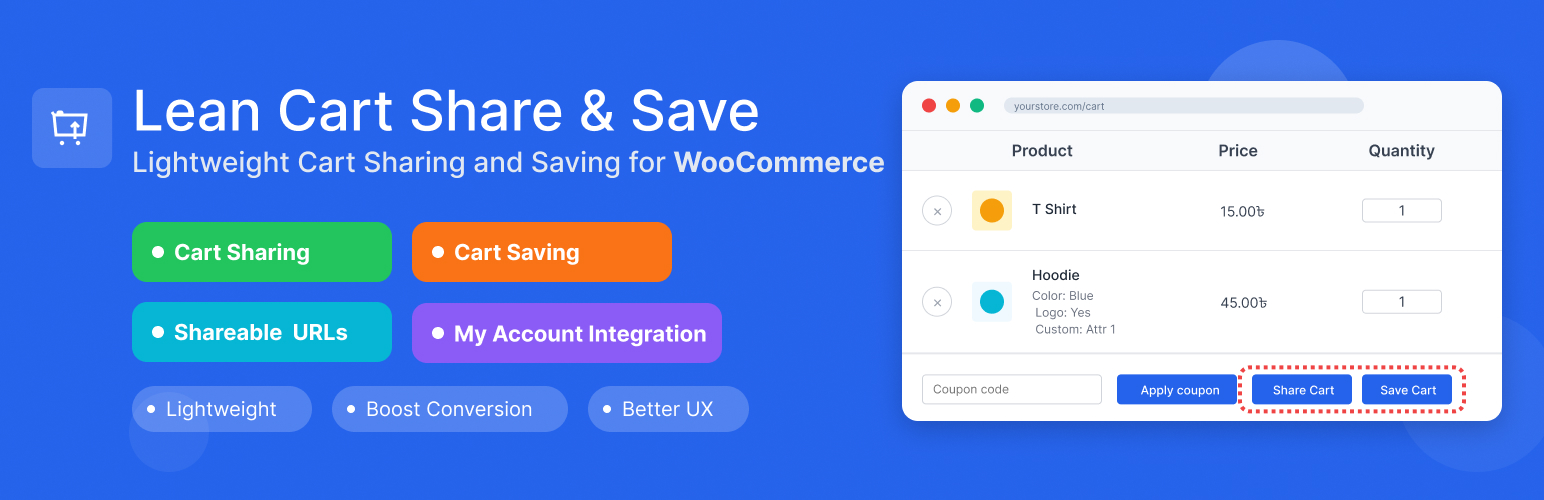
內容簡介
此外掛可讓 WooCommerce 用戶輕鬆分享購物車內容並將其保存以便日後購買。用戶可透過獨特連結分享購物車,並為已登入用戶提供無限的自訂名稱保存購物車功能,減少購物車放棄率。
【主要功能】
• 一鍵分享購物車內容
• 登入用戶可保存自訂名稱的購物車
• 支援來賓用戶分享購物車
• 跨裝置購物體驗
• 減少購物車放棄率
• 適用於經典佈景主題及現代 FSE Cart Blocks
外掛標籤
開發者團隊
② 後台搜尋「Share Cart and Save Cart for Later for WooCommerce by LeanPlugins」→ 直接安裝(推薦)
原文外掛簡介
Share cart in one click and save cart for later. Every customer can share cart contents with a unique link, and logged-in users can save unlimited carts with custom names for later purchase.
The share cart feature works for everyone, including guests. One click creates a unique URL that loads the exact cart anywhere, on any device. Perfect for cross-device shopping, getting approval from others, or sharing product recommendations. Logged-in customers can save carts with custom names (like “Birthday Wishlist” or “Monthly Reorder”), viewable in My Account → Saved Carts where they can restore or delete them anytime.
Lightweight, works with classic themes and modern FSE Cart Blocks, and helps reduce cart abandonment while enabling natural product sharing.
🌐 Visit Official Website | ⚡ Upgrade to Pro
Try it yourself, no install needed:
1. Test Cart Sharing (no login required)
See a pre-loaded shared cart →
Works instantly, no need to add products yourself.
2. Test Cart Saving (auto login)
Auto-login with cart ready →
Click “Save Cart” once logged in to test the save feature.
Manual login: Username demo / Password demo
3. View Saved Carts
My Account → Saved Carts →
4. Test Custom Message (Pro)
See a shared cart with a personal note →
Notice the message shown to the recipient above the cart.
5. Test Password Protection (Pro)
Open a password-protected shared cart →
Password: demo
Real Business Scenarios Where This Plugin Shines:
B2B Sales & Consultations: Share product quotes and recommendations with clients instantly
Gift Shopping & Wishlists: Let customers create and share wishlists with family and friends
Abandoned Cart Recovery: Customers can save their cart for later and return instead of losing their selections
Team Purchasing & Approvals: Enable team members to collaborate on group orders and bulk purchases
Cross-Device Shopping: Let customers start shopping on mobile, save, and complete on desktop
Event Planning & Bulk Orders: Share product lists for weddings, parties, or seasonal restocking
Recurring Purchases & Subscriptions: Create and share weekly/monthly item packages – customers can save these lists to their profile and easily reorder or modify quantities or products
Key Features:
Cart Sharing: Generate unique shareable URLs for any cart
One-Click Cart Links: Every cart link preloads the exact products and quantities, ready to send to customers or use in promotions and campaigns
Cart Saving: Allow logged-in users to save carts with custom names
Custom Message: Let sharers include a personal note shown to the recipient when the cart loads [PRO]
QR Code: Show a scannable QR code in the share popup so recipients can open the cart on their phone [PRO]
Password Protection: Let sharers set a password recipients must enter before the cart loads [PRO]
WooCommerce Integration: Seamlessly integrates with your existing WooCommerce store
FSE & Block Cart Support: Works perfectly with both classic themes and modern Full Site Editing (FSE) themes with WooCommerce Cart Blocks
My Account Integration: Saved carts appear in customer My Account area
Flexible Settings: Configure share expiry, button label, button position
Data Management: Optional data cleanup on plugin uninstall
Security First: Proper nonce verification and input sanitization
Lightweight: Minimal impact on site performance
Cart Sharing Features:
* Generate unique share URLs for any cart
* Configurable expiration (or never expire)
* Custom button label and position
* Product variation support (size, color, etc. preserved on the shared link)
* Quantities preserved exactly as the sharer selected them
* Personal message to recipient [PRO]
* Pre-filled default message text [PRO]
* QR code in share popup [PRO]
* Password-protect share links [PRO]
Cart Saving Features:
* Save cart for later with a custom name
* View all saved carts in My Account area
* Restore any saved cart with one click
* Delete saved carts when no longer needed
* Perfect for wishlist functionality
Upgrade to Pro
Get Pro
Custom Message – Allow sharers to write a personal note shown to the recipient when the shared cart loads. Set a default pre-filled message so sharers always have a starting point.
QR Code – Display a scannable QR code inside the share popup. Recipients can open the shared cart instantly on any phone camera, no typing required.
Password Protection – Let sharers set a password for their cart link. Recipients must enter the correct password before the cart loads, keeping private shares truly private.
Usage
Sharing a Cart:
1. Add products to your WooCommerce cart
2. Go to the cart page
3. Click the “Share Cart” button
4. Copy the generated URL and share it
5. Recipients can click the URL to load the cart
Saving a Cart:
1. Add products to your WooCommerce cart
2. Go to the cart page
3. Click the “Save Cart” button (requires login)
4. Enter a name for your saved cart
5. Access saved carts from My Account → Saved Carts
Plugin Settings:
* Enable/disable cart sharing
* Enable/disable cart saving
* Set share link expiration (days)
* Choose button position: After cart table (default), Default (coupon row), Before cart, Before cart totals, Use shortcode
* Choose whether to delete data on uninstall
Shortcode:
Place the buttons anywhere on your website: any page, post, widget, page builder (Elementor, Divi, etc.) or anywhere in WordPress that renders shortcodes.
[lean_cart_share_save] shows both buttons
[lean_cart_share_save display="share"] shows only the Share Cart button
[lean_cart_share_save display="save"] shows only the Save Cart button
To show buttons only where you place the shortcode, set Button Position to “Use shortcode” in the plugin settings.