內容簡介
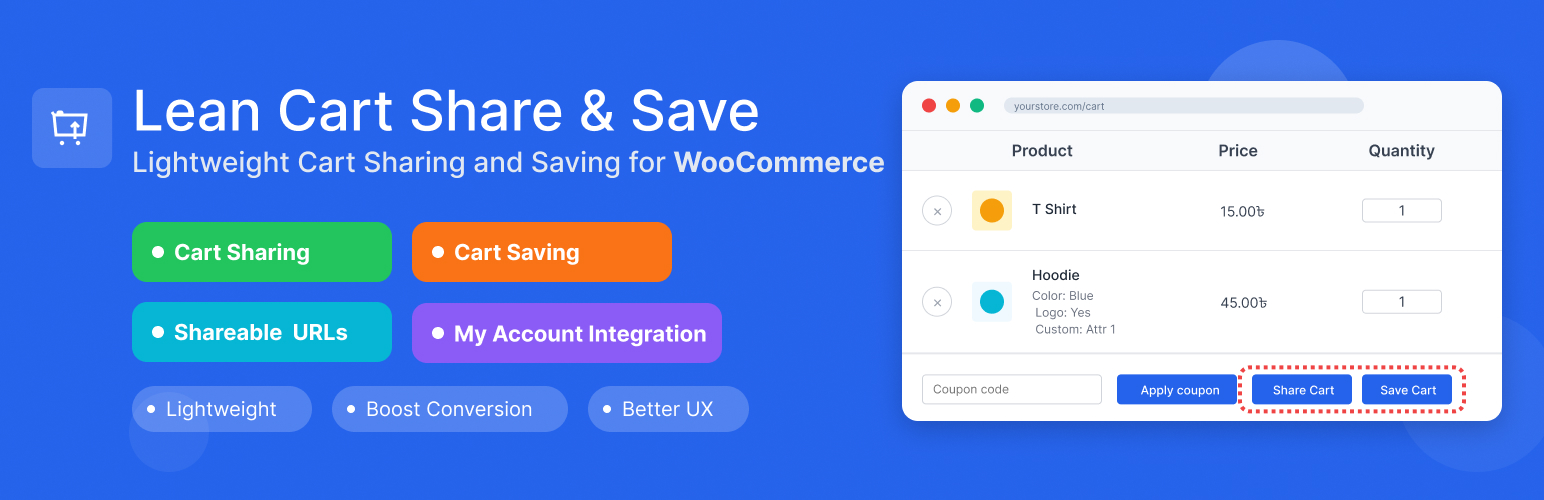
總結:Lean Cart Share and Save for WooCommerce 是一款輕量級的 WordPress 外掛,擴充了 WooCommerce 的購物車分享和保存功能,適合希望與他人分享購物車或將其保存以供日後購買的客戶。
問題與答案:
1. 這個外掛的主要功能是什麼?
- 回答:它提供了購物車分享和保存功能,讓用戶可以生成獨一無二的分享連結或將購物車保存起來。
2. 如何分享購物車?
- 回答:將商品加入購物車後,前往購物車頁面,點擊「分享購物車」按鈕,複製生成的 URL,並分享給其他人。
3. 如何保存購物車?
- 回答:將商品加入購物車後,前往購物車頁面,點擊「保存購物車」按鈕(需登錄),為保存的購物車取一個名字,並可在「我的帳戶→保存的購物車」中查看和恢復。
4. 這個外掛適合哪些情況使用?
- 回答:適用於希望提升轉換率的電子商店、因各種原因而放棄購物車但希望日後返回的顧客、推薦禮物和分享、有複雜訂單的 B2B 商店,以及任何希望提升使用者體驗的 WooCommerce 商店。
5. 可以在插件設置中進行哪些設定?
- 回答:可以啟用/停用購物車分享功能、啟用/停用購物車保存功能、設置分享連結的有效期(天數)、選擇是否在取消時刪除數據。
外掛標籤
開發者團隊
② 後台搜尋「Lean Cart Share and Save for Later for WooCommerce」→ 直接安裝(推薦)
原文外掛簡介
Give customers the power to save and share their shopping carts. Lean Cart Share and Save makes shopping flexible, anyone can generate shareable cart links in one click, and logged-in users can save unlimited carts with custom names for later purchase.
Share feature works for everyone, including guests. One click creates a unique URL that loads the exact cart anywhere, on any device. Perfect for cross-device shopping, getting approval from others, or sharing product recommendations. Logged-in customers can save carts with custom names (like “Birthday Wishlist” or “Monthly Reorder”), viewable in My Account → Saved Carts where they can restore or delete them anytime.
Lightweight, works with classic themes and modern FSE Cart Blocks, and helps reduce cart abandonment while enabling natural product sharing.
Learn More
Live Demo
Test Cart Sharing (No Login Required):
Click to see a pre-loaded shared cart
↳ See how cart sharing works instantly – no need to add products
Test Cart Saving (Auto Login):
Click here – auto logged in with cart ready
↳ You will be auto logged in with the cart ready. Click “Save Cart” to test the save feature
↳ Or log in manually: Username: demo | Password: demo
View Saved Carts:
My Account → Saved Carts
Real Business Scenarios Where This Plugin Shines:
B2B Sales & Consultations: Share product quotes and recommendations with clients instantly
Gift Shopping & Wishlists: Let customers create and share wishlists with family and friends
Abandoned Cart Recovery: Customers can save their cart and return later instead of losing their selections
Team Purchasing & Approvals: Enable team members to collaborate on group orders and bulk purchases
Cross-Device Shopping: Let customers start shopping on mobile, save, and complete on desktop
Event Planning & Bulk Orders: Share product lists for weddings, parties, or seasonal restocking
Recurring Purchases & Subscriptions: Create and share weekly/monthly item packages – customers can save these lists to their profile and easily reorder or modify quantities or products
Key Features:
Cart Sharing: Generate unique shareable URLs for any cart
Cart Saving: Allow logged-in users to save carts with custom names
WooCommerce Integration: Seamlessly integrates with your existing WooCommerce store
FSE & Block Cart Support: Works perfectly with both classic themes and modern Full Site Editing (FSE) themes with WooCommerce Cart Blocks
My Account Integration: Saved carts appear in customer My Account area
Flexible Settings: Configure share expiry, enable/disable features
Data Management: Optional data cleanup on plugin uninstall
Security First: Proper nonce verification and input sanitization
Lightweight: Minimal impact on site performance
Cart Sharing Features:
* Generate unique share URLs for any cart
* Configurable expiration (or never expire)
Cart Saving Features:
* Save carts with custom names for later
* View all saved carts in My Account area
* Restore any saved cart with one click
* Delete saved carts when no longer needed
* Perfect for wishlist functionality
Usage
Sharing a Cart:
1. Add products to your WooCommerce cart
2. Go to the cart page
3. Click the “Share Cart” button
4. Copy the generated URL and share it
5. Recipients can click the URL to load the cart
Saving a Cart:
1. Add products to your WooCommerce cart
2. Go to the cart page
3. Click the “Save Cart” button (requires login)
4. Enter a name for your saved cart
5. Access saved carts from My Account → Saved Carts
Plugin Settings:
* Enable/disable cart sharing
* Enable/disable cart saving
* Set share link expiration (days)
* Choose whether to delete data on uninstall