內容簡介
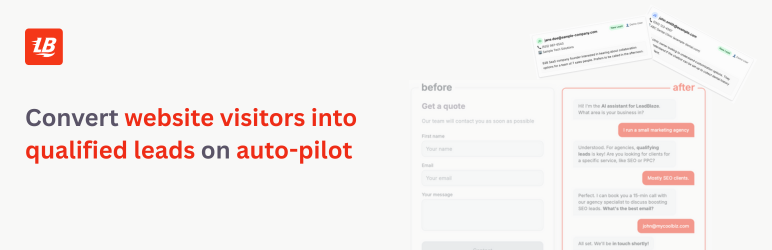
總結:LeadBlaze Chat 外掛能輕鬆在WordPress 站點上添加 AI 聊天接口,非常適用於客戶支援、引導代、以及用戶互動。
1. 如何在 WordPress 站點上使用 LeadBlaze Chat 外掛?
- 可以從以下網址獲取外掛的原始碼:https://github.com/yildirimgoks/leadblaze-widget
- 啟用浮動小工具設置,自動在所選頁面上顯示。
- 可以透過[leadch_widget]短代碼在內容的任何位置放置聊天機器人。
- 可以使用自定義參數[leadch_widget height="500px" width="400px" theme="dark"]。
- 可以透過 PHP 模板標籤供主題開發者使用。
2. 有哪些運作需求?
- WordPress 5.0 或更高版本。
- PHP 7.2 或更高版本。
- 來自 LeadBlaze 的有效站點金鑰。
3. 請簡述隱私政策內容:
- 這個外掛與 https://leadblaze.ai 上的外部聊天機器人服務進行通信。
- 傳輸的數據包括使用者消息、會話識別符、客戶識別符(如果配置)、以及用於身份驗證的站點金鑰。
- 請確保您擁有合適的隱私政策並在必要時取得用戶同意。
4. 如何獲得支持?
- 如果需要支持、功能請求或錯誤報告,請訪問支持論壇或通過 [email protected] 聯繫我們。
外掛標籤
開發者團隊
原文外掛簡介
Source code to build this plugin can be found at: https://github.com/yildirimgoks/leadblaze-widget
The LeadBlaze Chat plugin allows you to easily add an AI-powered chat interface to your WordPress site. Perfect for customer support, lead generation, and user engagement.
Usage
Floating Widget
Enable the floating widget in settings to display it automatically on your chosen pages.
Shortcode
Place the chatbot anywhere in your content:
[leadch_widget]
With custom parameters:
[leadch_widget height=”500px” width=”400px” theme=”dark”]
PHP Template Tag
For theme developers:
Requirements
WordPress 5.0 or higher
PHP 7.2 or higher
Valid site key from LeadBlaze
Privacy Policy
This plugin communicates with an external chatbot service at https://leadblaze.ai. Data transmitted includes:
* User messages
* Session identifiers
* Client identifiers (if configured)
* Site key for authentication
Please ensure you have appropriate privacy policies in place and user consent where required.
Support
For support, feature requests, or bug reports, please visit our support forum or contact us at [email protected]