內容簡介
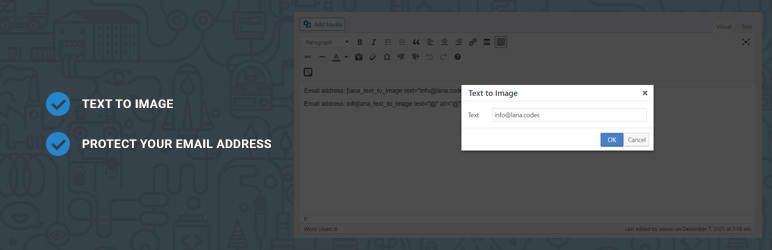
Lana Text to Image 是一個實用的隱私外掛程式,其主要目的是隱藏電子郵件地址,以防止機器人進行爬蟲抓取。
光學字符識別(OCR)可以識別圖像中的文本內容。但需要特定資源。
簡碼清單:
轉換成圖像的文本簡碼
[lana_text_to_image text=”[email protected]” class=”lana-email” alt=”protected email” color=”#000000″ font_size=”13px”]
轉換成圖片的文本簡碼
[lana_text_to_img text=”[email protected]” class=”lana-email” alt=”protected email” color=”#000000″ font_size=”13px”]
這兩個簡碼是相同的,[lana_text_to_img] 是一個更簡短的替代名稱。
範例:
將電子郵件地址轉換為圖像:
[lana_text_to_image text=”[email protected]”]
僅將電子郵件地址中的 @ 字元轉換為圖像:
info[lana_text_to_image text="@" alt="@"]lana.codes
您可以指定 'alt' 參數,以便轉換後的圖像文本可以複製。
Lana Codes
Lana Shortcodes
外掛標籤
開發者團隊
原文外掛簡介
Lana Text to Image is a useful privacy plugin, whose primary purpose is to hide the email address from bots.
Optical Character Recognition (OCR) can recognize the content of text in an image. But it requires a special resource.
Shortcodes list:
Text to Image shortcode
[lana_text_to_image text=”[email protected]” class=”lana-email” alt=”protected email” color=”#000000″ font_size=”13px”]
Text to Img shortcode
[lana_text_to_img text=”[email protected]” class=”lana-email” alt=”protected email” color=”#000000″ font_size=”13px”]
Both shortcodes are the same, [lana_text_to_img] is an alternative shorter name.
Examples:
Email address as text:
[lana_text_to_image text=”[email protected]”]
Only the @ from the email address as text:
info[lana_text_to_image text="@" alt="@"]lana.codes
You can specify the 'alt' parameter and the text image will be copiable.
Lana Codes
Lana Shortcodes