
內容簡介
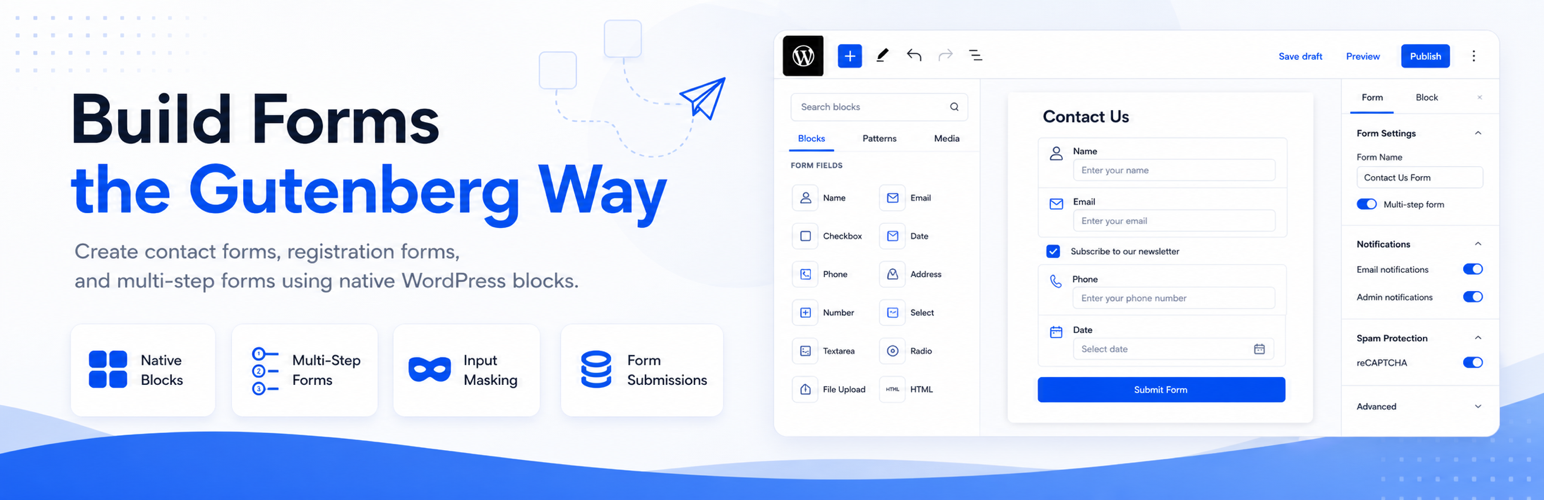
KoalaForms 是一款專為 WordPress 區塊編輯器設計的表單建立外掛,讓使用者能夠輕鬆創建聯絡表單、註冊表單及多步驟表單。每個欄位都是原生的 WordPress 區塊,無需學習新技能,並且所有提交的資料都會安全儲存在 WordPress 資料庫中。
【主要功能】
• 建立聯絡表單、註冊表單及多步驟表單
• 內建 AI 表單生成器,快速轉換描述為表單
• 支援自訂欄位及驗證功能
• 自動發送確認郵件給提交者
• 整合 Google reCAPTCHA 防止垃圾郵件
• 無需編碼,無需訂閱費用
外掛標籤
開發者團隊
② 後台搜尋「KoalaForms Contact and Registration Form Builder with AI」→ 直接安裝(推薦)
原文外掛簡介
KoalaForms is a WordPress form builder for the block editor. Build contact forms, registration forms, and multi-step forms directly in Gutenberg — every field is a native WordPress block, so there is nothing new to learn if you already edit pages and posts. Drop fields onto the canvas, configure them in the block sidebar, publish, and embed the form anywhere with a simple shortcode. Every submission is saved in your WordPress database and viewable in the admin, so you always own your data.
Most form plugins stop at the contact form. KoalaForms goes further: it also builds registration forms that create real WordPress user accounts on submission, and it includes an AI Form Generator that turns a plain-language description into a working form in seconds. No page builder, no monthly subscription, and no code required. As a lightweight WordPress form plugin, it lets you build unlimited online forms and publish them anywhere on your site with a shortcode.
Common Use Cases
KoalaForms is used to build all kinds of WordPress forms, including:
Contact forms and support request forms
Registration forms and user sign-up forms that create WordPress accounts
Event registration and RSVP forms
Membership and customer onboarding forms
Job application forms with resume and file uploads
Booking, appointment, and quote-request forms
Customer feedback, review, and rating forms
Survey and questionnaire forms
Lead generation and newsletter sign-up forms
Multi-step application and intake forms
Build a Contact Form in Minutes
Create a classic contact form — name, email, subject, message — or a more detailed inquiry, quote request, feedback, booking, or support form. Add the fields you need, mark the required ones, set up validation, and turn on email notifications so every submission reaches your inbox. Send an automatic confirmation (auto-reply) to the person who submitted the form, and route admin notifications to one or more email addresses. Keep spam out with built-in Google reCAPTCHA support. Because the form is built from blocks, you can rearrange, relabel, and restyle it at any time without touching code.
Build a Registration Form That Creates User Accounts
Set a form’s type to Registration and KoalaForms will create a WordPress user account when the form is submitted, automatically mapping your chosen fields to the account’s username and email. WordPress then sends the new user a secure link to set their own password, so you never handle or store passwords yourself. Use it for memberships, sign-ups, event registration, customer onboarding, or any workflow where a visitor needs an account. You can also map additional form fields to user meta to store extra profile information against each account. This makes KoalaForms a practical user registration plugin as well as a contact form plugin — one tool for both jobs.
Multi-Step Forms
Long forms convert better when they are broken into steps. Use the Step block to split any form into multiple pages with Next and Previous navigation, clear section labels, and a per-step layout. Multi-step forms are ideal for job applications, detailed registrations, surveys, and onboarding flows where a single long page would feel overwhelming and drive people away before they finish.
AI Form Generator (Beta)
Describe the form you want — for example, “a two-step job application with a resume upload” or “a membership registration form with name, email, and username” — and the AI Form Generator produces the full block structure for you, ready to refine in the editor. You can also upload a PDF, an image, or an existing HTML form and have it recreated as a KoalaForms form. The generator chooses appropriate field types, applies input masks and validation, and configures form settings such as the form type and the primary email field used for notifications. The feature is in Beta and requires an AI provider (Anthropic, OpenAI, or Google) configured in WordPress. See the External Services section for exactly what data is sent and when — no form submission data or visitor data is ever involved.
How It Works
Go to KoalaForms → All Forms and create a new form (or generate one with AI).
Add fields from the block inserter and configure each one in the sidebar — label, placeholder, required state, validation, and input mask.
Set the form type (Contact or Registration), notifications, spam protection, and any access limits in the Form Settings panel.
Publish the form and copy its shortcode, e.g. [KoalaForms form_id="123"].
Paste the shortcode into any page or post. Submissions start arriving in KoalaForms → Submissions.
Supported Fields
Text Field (with input masking)
Phone Field (with input masking)
Email Field
Textarea / Paragraph
Number Field
Currency Field
Percentage Field
DateTime Field
URL Field
Dropdown (Select)
Multi-Select
Radio Buttons
Checkboxes
Date Field (with optional age validation)
File Upload Field
Address Field
Disclosure / Consent
Rating Field
Signature Field
Every field is configured in the familiar block sidebar: labels, placeholders, default values, required state, validation rules, custom error messages, and input masks for formats such as phone numbers. Group fields into steps to create a multi-step form.
Features
Native block editor — every field is a WordPress block, configured in Gutenberg. Nothing new to learn.
Contact & registration forms — choose a form type; registration forms create WordPress user accounts on submission.
Multi-step forms — split forms into steps with Next/Previous navigation and section labels.
Input masking & validation — format phone numbers and other inputs as users type, with required fields, patterns, min/max, and custom error messages.
Email notifications — send admin notifications and an automatic confirmation (auto-reply) to the submitter, with a delivery status shown on each submission.
Submissions in your database — every submission is stored in WordPress and viewable in the admin, with a dedicated submission detail view.
File uploads & signatures — accept documents and capture drawn signatures directly in the form.
Spam protection — optional Google reCAPTCHA integration, disabled until you configure it.
Access & limits — restrict forms to logged-in users, set submission limits, and generate unique submission IDs.
Translation-ready — fully internationalized and ready to translate into any language.
AI Form Generator (Beta) — generate a form from a plain-language description or an uploaded file.
Who It’s For
Site owners who want contact and registration forms without a page builder or a monthly subscription; developers who prefer to work in the block editor; and anyone building membership, onboarding, application, or survey workflows on WordPress. If you have ever wanted a single plugin that handles both “get in touch” contact forms and “create an account” registration forms, KoalaForms is built for exactly that.
License
KoalaForms is licensed under the GNU General Public License v2.0 or later.
License URI: https://www.gnu.org/licenses/gpl-2.0.html
All bundled third-party libraries are GPL-compatible:
Vue.js — MIT License — https://github.com/vuejs/core
vue-the-mask — MIT License — https://github.com/vuejs-tips/vue-the-mask
vue-recaptcha — MIT License — https://github.com/DanSnow/vue-recaptcha
DOMPurify — MPL-2.0 / Apache-2.0 — https://github.com/cure53/DOMPurify
uuid — MIT License — https://github.com/uuidjs/uuid
Chart.js v4.5.1 — MIT License — https://www.chartjs.org
@kurkle/color v0.3.4 — MIT License — https://github.com/kurkle/color#readme
@vue/runtime-dom v3.5.13 — MIT License — https://github.com/vuejs/core
@vue/shared v3.5.13 — MIT License — https://github.com/vuejs/core
signature_pad — MIT License — https://github.com/szimek/signature_pad
Development
This plugin uses a build process for its JavaScript assets. The minified files in the build/ and assets/ directories are compiled from source.
The full human-readable source code is available on GitHub:
https://github.com/wpkoalaforms/koalaforms
To build from source:
Clone the repository: git clone https://github.com/wpkoalaforms/koalaforms.git
Run npm install
Run npm run build
Run npm run build-vue
External Services
AI Form Generator — Beta
This plugin includes an optional AI Form Generator powered by your chosen AI provider (Anthropic, OpenAI, or Google). This feature is in Beta — our team is actively testing and refining it.
What it does: Converts a plain-language description entered by an admin into a KoalaForms block structure, so you can generate a working form without building it field by field.
What data is sent and when:
* When an admin uses the AI Form Generator and clicks Generate, the following is sent to your configured AI provider: the text prompt the admin entered, the current form’s block structure (when refining an existing generated form), any file the admin chose to upload (PDF, image, or HTML), and the prompts from earlier in the same session used as conversation history.
* Only form creation information is ever shared. No form submission data, visitor data, or any information collected through your forms is ever sent to any external service.
* Data is only sent when an admin explicitly initiates a generation request. It is never sent automatically or on behalf of site visitors.
Google reCAPTCHA
This plugin optionally integrates with Google reCAPTCHA to help prevent spam form submissions. This feature is disabled by default and only active when a reCAPTCHA site key and secret key are configured in the plugin settings.
What it does: Verifies that a form submission was made by a human and not an automated bot.
What data is sent and when:
* When a visitor loads a page containing a KoalaForms form with reCAPTCHA enabled, Google’s reCAPTCHA script is loaded from https://www.google.com/recaptcha/api.js. This may send the visitor’s IP address and browser information to Google.
* When a visitor submits a form, the reCAPTCHA response token is sent from your WordPress server to https://www.google.com/recaptcha/api/siteverify to verify the submission. No personal form field data is included in this request.
This data is sent to Google only when reCAPTCHA is enabled in the plugin settings.
Service provider: Google LLC
Terms of Service: https://policies.google.com/terms
Privacy Policy: https://policies.google.com/privacy













