內容簡介
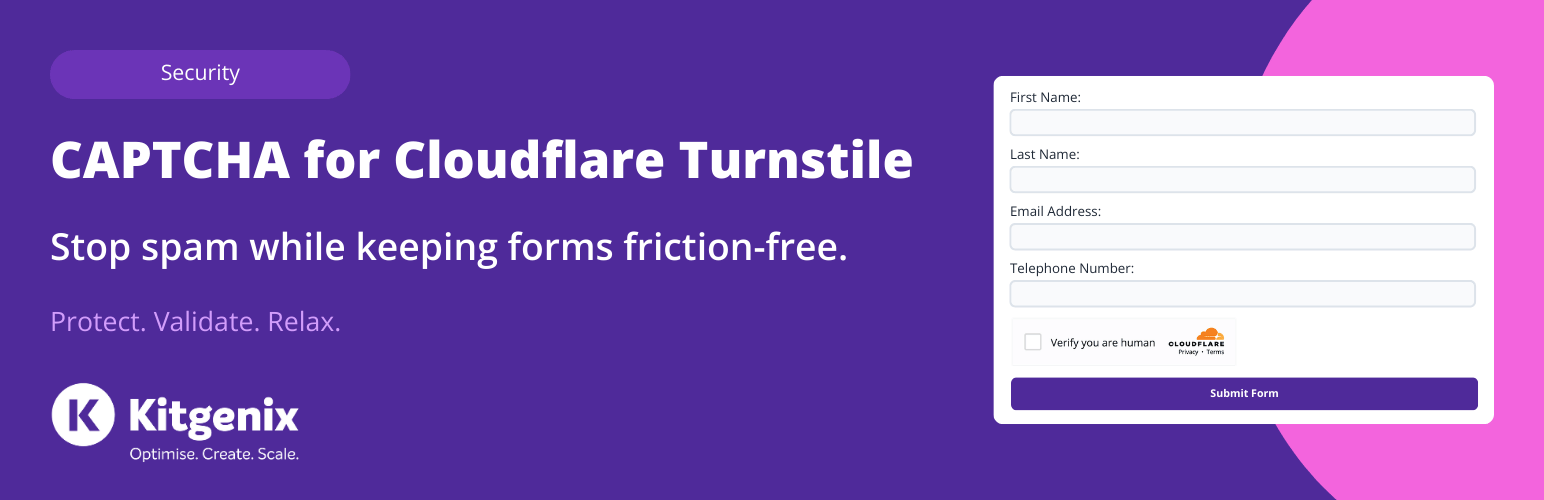
Kitgenix CAPTCHA for Cloudflare Turnstile 是一款專為 WordPress 設計的外掛,提供現代化的 CAPTCHA 解決方案,旨在減少真實用戶的操作摩擦,同時有效阻擋機器人,提升網站安全性與使用體驗。
【主要功能】
• 伺服器端令牌驗證,使用 Cloudflare 官方端點
• 快速、條件加載,僅在必要時啟用
• 支援動態/AJAX 表單及 WooCommerce 交易
• 安全功能:重放保護、代理 IP 處理
• 自訂顯示與訊息,並提供內建診斷工具
外掛標籤
開發者團隊
② 後台搜尋「Kitgenix CAPTCHA for Cloudflare Turnstile」→ 直接安裝(推薦)
📦 歷史版本下載
原文外掛簡介
Spam is expensive: it wastes time, clogs inboxes, creates fake accounts, and on stores it can lead to abandoned checkout noise and fraudulent activity. Traditional CAPTCHA solutions can also hurt conversions by adding friction.
Cloudflare Turnstile is a modern, privacy-first CAPTCHA alternative designed to reduce friction for real people while still blocking bots.
Kitgenix CAPTCHA for Cloudflare Turnstile is a production-ready Turnstile integration for WordPress that focuses on reliability in real-world setups:
– Server-side token verification (using Cloudflare’s official endpoint)
– Fast, conditional loading (only where needed)
– Support for dynamic/AJAX forms and modern WooCommerce Blocks / Store API checkout
– Security features: replay protection, proxy-aware IP handling, whitelisting, and developer mode (warn-only)
You can enable/disable each integration (and many per-form toggles), choose auto-injection vs shortcode-only placement, customise display and messaging, and use built-in diagnostics and Site Health checks to troubleshoot.
Supported integrations (where Turnstile can be added)
All integrations are enable-able from settings. Many also support Mode: Auto vs Shortcode.
WordPress Core
– Login
– Registration
– Lost password
– Reset password
– Comments (standard WordPress comment forms, including safe handling for comment failures/redirects)
WooCommerce (Classic)
– Checkout
– Product reviews
– My Account login
– My Account registration
– Lost password
WooCommerce Blocks (Store API / Block Checkout)
– UI rendering inside block-based checkout
– Adds token to Store API requests (header and/or extensions payload when available)
– Server-side validation of Store API checkout requests
– Supports “shortcode-only mode” behaviour so you can control placement
Easy Digital Downloads (EDD)
– Checkout
– Login
– Register
– Profile editor
Form plugins
– Contact Form 7 (CF7)
– WPForms
– Fluent Forms
– Formidable Forms
– Forminator
– Gravity Forms
– JetFormBuilder
– Jetpack Forms
– Kadence Forms
– Elementor Forms (including popups and AJAX submissions)
Community / forums
– bbPress (topic/reply flows where applicable)
– BuddyPress (flows where applicable)
Core features (site-wide)
Turnstile widget rendering
– Uses Cloudflare’s official Turnstile API script
– Widget options:
– Theme: auto / light / dark
– Size: small / medium / large / normal / flexible
– Appearance: stored as Turnstile “appearance” option (defaults to always)
– Language: auto or explicit locale (passed via hl=...)
Settings & admin experience
– Settings page under the shared Kitgenix WP admin menu
– Live “test widget” preview on the settings screen (renders when a Site Key is present)
– Site Key + Secret Key storage (secret not printed in HTML by default)
– “Reveal secret key” (admins only, nonce-protected AJAX action)
Messaging & UX
– Custom error message (admin-configurable, used across integrations)
– Extra message text (optional text displayed alongside/under the widget)
– “Disable submit until completed” option (frontend behaviour via plugin JS)
Replay protection (enabled by default)
– Detects re-used tokens (hash stored in transients) and blocks replays
– TTL is filterable
– Stores hashed token markers under the transient prefix kitgenix_captcha_for_cloudflare_turnstile_ts_
– Sets a short-lived cookie (kitgenix_captcha_for_cloudflare_turnstile_ts_replay, ~120s) when replay is detected (for frontend behaviour/messages)
– Dedicated replay message (filterable)
Developer mode (warn-only)
– Verification failures do not block submissions
– Failures are logged (and emitted via a developer log action)
– Optional inline warning annotation for admins (frontend config)
Whitelisting (skip Turnstile + skip loading API script)
– Whitelist logged-in users
– Whitelist by IP (exact, wildcards, CIDR — including IPv6)
– Whitelist by User-Agent (substring or wildcard matching)
– Filter hook to override whitelist decision
Proxy / real-IP handling
– Optional trust of proxy headers (Cloudflare / X-Forwarded-For style)
– Trusted proxy IP list / trust controls
– Forwarded headers are only honoured when the request originates from a trusted proxy
Performance & resilience
– Conditional script loading only where needed
– Async/strategy-based script loading (depending on WP version)
– Adds resource hints (preconnect / dns-prefetch) for Turnstile domain
– Detects duplicate Turnstile API loaders (if another plugin/theme enqueues api.js):
– Stores detection in the transient kitgenix_turnstile_duplicate_scripts
– Shows admin notice on settings and Plugins screen
– Includes dismiss link (nonce-protected, uses kitgenix_captcha_for_cloudflare_turnstile_ts_dismiss_dupe=1)
Site Health + diagnostics
– Adds a Site Health test: “Cloudflare Turnstile readiness”
– Checks:
– Keys present
– Duplicate API loader transient (kitgenix_turnstile_duplicate_scripts)
– Last verification success/failure snapshot
– Heuristic warning if common optimisation/caching plugins are active
– Stores the last verify outcome (success, time, error codes) for Site Health display
– Tracks privacy-safe counters in kitgenix_captcha_for_cloudflare_turnstile_metrics (checks total/passed/failed)
Manual placement (shortcode)
If you have a custom form or an unsupported plugin, you can manually render the widget:
[kitgenix_turnstile]
Shortcode output includes:
– a nonce field
– a hidden cf-turnstile-response input
– the widget container (with data-sitekey)
– support for passing arbitrary attributes via shortcode attributes
Many supported integrations also offer Shortcode-only mode (you place the shortcode where you want; the plugin validates server-side without auto-injection).
Quick Start
Install and activate the plugin.
Open the Turnstile settings under the Kitgenix hub in wp-admin.
Add your Cloudflare Turnstile Site Key and Secret Key.
Configure widget options (theme/size/appearance/language) and messaging if needed.
Enable the integrations (and per-form toggles) you want.
Save, then test the key user journeys: login, registration, checkout, and your main contact form.
Tip: Start with Developer mode (warn-only) on staging or during rollout. Once you’re satisfied, disable warn-only to enforce blocking.
Performance and caching notes (important for stores)
Turnstile is lightweight, but aggressive optimisation can break rendering or token freshness.
If you use caching/optimisation plugins:
– Allowlist https://challenges.cloudflare.com
– Avoid full-page caching on login/account/checkout pages
– Avoid combining/inlining the Turnstile loader
– Avoid heavily delaying Elementor/form plugin scripts
– Ensure outbound HTTP requests to Cloudflare are not blocked (needed for server-side verification)
Settings Overview
Main settings:
– Site Key
– Secret Key (with “secret present” state, clear/reveal)
– Theme (auto/light/dark)
– Size (small/medium/large/normal/flexible)
– Appearance (Turnstile appearance option)
– Language (auto or specific locale)
– Disable submit until completed
– Custom error message
– Extra message text
Security & advanced:
– Replay protection (on/off)
– Developer mode (warn-only)
– Whitelist logged-in users
– Whitelist IPs (wildcards/CIDR, including IPv6)
– Whitelist user agents
– Proxy trust (enable/disable)
– Trusted proxy IPs / trust controls
Integrations (enable + per-form toggles where available):
– WordPress Core (login/register/lost password/reset password/standard comments)
– WooCommerce (checkout/product reviews/login/register/lost password)
– WooCommerce Blocks mode (auto vs shortcode-only)
– Easy Digital Downloads (checkout/login/register/profile)
– Contact Form 7
– WPForms
– Fluent Forms
– Formidable Forms
– Forminator
– Gravity Forms
– Jetpack Forms
– Kadence Forms
– Elementor Forms
– bbPress
– BuddyPress
Developers
Shortcode:
[kitgenix_turnstile]
Server-side verification endpoint:
https://challenges.cloudflare.com/turnstile/v0/siteverify
Filters (script/loading):
– kitgenix_captcha_for_cloudflare_turnstile_script_url( $url, $settings )
– kitgenix_turnstile_freshness_ms
– kitgenix_turnstile_inline_style
Filters (verification / request handling):
– kitgenix_turnstile_siteverify_url
– kitgenix_turnstile_siteverify_timeout
– kitgenix_turnstile_siteverify_sslverify
– kitgenix_turnstile_siteverify_http_args
– kitgenix_turnstile_send_remoteip
– kitgenix_turnstile_remote_ip
– kitgenix_turnstile_token_from_request
– kitgenix_turnstile_handle_comment_form
– kitgenix_turnstile_error_codes
– kitgenix_turnstile_error_message
– kitgenix_turnstile_replay_message
– kitgenix_captcha_for_cloudflare_turnstile_{context}_turnstile_error_message
Filters (replay protection):
– kitgenix_turnstile_replay_ttl
Filters (whitelist / proxy trust):
– kitgenix_turnstile_is_whitelisted( $is_whitelisted, $details )
– kitgenix_turnstile_trust_headers
– kitgenix_turnstile_trusted_proxies
Internal identifiers (options / transients / cookies / meta):
– Option: kitgenix_captcha_for_cloudflare_turnstile_settings
– Settings group (Settings API): kitgenix_captcha_for_cloudflare_turnstile_settings_group
– Option: kitgenix_captcha_for_cloudflare_turnstile_metrics
– Option: kitgenix_turnstile_last_verify
– Transient: kitgenix_captcha_for_cloudflare_turnstile_do_activation_redirect
– Transient: kitgenix_turnstile_duplicate_scripts
– Transient prefix (replay protection): kitgenix_captcha_for_cloudflare_turnstile_ts_
– Cookie (replay notice): kitgenix_captcha_for_cloudflare_turnstile_ts_replay
– WooCommerce order meta (Blocks/Store API verification): _kitgenix_turnstile_verified
Internal nonces / actions:
– Shortcode/form nonce field name: kitgenix_captcha_for_cloudflare_turnstile_nonce
– Shortcode/form nonce action: kitgenix_captcha_for_cloudflare_turnstile_action
– Settings save nonce field name: kitgenix_captcha_for_cloudflare_turnstile_settings_nonce
– Settings save nonce action: kitgenix_captcha_for_cloudflare_turnstile_settings_save
– Admin AJAX action (reveal saved secret): kitgenix_turnstile_get_secret (WordPress hook: wp_ajax_kitgenix_turnstile_get_secret)
– Admin AJAX nonce action (reveal saved secret): kitgenix_turnstile_reveal_secret
– Duplicate-loader notice dismiss query arg: kitgenix_captcha_for_cloudflare_turnstile_ts_dismiss_dupe
– Duplicate-loader notice dismiss nonce action: kitgenix_captcha_for_cloudflare_turnstile_ts_dismiss
Actions (developer logging):
– kitgenix_turnstile_dev_log
External Services
This plugin uses Cloudflare Turnstile to verify requests and prevent spam and abuse.
The plugin may:
– Load the Turnstile script:
https://challenges.cloudflare.com/turnstile/v0/api.js
– Submit verification requests server-side to:
https://challenges.cloudflare.com/turnstile/v0/siteverify
When verification is enabled, the plugin sends to Cloudflare:
– Your Turnstile secret key
– The Turnstile response token
– The visitor IP address (as the optional remoteip parameter, when enabled)
The plugin does not send the visitor’s browser user agent to Cloudflare as part of the verification payload (the HTTP request itself is made server-side by WordPress).
If proxy trust is enabled, the plugin may read forwarding headers (e.g. CF-Connecting-IP, X-Forwarded-For) to determine the client IP, but only when requests originate from configured trusted proxies.
The plugin does not add tracking cookies itself and does not sell or share personal data.
Cloudflare Turnstile Terms: https://developers.cloudflare.com/turnstile/
Cloudflare Privacy Policy: https://www.cloudflare.com/privacypolicy/
This plugin also includes a shared “Kitgenix hub” component in wp-admin which may fetch publicly available plugin metadata from WordPress.org using the WordPress core plugins_api() function (WordPress.org Plugins API).
When it runs: only in wp-admin (Kitgenix plugin admin pages)
Data sent: plugin slug(s) (no personal data)
Data received: publicly available plugin information (e.g. active installs, ratings)
Caching: responses are cached locally using transients for ~1 day:
kitgenix_hub_wporg_active_installs_v1
kitgenix_hub_wporg_ratings_v1
Trademark Notice
“Cloudflare” and the Cloudflare logo are trademarks of Cloudflare, Inc. This plugin is not affiliated with or endorsed by Cloudflare, Inc.
Support Development
If this plugin helps keep spam away without slowing your site down, you can support ongoing development here:
https://donate.stripe.com/9B65kDgG3fTQ2Kzcmwf7i00
Credits
Built with ❤︎ by @kitgenix – https://kitgenix.com