內容簡介
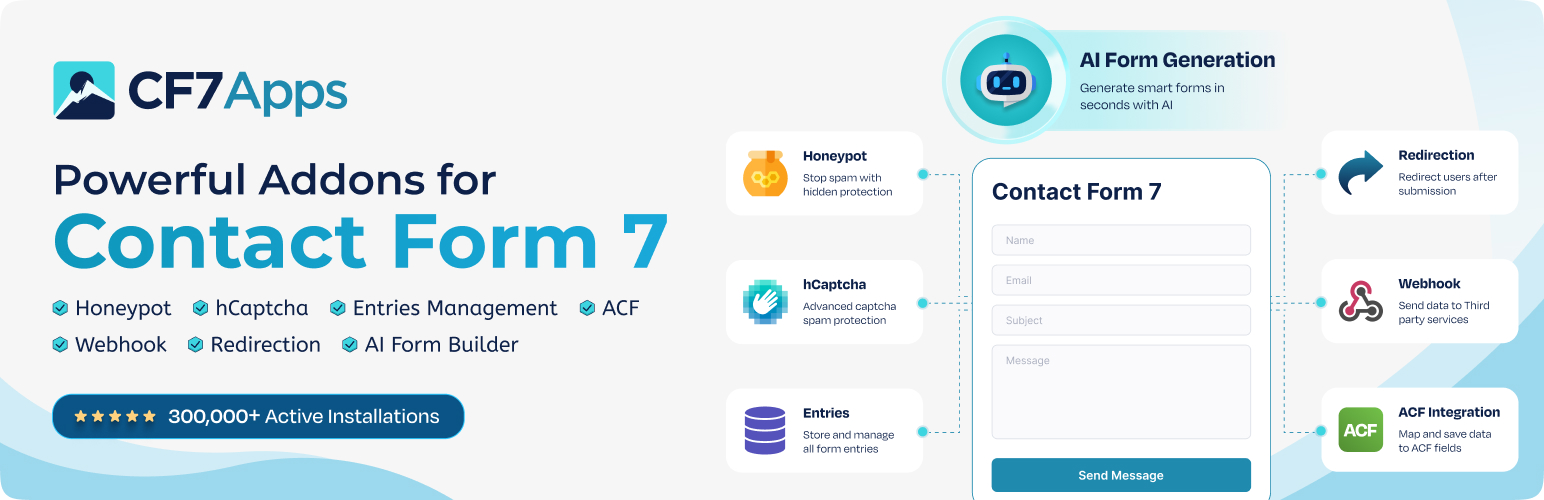
CF7 Apps 是一款為 Contact Form 7 增強垃圾郵件防護功能的外掛,提供多種進階功能如 honeypot、hCaptcha 和資料庫管理,幫助用戶有效管理表單提交並防止垃圾郵件。
【主要功能】
• 增加 honeypot 欄位以防止垃圾郵件
• 整合 hCaptcha 以保護表單
• 儲存和管理 CF7 表單提交記錄
• 提供自動重定向功能
• 支援 Webhook 和 ACF 整合
• AI 表單生成器
外掛標籤
開發者團隊
② 後台搜尋「CF7 Apps – Addons for Contact Form 7 (Honeypot, Database, Redirection, Webhook, etc.)」→ 直接安裝(推薦)
📦 歷史版本下載
原文外掛簡介
Extend Contact Form 7 with powerful add-ons for spam protection, form entries, webhooks, payment gateways, redirection, and more..
CF7 Apps provides Contact Form 7 Addons to extend your forms with features like honeypot, hCaptcha, entry management, Stripe, PayPal, Square, webhooks, and AI form generation. These add-ons for Contact Form 7 help you manage submissions, accept payments, automate workflows, and add new features without switching to another form plugin.
👉 Get Pro Version: Click Here
👉 Get Support: Click Here
👉 Check out the Documentation
CF7 Apps Features
Right out of the box, CF7 Apps includes:
✅ Honeypot App
✅ hCaptcha App
✅ Database Entries App
✅ Export CSV Entries
✅ Weekly Summary Reports
✅ Centralized Dashboard
✅ Redirection App
✅ Webhook App
✅ ACF Integration
✅ AI Form Generator
✅ Preview Before Publishing
💡 Suggest a Feature
And that’s just the beginning.
🌟 Save and Manage CF7 Form Submissions
The Entries Database App stores all Contact Form 7 submissions directly to your WordPress database. Easily manage Contact Form 7 submissions by filtering entries by form or date, viewing individual submissions, and exporting or deleting records when needed. This ensures you never lose important leads or messages, even if emails fail to deliver.
🌟 Add a Honeypot Field to Prevent Spam
Our Honeypot Contact Form 7 extension creates a hidden field inside your Contact Form 7 forms. Real users never see it, but bots do—and that’s how the bots fall for the trap. It blocks automated spam before it even hits your inbox.
🌟 Export Contact Form 7 Entries to CSV
Export Contact Form 7 submissions to CSV with a single click for easier reporting, data analysis, backups, and CRM imports. Download your submission records filtered by form or date range for seamless offline analysis, backups, and CRM importing.
🌟 Automated Weekly Summary Emails
Stay updated on your Contact Form 7 form performance without logging into WordPress every day with automated weekly email reports. Receive automated weekly Contact Form 7 reports highlighting total submissions, new inquiries, and blocked spam attempts.
🌟 Modern Centralized Dashboard & Quick Access
Monitor your Contact Form 7 forms from a single dashboard with a centralized view of your form activity. Track Contact Form 7 submission statistics, check domain authentication health (SPF, DKIM, DMARC, and BIMI), and access settings quickly using the floating Quick Access dock widget.
🌟 Add hCaptcha to Contact Form 7
Protect your Contact Form 7 forms from spam bots using hCaptcha, a privacy-friendly alternative to Google reCAPTCHA.
This extension integrates directly with Contact Form 7 and helps protect your forms from automated spam after setup. No coding is required, and no extra plugins are needed. Just set up your site keys and you’re done.
🌟 Manage & View Contact Form 7 Entries
Store, view, and manage all your Contact Form 7 submissions directly inside your WordPress dashboard. This extension logs submissions from your Contact Form 7 forms, giving you an organized record of user entries, including submissions from automatically generated forms. No coding or third-party tools required just activate and start tracking instantly.
🌟 Preview Before Publishing
Preview your Contact Form 7 forms before publishing them on your WordPress site. Check how your forms look and review their layout before making them available to visitors, helping you catch design issues and make changes before going live.
🌟 Redirect Users After Form Submission
Redirect visitors to any internal or external page after they submit a Contact Form 7 form, whether you want to show a thank-you page or send them to a marketing funnel. Customize the Contact Form 7 post-submission experience with redirect URLs, thank-you pages, or marketing funnels. No coding needed configure your redirect URL and it works immediately.
🌟 Send Form Data via Webhooks
Automatically forward your Contact Form 7 submission data to any external service using webhooks. Connect Contact Form 7 to external APIs, automation workflows, and third-party services by sending form submission data to webhook endpoints. No additional plugins or coding required just add your webhook URL and you’re ready to go.
🌟 Integrate ACF Fields into Your Forms
Easily pull Advanced Custom Fields (ACF) data into your Contact Form 7 forms using the built-in ACF field tags. This integration lets you map and display your custom ACF fields directly inside CF7 without any extra plugins or coding. Just enable the feature, select your ACF fields, and your form is ready to use.
🌟 Generate Forms Instantly with AI
Generate Contact Form 7 forms in seconds with the built-in AI Form Generator by describing the fields and requirements you need.
This version targets users searching for an AI Contact Form 7 form generator.
Simply enter your requirements, and the AI will generate a complete, ready-to-use form tailored to your needs, with no manual setup or coding required. Just enable the feature, provide your prompt, and your form is ready to go.
NOTE:
The best thing is that all features work independently. You can run them alone or together based on your site’s needs.
Pro Addons for Contact Form 7
Square Payments for Contact Form 7
Accept payments through Square using your Contact Form 7 forms. The Square integration connects your WordPress site to your Square account and redirects customers to Square Checkout to complete their payments.
PayPal Payments for Contact Form 7
Add PayPal payments to Contact Form 7 without building a full online store. The PayPal integration connects your WordPress forms to PayPal Checkout, where customers can review and complete their payments.
Stripe Payments for Contact Form 7
Accept Stripe payments through Contact Form 7 with the CF7 Apps Stripe integration. Connect your Stripe account and send customers to Stripe Checkout to complete their transactions.
Entries Pro for Contact Form 7
Manage Contact Form 7 submissions directly from your WordPress dashboard with Entries Pro. Set up automatic entry deletion to keep your database organized and use multiple export options to download and manage your form submission data.
Webhook Pro for Contact Form 7
Send Contact Form 7 submissions to multiple webhook endpoints with Webhook Pro. View webhook delivery logs, track failed requests, and get alerts when deliveries fail to make it easier to monitor and troubleshoot your form integrations.
Real Use Cases for CF7 Apps
With the CF7 Apps, you can do the following:
✔️ Trap bots using a honeypot field without affecting users
✔️ Add hCaptcha to Contact Form 7 for privacy-first anti-spam
✔️ Export Contact Form 7 entries to CSV for offline reporting, spreadsheet analysis, data backups, or CRM imports
✔️ Receive automated weekly summary emails with form submission totals and spam metrics
✔️ Manage Contact Form 7 form activity, domain authentication, and app settings from a centralized WordPress dashboard
✔️ Store and manage Contact Form 7 entries directly in WordPress
✔️ Redirect your Contact Form 7 submissions to any internal or external page.
✔️ Send your form data to any third-party service or custom endpoint through our Webhook.
✔️ Display dynamic ACF field values inside your Contact Form 7 forms for personalized entries.
✔️ Instantly generate dynamic, ready-to-use forms with AI based on your input and requirements.
Why Should You Install CF7 Apps?
Works exclusively with Contact Form 7
Modular design — activate only the features you need
Lightweight — no unnecessary code or bloat
Built for form security, user control, and advanced customization
Continuously updated with new apps and requested features
We built CF7 Apps for Contact Form 7 users who want more control over form submissions, spam protection, integrations, and workflow automation without adding unnecessary complexity.
Try Our Other Awesome WordPress Plugins
Post SMTP: Reliable WordPress email delivery plugin with detailed email logs and multiple SMTP integrations.
Gutena Forms: Create modern, responsive contact forms directly in the Gutenberg block editor. Includes advanced fields, spam protection (reCAPTCHA & Cloudflare Turnstile), and entry management.
WP EasyPay: Accept Square payments and donations easily on your WordPress site.
Password Protected: Secure your WordPress site, posts, pages, and categories with simple password protection.
Advanced File Manager: Manage and organize WordPress files effortlessly from your dashboard.
WC Shop Sync: Add Square payments and sync WooCommerce products, customers, and orders with Square POS.
myCred: Add gamification, rewards, ranks, and a points management system to your WordPress website.
Bookify: Your complete online bookings and appointment scheduling solution for WordPress.
All In One Login: Secure your WordPress login page, change wp-login.php URL, and add social logins including Google, Facebook, Microsoft, and LINE.
New User Approve: Control new user registrations by approving or denying signups.
WP Experts WooCommerce Store: Explore premium WooCommerce plugins and solutions by WPExperts.
External Services
CF7 Apps connects to third-party services to provide optional features, including spam protection, AI-powered form generation, usage analytics, plugin updates, and webhook integrations. These services receive information only when you use, enable, or configure the relevant feature or integration.
hCaptcha
Helps verify that visitors are human and protect Contact Form 7 forms from automated spam. When a form containing the hCaptcha tag is submitted, CF7 Apps sends the CAPTCHA response token and site secret to the hCaptcha API for verification. The verification process may involve processing information such as the visitor’s IP address, browser information, and CAPTCHA interaction data.
Service: https://www.hcaptcha.com/
Privacy Policy: https://www.hcaptcha.com/privacy
Terms of Service: https://www.hcaptcha.com/terms
CF7 Apps AI Form Generator
Generates Contact Form 7 forms from natural-language prompts. When an administrator uses the AI Form Generator, CF7 Apps sends the prompt, website URL, and license key to the CF7 Apps API to generate the requested form. On first use, the administrator’s name and email address may also be sent. This service supports the free monthly AI form generation allowance.
Service: https://cf7apps.com/
Privacy Policy: https://cf7apps.com/privacy-policy/
Terms of Service: https://cf7apps.com/terms-conditions/
Mail Test
CF7 Apps uses the Mail Test service to check domain email authentication records, including SPF, DKIM, DMARC, and BIMI, from the plugin dashboard. When an administrator runs a domain authentication check, the relevant domain information is sent to the service for analysis.
Service: https://mailtest.ai/
Freemius
Supports optional usage analytics and plugin updates. When an administrator opts in to usage analytics, relevant plugin usage and technical information may be shared with Freemius to help us understand how the plugin is used and improve it. Freemius may also process plugin, website, and license information as needed to provide license-related services and deliver updates.
Service: https://freemius.com/
Privacy Policy: https://freemius.com/privacy/
Terms of Service: https://freemius.com/terms/
Webhooks
Sends Contact Form 7 submission data to external services using the webhook URL configured by the administrator. The information transmitted depends on the form fields included in the request and the webhook configuration. The receiving service may process or store this information according to its own policies. Website administrators are responsible for reviewing the receiving service’s privacy policy and terms of service before connecting it to their forms.
No separate webhook service is required by CF7 Apps. Data is sent to the destination URL configured by the website administrator.
Contribute or Report Issues
Do you have a feature request or bug to report? Contact us via the official Support Channel.