內容簡介
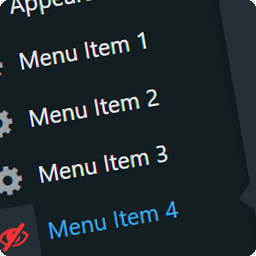
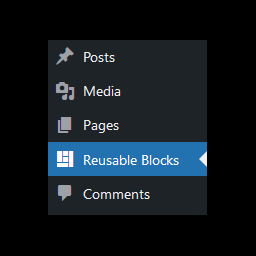
Karasunouta Admin Menu Folder 是一款簡單輕量的外掛,能將多個 WordPress 控制台側邊選單項目整合到一個乾淨的子選單資料夾中,幫助使用者保持控制台的整潔與專注。
【主要功能】
• 精簡側邊欄:聚焦於日常高頻選單,保留次要項目的即時存取
• 簡易切換介面:直覺式勾選介面管理選單項目
• 管理列捷徑:可選擇在上方管理列顯示設定頁的直接連結
• 子選單設定連結:可選擇在子選單資料夾的上方或下方放置設定連結
• 乾淨輕量:使用標準 WordPress 核心掛鉤,無外部負擔
外掛標籤
開發者團隊
② 後台搜尋「Karasunouta Admin Menu Folder」→ 直接安裝(推薦)
原文外掛簡介
Karasunouta Admin Menu Folder is a simple and lightweight plugin that aggregates multiple WordPress admin sidebar menu items into a clean, dedicated submenu folder.
As you install more plugins, your admin sidebar easily becomes cluttered with items you rarely touch. Karasunouta Admin Menu Folder lets you tuck away infrequently used menus into a single organized folder. This allows you to build a streamlined sidebar focused exclusively on your daily essential menus, while maintaining immediate access to all other tools whenever you need them.
Key Features
Streamlined Sidebar: Keep your sidebar focused on daily high-frequency menus while preserving immediate access to secondary items inside the folder.
Easy Toggle Interface: Drag-free intuitive checkbox interface for managing menu items in the settings page.
Admin Bar Shortcut: Option to display a direct link to the settings page in the top admin bar.
Submenu Settings Link: Option to place a settings link at the top or bottom of the submenu folder.
Clean & Lightweight: Uses standard WordPress core hooks with no external bloat or performance impact.
Optional Pro Version
The free version of Karasunouta Admin Menu Folder is a complete, fully functional plugin designed to keep your WordPress admin sidebar clean and focused using a single organized folder.
For agency client work, larger websites, or advanced administration workflows, Karasunouta Admin Menu Folder Pro offers extended capabilities to give you total control over the admin navigation.
Perfect for Client Work & Handoffs
When delivering WordPress sites to clients, third-party plugin menus can easily clutter the dashboard. This overwhelming clutter often confuses clients and increases support inquiries. With the Pro version, you can organize menus into dedicated, purpose-specific folders (e.g., “Maintenance”, “Security”, “Analytics & SEO”) with custom folder names and Dashicons. Deliver a clean, professional, and clutter-free admin dashboard that inspires confidence.
👉 View Pro details and pricing
Free vs Pro Feature Comparison
Number of Folders: [Free] 1 folder (automatically generated). / [Pro] Create and manage multiple folders.
Folder Name: [Free] Fixed to “Menu Folder”. / [Pro] Fully customizable (e.g., “Maintenance”, “Security”).
Folder Icon: [Free] Fixed standard folder icon. / [Pro] Fully customizable (choose suitable Dashicons for each folder).
Menu Item Order: [Free] Fixed (follows original WordPress sidebar order). / [Pro] Freely draggable & reorderable.
Folder Order: [Free] Fixed (single folder). / [Pro] Freely reorderable among multiple folders.
Source Code & Development
The source code for this plugin is available on GitHub:
https://github.com/karasunouta/karasunouta-admin-menu-folder