內容簡介
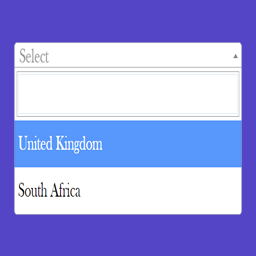
Jupa - Post Type Field for Contact Form 7 是一款為 Contact Form 7 增加三種新欄位類型的外掛,讓使用者能夠從現有的文章清單中選擇,提升表單的靈活性與便利性。
【主要功能】
• 增加下拉選單、複選框和單選按鈕三種欄位類型
• 支援任何公開的文章類型,包括自訂文章類型
• 可自訂文章排序及顯示數量
• 完全整合 Contact Form 7 標籤生成器
• 支援標準的 id: 和 class: 標籤選項
• 支援必填欄位驗證
外掛標籤
開發者團隊
② 後台搜尋「Jupa – Post Type Field for Contact Form 7」→ 直接安裝(推薦)
原文外掛簡介
Jupa – Post Type Field for Contact Form 7 adds three new field types to Contact Form 7: a drop-down menu, a group of checkboxes, and a group of radio buttons. Each one is automatically filled with the titles of posts from any post type you choose (posts, pages, products, or any custom post type registered on your site).
This is useful when you want visitors to pick from a list that already exists in your content, such as choosing a location, category page, product, or any other custom post type entry, without maintaining that list by hand inside the form.
Features
Three form-tag types: drop-down menu, checkboxes, and radio buttons.
Works with any public post type, including custom post types.
Choose the ordering (orderby and order) of the listed posts.
Limit how many posts are shown, or show all of them.
Full integration with the Contact Form 7 tag generator (visual UI, no manual tag writing required).
Supports the standard id: and class: tag options, the same way native Contact Form 7 fields do.
Supports required-field validation.
Usage
Edit a Contact Form 7 form.
Open the “Insert form-tag” menu and choose one of “posts drop-down menu”, “posts checkboxes”, or “posts radio buttons” (they appear at the end of the list).
Select the post type to pull posts from, the sort order, and (optionally) how many posts to show.
Insert the tag and save the form.