內容簡介
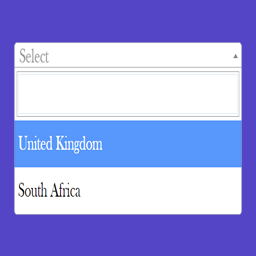
Dropdown Multisite Selector 外掛讓使用者建立可完全配置的下拉選單,選項作為連結,選擇後可直接導向相應的網址。此外掛最初為多站點網路設計,現在也支援自訂連結作為選項,提升網站導航的便利性。
【主要功能】
• 手動列表:自訂每個選項的名稱和網址
• 自動列出所有網路網站:快速顯示多站點網路中的所有網站
• 僅顯示用戶的網站:列出當前登入用戶註冊的網站
• 自訂標籤和佔位符:設定下拉選單的顯示文字
• 短碼支援:使用 [dms] 和 [dms_manual] 短碼顯示下拉選單
• 圖片載入行為:選擇網址時可在同頁面顯示圖片
外掛標籤
開發者團隊
📦 歷史版本下載
原文外掛簡介
This plugin lets you build a fully configurable dropdown field whose options act as links: when a visitor picks one, they are redirected to the matching URL. It was originally built for multisite networks to make navigation between subsites faster, but it now supports custom links as dropdown options too.
Ways to populate the dropdown
Manual list – define each option yourself: enter a name and the URL the visitor is redirected to when they choose it.
All network sites – automatically list every site in your WordPress Multisite Network as an option.
The user’s sites only – list only the network sites where the current logged-in user is registered.
What you can customize
Label – set a label for the dropdown, or leave it empty for no label.
Placeholder – the first, non-clickable option (for example “Select branch”, “Select country”, “Choose side”).
Sorting – order your manual list alphabetically, or reverse it so your most recent entries appear first.
Behaviour – send the visitor to the selected URL, or treat the URLs as images and load the chosen one into the [dms_target] container on the same page, without leaving it.
Once your settings are saved, display the dropdown with the [dms] shortcode or the bundled widget.
Shortcodes
[dms] – Renders the dropdown exactly as configured on the admin settings page.
[dms_manual name=”” placeholder=”” target=”” options=””] – Renders a standalone dropdown that is independent of your saved settings. Accepts these attributes:
name – the dropdown label (leave empty for no label).
placeholder – the first option shown in the menu (for example “– Select –“).
target – “default” to open links in the same tab, or “blank” to open them in a new tab.
options – comma-separated URL/name pairs in the form “url1|name1, url2|name2, url3|name3”. The order within each pair is detected automatically, so “name|url” works too. Option names cannot contain a comma or a vertical bar, as both are used to separate the values.
Example:
[dms_manual name="Label" placeholder="--Select--" target="blank" options="https://duckduckgo.com|Trusted search engine, https://google.bg|Tracking search engine"]
[dms_target] – Marks the spot where the selected image is loaded. Place it anywhere on the same page as [dms] and set the behaviour to “Open in target section” on the settings page: choosing an option then swaps the image in this container instead of redirecting the visitor. If the behaviour is set to images but this shortcode is missing from the page, the dropdown shows a warning. Developers can also replace the container markup through the dms_target_filter filter.
Need extra functionality? Open an issue on GitHub or ask in the support forum, and I’ll see whether it can be added. Thanks to everyone who has shared ideas for improving this plugin.
Filters
Here are the filters you can use to modify the plugin’s output:
dms_sites_arguments – control the attributes passed to get_sites() when the “Show all sites in the WordPress Multisite Network” option is selected.
dms_multisite_pairs – filter the results returned from get_sites().
dms_users_sites – control the sites when the “Show only the sites where the user is registered” option is selected.
dms_target_filter – replace the markup returned by the [dms_target] shortcode.