內容簡介
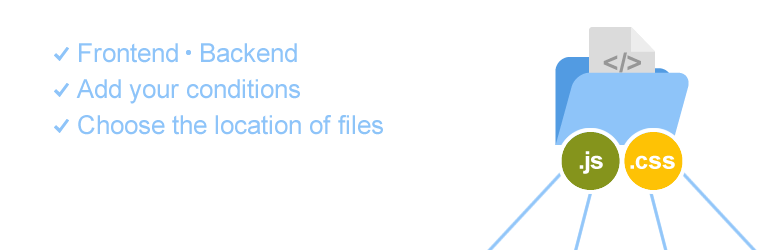
這個外掛可讓你在 WordPress 頁面中引用額外的 JavaScript 或 CSS 檔案。
你可以:
引用任意數量的檔案。
選擇檔案是要在前端還是後端載入。
選擇檔案要載入在頁首還是頁尾。
選擇在何種條件下載入檔案(僅限已登入使用者、僅限管理員使用者、僅限首頁)。
若有需要,選擇自己增加的條件。
如果你需要增加條件,請參照以下範例:
add_filter( 'jcim_condition' , 'my_conditions' );
function my_conditions( ) {
$conditions = array(
array(
"code" => "current_user_can",
"val" => "edit_themes",
"desc" => "僅讓編輯主題使用者載入",
"help_link" => "https://codex.wordpress.org/Function_Reference/current_user_can"
),
array(
"code" => "is_admin",
"val" => "",
"desc" => "僅在管理員畫面顯示",
"help_link" => ""
),
);
return $conditions;
}
日本語でのご説明
這個外掛讓你可以在 WordPress 頁面中引用額外的 JavaScript 或 CSS 檔案,避免出現複雜混亂的狀況。
外掛標籤
開發者團隊
原文外掛簡介
This plugin allows you to include extra JavaScript or CSS files in your WordPress page.
You can:
Include as many as you like.
Choose whether files are to be included on the front-end or the back-end.
Choose where to include them in the header or the footer.
Choose conditions to use for inclusion (logged-in users only, admin users only, front page only).
Choose conditions of you can add.
Please if you want to add conditions.
For example add filter:
add_filter( 'jcim_condition' , 'my_conditions' );
function my_conditions( ) {
$conditions = array(
array(
"code" => "current_user_can",
"val" => "edit_themes",
"desc" => "Only edit theme role have user",
"help_link" => "https://codex.wordpress.org/Function_Reference/current_user_can"
),
array(
"code" => "is_admin",
"val" => "",
"desc" => "Only admin screen",
"help_link" => ""
),
);
return $conditions;
}
日本語でのご説明
このプラグインは、よくごちゃごちゃになってしまうjavascriptファイルの読み込みとcssファイルの読み込みを、
管理画面だけ、またはサイトだけに読み込むファイルを、1箇所で管理するためのプラグインです。
サイトで何のファイルを読み込んでいるのか、すっきり。