內容簡介
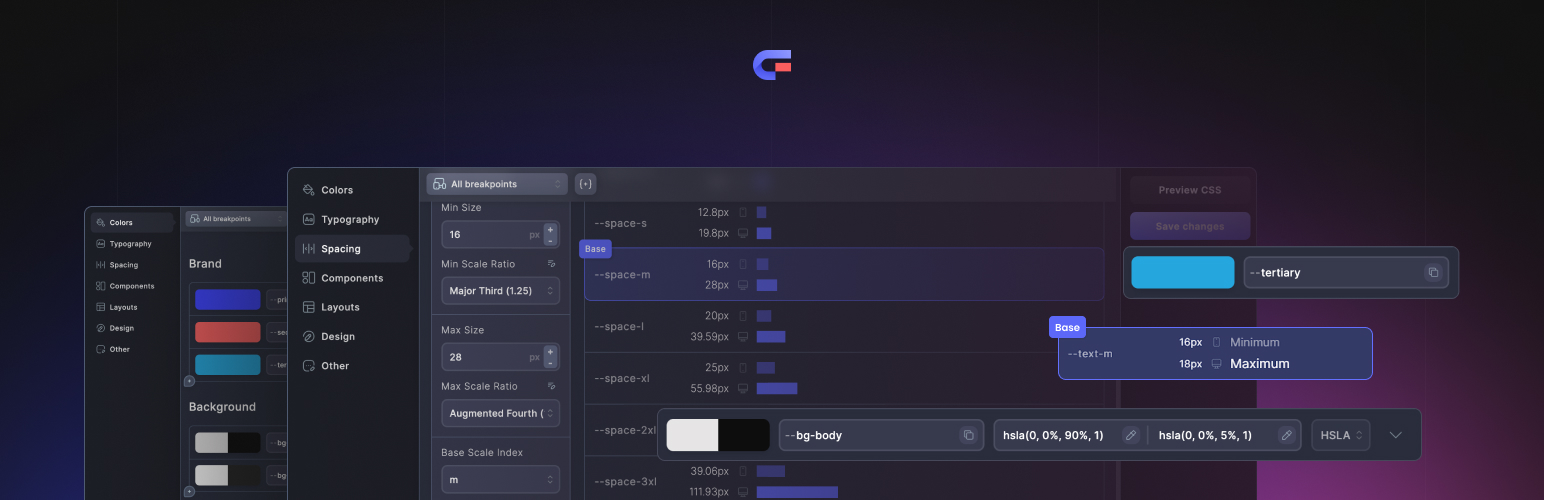
Core Framework 是一個視覺化的 CSS 框架和設計標記生成器。它允許使用者在一個專案中定義顏色、字型、間距、佈局、元件和自訂樣式,並生成 WordPress 網站所需的 CSS。此外掛及其所有整合功能均為免費和開源,無需授權啟用。
【主要功能】
• 視覺框架與設計標記編輯器
• 流體字型與間距比例
• 顏色陰影與色調生成
• 實用類別、元件、佈局與自訂樣式表
• 專案匯入與匯出
• 與 Gutenberg、Bricks、Oxygen 和 Figma 整合
外掛標籤
開發者團隊
📦 歷史版本下載
原文外掛簡介
Core Framework is a visual CSS framework and design-token builder. Define colors, typography, spacing, layouts, components, utility classes, and custom styles in one project, then generate the CSS used by your WordPress site.
The plugin and all included integrations are free and open source. There is no license activation and no paid feature gate.
Features
Visual framework and design-token editor
Fluid typography and spacing scales
Color shade and tint generation
Utility classes, components, layouts, and custom stylesheets
Project import and export
Gutenberg integration
Bricks integration
Oxygen integration
Figma synchronization
Integrations
Enable the integrations you use from Core Framework → Add-ons. Gutenberg, Bricks, Oxygen, and Figma support are included with the plugin; they are not separate paid add-ons.
Marketplace
The Core Framework Marketplace sells optional design kits and packs. Those content products are separate from the plugin and are not required to use any Core Framework feature or integration.
External services
Core Framework works without a Core Framework account or hosted Core Framework backend. It makes an external request only when an administrator explicitly asks for one:
The bundled font catalog is local. Selecting or previewing a Google Font requests CSS from https://fonts.googleapis.com. Importing it also downloads font files from https://fonts.gstatic.com, after which WordPress serves the saved font files locally. Requests identify the selected font family and variants; as with any web request, Google receives connection information such as the site’s IP address and user agent. No Google API key or Google account is required.
Google Terms of Service: https://policies.google.com/terms
Google Privacy Policy: https://policies.google.com/privacy
Direct Figma-to-WordPress synchronization connects the Figma plugin directly to the user’s own WordPress site using a connection key created by a site administrator. Project data is not routed through Core Framework servers.
Remote project import is optional and runs only when an administrator pastes a shareable project link or project ID and submits it. WordPress then requests that project from https://us-central1-core-framework-6bdc9.cloudfunctions.net/getPreset. The request is made by the server rather than the browser, sends no credentials, and the endpoint is read-only: it returns a project only when its owner has marked it as public. Nothing is sent unless an administrator submits a link, and no account is required to import one.
Apart from the requests listed above, the plugin’s administration interface, image previews, project storage, CSS generation, and included integrations do not load assets from Core Framework servers. Core Framework does not contact a licensing server and does not require account activation.
Licensing
Core Framework’s original source code is licensed under the MIT License. Bundled dependencies retain their own open-source licenses. The release archive includes third-party-notices.txt for adapted source and artwork and third-party-licenses.txt for the complete production dependency inventory.