內容簡介
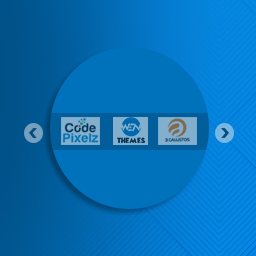
Johneid Image Slider and Logo Carousel 是一款輕量級的 WordPress 外掛,旨在為網站安裝 jQuery 圖片滑動器和縮圖輪播。使用者可輕鬆配置及自訂滑動效果,提升網站的視覺吸引力。
【主要功能】
• 英雄風格單圖滑動器
• 多個 Logo 響應式縮圖行
• 自訂自動播放間隔設定
• 多種箭頭導航樣式
• 直接整合 WordPress 媒體庫
• 自訂標題與說明文字位置
外掛標籤
開發者團隊
② 後台搜尋「Johneid Image Slider and Logo Carousel」→ 直接安裝(推薦)
原文外掛簡介
Johneid jQuery Image Slider and Logo Carousel is a lightweight WordPress plugin designed to install a jQuery slider and thumbnail carousel for the WordPress website. It is easy to install this plugin on the WordPress website, and it is easy to configure this plugin. After activating the plugin, you can visit ‘Carousels’ page in the admin dashboard. Here you can click ‘Add New Carousel’ button to configure a new jQuery ‘One Full Image Slider (Hero Style)’ as well as you can configure ‘Multi-Logo Thumbnail Row (Partner/ Client Logos)’. If you have chosen ‘One Full Image Slider (Hero Style)’; type the name for the slider in the ‘Name’ section, by default ‘Display Type’ is same that we have followed ‘One Full Image Slider (Hero Style)’. Set the delay time between each slide in milliseconds in ‘Autoplay Interval Delay (ms)’ counter. Select the ‘Arrow Style’ you feel the best for your website/ project. Upload images from your computer or select images from the gallery for jQuery slider and hit the ‘Save Carousel Framework’. Copy the shortcode, go to post/ page, insert the shortcode and publish. See WP jQuery slider in action. ‘Multi-Logo Thumbnail Row (Partner/ Client Logos)’ display type helps a website owner to display partners and clients he/ she is working with. It improves status in the social environment. ‘Multi-Logo Thumbnail Row (Partner/ Client Logos)’ is display type is part of this WordPress plugin to achieve this target. Select ‘Multi-Logo Thumbnail Row (Partner/ Client Logos)’ from the ‘Display Type’ drop down. Name the carousel like we did for ‘One Full Image Slider (Hero Style)’ jQuery slider. Set the ‘Thumbnail Dimension Target’, for example 100×50. Move to dropdown set for ‘Logos Displayed Simultaneously’, you can choose the value from 4-10. Set ‘Autoplay Interval Delay (ms)’, ‘Arrow Style’, and ‘Images’ like we did for ‘One Full Image Slider (Hero Style)’ and hit the ‘Save Carousel Framework’. Copy the shortcode, go to post/ page, insert the shortcode and publish. See WP client/ partner thumbnail carousel in action. Whether you need a hero-style full image slider or a multi-logo partner display bar, this plugin handles it dynamically via shortcodes. You can e-mail me at [email protected]. For more plugins you can visit my website http://johneidplugins.com.
Features
Hero Style Single Image Slider.
Multi-Logo responsive thumbnail rows.
Custom autoplay interval configurations.
Multiple arrow layout navigation styles.
Direct integration with native WordPress Media Library.
Flexible title and caption overlays with top, center, and bottom positioning options.
Category filtering along with grayscale-to-color hover transitions.
Configurable pagination options, including both dots and numbers.
Open custom image URLs in a new browser tab (target=”_blank”).
Lightbox Popup: Allow users to click an image to open it in a full-screen lightbox modal
Fully dynamic mobile and tablet responsiveness has been built directly into the CSS and layout engine, ensuring multi-logo carousels automatically scale down gracefully on smaller screens (mobiles and tablets) while maintaining crisp touch interaction.
Continuous marquee ticker, vertical mode, Gutenberg block support, drag & drop reordering, custom color pickers, touch swiping, custom image links, aspect ratio cropping, multiple transition animation effects, customizable typography controls, and overlay background colors.