內容簡介
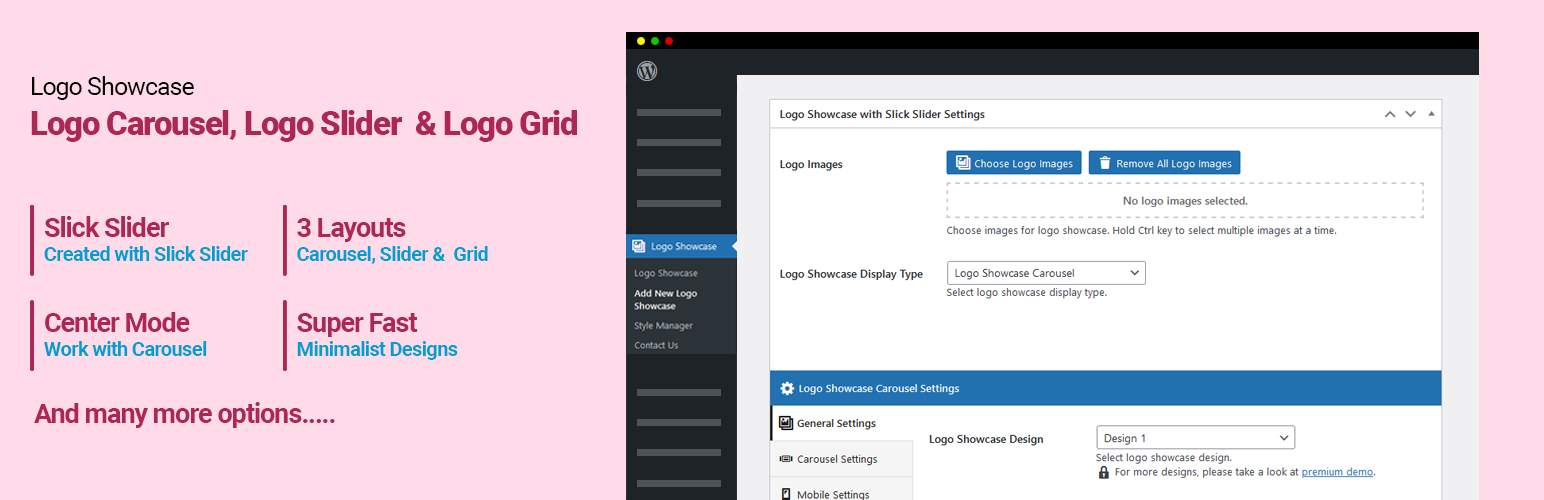
Logo Showcase 是一款強大的 WordPress 外掛,能夠快速且輕鬆地展示合作夥伴、客戶或贊助商的標誌。透過滑動、旋轉木馬或網格的方式,提供多樣化的展示選擇,提升網站的專業形象。
【主要功能】
• 支援標誌滑動、旋轉木馬及網格展示
• 拖放排序功能,輕鬆調整標誌順序
• 可為每個標誌添加標題與描述
• 支援無限數量的標誌展示
• 自訂滑動速度與自動播放間隔
• 提供多種設計選項的專業版本
外掛標籤
開發者團隊
② 後台搜尋「Logo Showcase – Responsive Logo Carousel, Logo Slider & Logo Grid」→ 直接安裝(推薦)
📦 歷史版本下載
原文外掛簡介
✅ Logo Showcase with Slick Slider is best for:
Sponsors/Clients Logo Slider or Logo Carousel.
Sponsors/Clients Logo Grid.
Sponsors/Clients Logo Center Mode.
✅ Logo Showcase with Slick Slider having:
Adding multiple logo image.
Logo drag and drop order change.
Title for logo.
Caption for logo.
Link for logo.
Logo Showcase with Slick Slider – help to display partners, clients or sponsor’s Logo in your WordPress site quickly and easily with the help of slider OR carousel OR Grid.
Using Logo Showcase with Slick Slider plugin creating a carousel slider of logos like client logo slider, partners logo slider, sponsor logo slider is super easy with help of logo gallery, drag and drop order change and user friendly settings.
View FREE DEMO for more details.
Checkout Premium Version Demo | Buy Premium Version for more designs and options.
Logo Showcase with Slick Slider is a beautiful logo showcase and clients logo gallery plugin that allows you to display a group of logo images in a visually appealing layout through an intuitive Shortcode Generator. It’s very user-friendly and convenient to manage & display the logo images in your any WordPress site.
✅ Here is the shortcode example
[slick_logo_carousel id="XX"]
✅ Features include:
Display client logo showcase or sponsors logo showcase in slider/carousel view.
Display client logo showcase or sponsors logo showcase in grid view.
Display unlimited client logo showcase.
Add Link for image.
Enable center mode (Shown in Demo).
Display logo including / excluding title (Show or hide logo title).
Display logo description.
Multiple sliders can be shown.
Slider sliding speed, auto play Interval, navigation, pagination, Slide columns for Logo slider, Number of Logos slides at a time.
Created with Slick Slider.
Display slider in loop OR not.
RTL supported.
✅ PRO Features Include :
Premium Version
* 10+ Designs
* Create multiple logo showcase with different designs.
* Logo Showcase Carousel View.
* Logo Showcase Ticker View.
* Logo Showcase Grid View.
* Logo Showcase List View.
* Logo Showcase Masonry View.
* Logo Showcase Table View.
* 6 Types of different pagination.
* Load More and Prev – Next Ajax Pagination.
* Infinite Scroll Pagination.
* Shortcode Generator – No hassles for documentation.
* WP Template Functionality – Modify plugin HTML from theme!!
* Set “Order” and “Orderby” sorting parameters via shortcode.
* WPBakery Page Builder support.
* Elementor Page Builder support.
* Slider RTL support.
* 100% Multi language.
* Many more other features also…
View PRO DEMO and Features for additional information.
✅ Benefits of using our Logo Showcase on your website:
Logo Showcase with slick slider is one of the best ways to display logos because you can:
Display as many logos as you want: Whether you have two or 20 logos, you can display them all with a logo slider, logo carousel or logo grid since space isn’t a concern.
Number of logos: How many logos can you display a time in a slider. This plugin can help you with everything.
Center Mode: Our center mode will help you to highlight the active logo in the center with a beautiful design.
Display logos responsively: With a logo carousel and logo grid, you can keep your logos organized and ensure your design looks great on any device.
Set manual or auto-scroll: You can set your logo showcase to scroll automatically, or let your visitors advance through logos manually using arrows, dots, or swipes.
Logos offer quick visual brand recognition: When skeptical visitors see well-known logos on your site, their guard comes down. It’s like walking into a party and seeing someone you know — you immediately think, “Okay, these people are cool!”
✅ Best Practice Tips for Using Logo Showcase
Before you dive into creating logo Showcase i.e a logo slider, logo carousel or logo grid , there are a few things to keep in mind:
1) Choose a Prominent Location: Place your logo slider, logo carousel or logo grid somewhere where people are going to see it — your homepage, product/services pages, and About page are ideal.
2) Manual vs Auto-Scroll: Do you want visitors to manually advance through your logos using left/right arrows, dots underneath the slider, or swiping on mobile? Or do you want the logos to scroll automatically?
3) Drawing Customers attention: Scrolling images or brand slider are an extremely effective and powerful way to draw the customers and to publicize the brands that are supported by you.
4) Easy to represent: It is easy to represent all the details of the brands and logo images towards the bottom of the website. Without much efforts the visitors can have a look on all the brand images that is supported by your website. Thus it makes the work quite simpler.
5) Increases brand loyalty: It maximizes the ability to increase the awareness and brand loyalty among the customers. They get to know about the brands that are offered by you in a better way so this will built trust among the customers.
What’s Next
If you find this plugin useful to display logo in carousel, slider and grid view, please leave a good rating and consider checking out our other plugins:
News & Blog Designer Pack Pro – A WordPress Blog & News Plugin
Post Slider and Carousel with Widget – A Responsive Post Slider and Post Carousel Plugin
Logo Showcase with Slick Slider – Logo Carousel, Logo Slider & Logo Grid Plugin
Posts List Designer by Category – Display Posts by Category in a List View