內容簡介
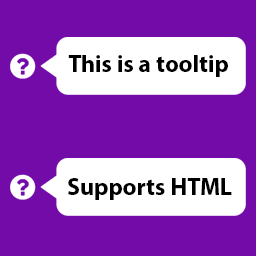
這個外掛為您提供了一個選項,使您博客上的所有密碼欄位在使用者鍵入時如果鍵入了大寫字母(CAPS)則顯示一個工具提示消息。
您可以通過在「設置」>「JCWP Scroll To Top」>「啟用」中將「啟用」設置為「否」,以啟用或停用此外掛。
您可以在推特上關注我https://twitter.com/jschahal 或
在 Facebook 上喜歡我的頁面http://www.facebook.com/jaspreetchahal.org 以瞭解我所做的一些無聊事情的更新。
訪問我的網站http://jaspreetchahal.org 以瞭解有關此外掛的幫助,或更精確地前往http://jaspreetchahal.org/wordpress-caps-lock-detection-plugin-for-login-password-fields
截圖 ==-
選項頁面的截圖
顯示頁面底部的樣式
捐贈
如果您想捐贈以支持此外掛的未來開發,請前往Jaspreet Chahal
外掛標籤
開發者團隊
原文外掛簡介
This plugin gives you an options to make all password fields on your blog to show a tooltip message if user keyboard’s CAPS lock is on.
You can enable or disable this plugin just by setting ‘Enabled’ under Settings > JCWP Scroll To Top > Enabled to “No”
You can follow me on Twitter https://twitter.com/jschahal or
like my facebook page http://www.facebook.com/jaspreetchahal.org to get updates on some not so exciting things that I do.
Visit my site http://jaspreetchahal.org to get help on this plugin or more precisely go to http://jaspreetchahal.org/wordpress-caps-lock-detection-plugin-for-login-password-fields
Screenshots ==-
A screen shot of the options page
Shows a style at the bottom of the page
Donations
If you would like to donate to help support future development of this plugin, please go to Jaspreet Chahal