[WordPress] 外掛分享: Tooltipy (tooltips for WP)

首頁外掛目錄 › Tooltipy (tooltips for WP)
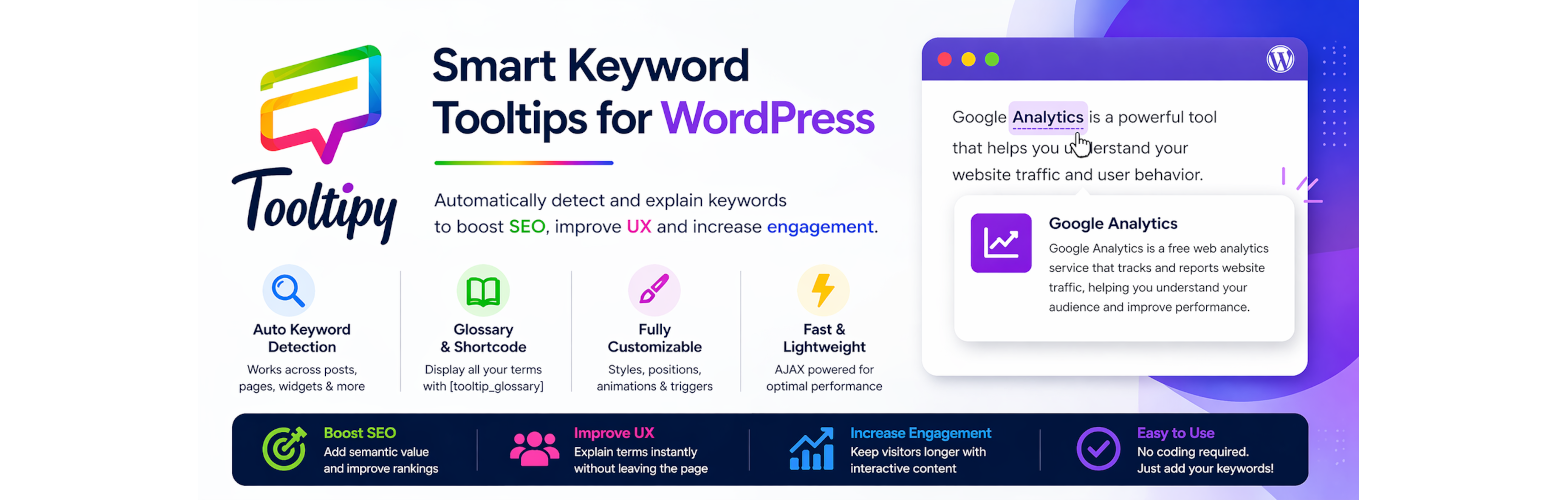
WordPress 外掛 Tooltipy (tooltips for WP) 的封面圖片
1,000+
安裝啟用
★★★★
4.6/5 分(68 則評價)
9 天前
最後更新
問題解決
WordPress 6.0+ v5.5.9 上架:2014-07-22

內容簡介

此外掛可讓你自動建立適應性工具提示方塊,以解釋專有名詞,讓使用者更舒適地瀏覽網站。
使用簡碼詞彙表 [kttg_glossary]。

展示

實際展示
管理員實際展示
使用者名稱:demo
密碼:demo

新增功能

可新增CSS類別至內嵌關鍵字與彈出咚咚。
多個CSS類別可新增至關鍵字與彈出咚咚,使你能夠輕鬆地設計自己的關鍵字。
Ver. 3.0 關鍵字可在整個網站中出現,不限於文章內容,在表頭、表尾,甚至在小工具中。
現在,此外掛也支援日文和中文,感謝 Plugmon。
此外掛現在是響應式設計(可給小於400px的設備使用)。
新增點擊觸發法。
自訂詞彙表連結頁面標籤。
新增詞彙表:內容列於關鍵字下方,感謝 KaiserSoze13。
現在你可以在工具提示中生成簡碼,感謝 ColumbusCook。

特色

Ver. 3.0 關鍵字可在整個網站中出現,不限於文章內容,在表頭、表尾,甚至在小工具中。
提供多種動畫效果(在設定頁面上),感謝 Animate.css。
支援Unicode字元(如阿拉伯文、俄文等)。
已修正問題(如撇號問題、錯誤訊息等)。
已更新詞彙表頁面設定(每頁幾個關鍵字、標籤等)。
工具提示寬度設定。
關閉按鈕工具提示。
點綴樣式現已提供關鍵字(自 ver. 2.1.8)。
操作簡單:安裝並啟用此外掛後,你只需新增你的關鍵字(關鍵字、描述、圖片)即可自動運作。
可自訂工具提示風格,以符合您網站的色彩主題。
工具欄將顯示與當前文章相關的關鍵字清單,位於側邊欄。
決定您是否為文章和/或頁面套用此外掛。
大小寫不敏感擷取。
每個文章/關鍵字操作後之相關關鍵字清單將被更新。
可選擇在相同文章中配對所有出現,或僅限一次匹配,均在設定頁面可調整。
啟用/停用特定文章的配對。
將排除文章列在管理設定頁面的新標籤中。
支援同義詞。
在關鍵字編寫頁面中提供相關文章小工具。
在文章編寫頁面中提供關鍵字相關性小工具。
關鍵字轉換工具(選單:工具-> KTTG轉換器),可讓您從第三方外掛中導入關鍵字,並加入到您的詞彙表中。
樣式設定(即時預覽)。
可勾選以添加或移除背景顏色。
具有「alt」屬性的圖像工具提示。

外掛標籤

開發者團隊

⬇ 下載最新版 (v5.5.9) 或搜尋安裝

① 下載 ZIP → 後台「外掛 › 安裝外掛 › 上傳外掛」
② 後台搜尋「Tooltipy (tooltips for WP)」→ 直接安裝(推薦)
📦 歷史版本下載

原文外掛簡介

Automatically add customizable keyword tooltips to your content and boost SEO, UX, and engagement — no coding required.
🚀 Tooltipy – Keyword Tooltip Generator for WordPress
Tooltipy automatically creates responsive and customizable tooltips for your keywords, helping you explain technical terms and improve your visitors’ experience without leaving the page.
Perfect for blogs, documentation, e-learning platforms, and SEO-driven websites.
🎯 Live Demo
• Frontend Demo: https://wpjam.co/tooltipy
• Admin Demo (coming soon)
• user: demo
• password: demo
🎥 Quick Video (2 min):

✨ Why use Tooltipy?
📈 Improve SEO
Add semantic depth with keyword definitions and internal linking.
🧠 Better User Experience
Explain complex terms instantly without interrupting reading.
⚡ Boost Engagement
Keep users longer with interactive content.
🛠️ Easy Setup
Just add keywords — Tooltipy does the rest.
🔑 Key Features
✔️ Automatic keyword detection across your entire website (posts, pages, headers, footers, widgets)
✔️ Custom tooltip content (text, images, HTML, shortcodes)
✔️ Synonyms support
✔️ Case sensitive / insensitive matching
✔️ Match once or all occurrences per post
✔️ Multilingual support (including languages without spaces like Japanese & Chinese)
✔️ AJAX-powered for better performance
✔️ Responsive design (mobile friendly)
✔️ Multiple tooltip positions (Top, Bottom, Left, Right)
✔️ Tooltip width & styling options
✔️ Custom CSS classes for keywords and tooltips
✔️ Animation support (via Animate.css)
✔️ Click or hover trigger methods
✔️ Close button option
📚 Glossary Features
✔️ Built-in glossary page
✔️ Shortcode support: [tooltip_glossary]
✔️ Custom glossary labels and pagination
✔️ Keywords listed with full content
✔️ Widget to display related keywords
⚙️ Advanced Features
✔️ Apply tooltips only to posts, pages, or specific content
✔️ Exclude specific posts/pages
✔️ Related keywords auto-updated
✔️ Related posts metabox in keyword editor
✔️ Keywords metabox in post editor
✔️ Import tool (Tools → KTTG Converter) to migrate keywords from other plugins
✔️ Real-time style preview in settings
🧑‍💻 About the Plugin
Tooltipy has been actively developed since 2013 and improved through real user feedback.
Built with performance, flexibility, and usability in mind.
❤️ Support
If you enjoy Tooltipy, please leave a review ⭐
Your feedback helps improve the plugin.
Languages
The plugin is available in these languages :

English – Jamel Zarga my self 🙂
French (fr_FR) – Jamel Zarga
German (de_DE) – Michael Padilla
Arabic (ar) – Jamel Zarga
Dutch (nl_NL) – Kees Hessels
Turkish (tr_TR) – Eyyüp Güner
Italian (it_IT) – Genioallopera
Spanish (es_ES) – Andrew Kurtis – WebHostingHub.com
Chinese (zh_cn) – Zchen – zchen.info

ScreenShots

Screenshots Here

Support

Support

延伸相關外掛

文章
Filter
Mastodon