內容簡介
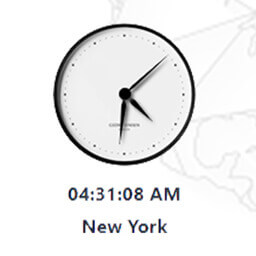
jClocksGMT 是一個基於 GMT 偏移量的 jQuery 模擬和數字世界時鐘外掛程式。
現在支援受影響時區的自動日光節約時間轉換。
需要使用 jQuery Rotate 外掛程式。
[jclocksgmt]
此捷徑程式碼將顯示英格蘭格林威治的預設時鐘
其他屬性:
title
用法 [jclocksgmt title='Houston, TX, USA']:地點的標題
offset
用法 [jclocksgmt offset='-6']:設定標準 GMT 偏移量
dst
用法 [jclocksgmt dst='true]:如果該地點不需要遵守 DST,請設定為 FALSE
digital
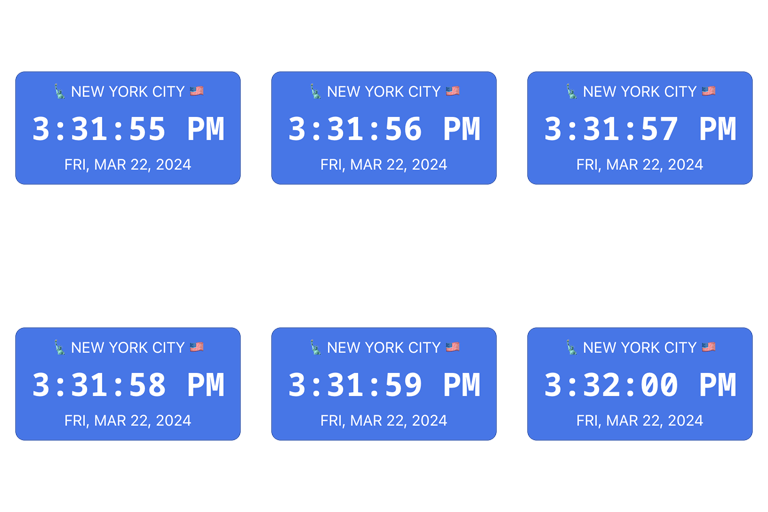
用法 [jclocksgmt digital=true]:顯示數字時鐘
analog
用法 [jclocksgmt analog=true]:顯示模擬時鐘
timeformat
用法 [jclocksgmt timeformat='hh:mm A']:時間格式
date
用法 [jclocksgmt date=false]:顯示日期
dateformat
用法 [jclocksgmt dateformat='MM/DD/YYYY']:日期格式
skin
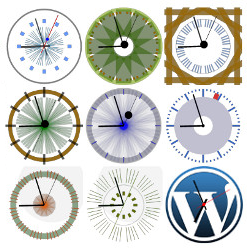
用法 [jclocksgmt skin=1]:設定五個時鐘主題中的第 1 個。
自訂地點的基本縮寫程式碼如下:
[jclocksgmt title=’Houston, TX, USA’ offset=’-6′]
請參閱常見問題集中的更多文件。
外掛標籤
開發者團隊
原文外掛簡介
jClocksGMT is a jQuery analog and digital world clocks plugin based on GMT offsets.
Now supporting automatic daylight saving time conversions for affected timezones.
Requires jQuery Rotate plugin.
[jclocksgmt]
This shortcode will display the default clock for Greenwich, England
Additional attributes:
title
Usage [jclocksgmt title='Houston, TX, USA'] Title of location
offset
Usage [jclocksgmt offset='-6'] Set Standard GMT offset
dst
Usage [jclocksgmt dst='true] set FALSE if location does not need to observe dst
digital
Usage [jclocksgmt digital=true] Display digital clock
analog
Usage [jclocksgmt analog=true] Display analog clock
timeformat
Usage [jclocksgmt timeformat='hh:mm A'] Time format
date
Usage [jclocksgmt date=false] Display date
dateformat
Usage [jclocksgmt dateformat='MM/DD/YYYY'] Date format
skin
Usage [jclocksgmt skin=1] Set 1 of 5 clock themes.
A basic shortcode for a custom location would look like this:
[jclocksgmt title=’Houston, TX, USA’ offset=’-6′]
See more documentation in FAQ section.